Category: Digital Marketing

  • User Generated Content: Complete Guide on What It Is and How to Use It Effectively

    User Generated Content: Complete Guide on What It Is and How to Use It Effectively

    Considering that advertisements are slickered at consumers every second in a world, authenticity is the new precious commodity in marketing. It is precisely that UGC has become one of the most potent instruments that can be utilized by a modern-day marketer, and why brands that fail to exploit it are leaving a tremendous growth untapped.

    What is User Generated Content?

    User Generated Content (UGC) is content No matter the type of content posted (text, images, videos, reviews, testimonials, or a social media post) created by actual customers, fans or followers; content that is not created or published by the brand. Consider an Instagram picture of a person in your sneakers or a YouTube unboxing video or a five-star review done on Google. It is all User Generated Content.

    The UGC is beautiful due to its credibility by nature. With an actual individual, not an actor on contract, endorsing your product, their listeners pay attention. It is also organic, relatable, and trusted which branded content can just simply replicate.

    79% of consumers say UGC influences purchase decisions

    6.9x higher engagement rate vs. brand-created content

    50% more trusted than other media types

    Types of User Generated Content

    Prior to developing a User Generated Content strategy, it is good to know the various types UGC can be:

    • Reviews & Ratings: Amazon, Trustpilot, Google, Yelp.
    • Social Media Posts: Threads, stories, reels, photos.
    • Video Content: Unboxings, tutorials, testimonials
    • Blog Posts: Customer testimonials and case studies.
    • Forum Threads: niche communities, Reddit, Quora.
    • Podcasts & Lives: Mentions, shoutouts, interviews

    Why User Generated Content Marketing Works?

    UGC marketing exploits one of the best-known human tendencies: we believe in our own kind. Traditional advertising is a message shown; User Generated Content is a discussion. The psychological barrier to make a purchase even reduces significantly when a potential consumer notices a person like him/her unabashedly enjoying your product.

    Studies continually reveal that millennials and Gen Z consumers will put their trust in peer reviews more than 12 times greater than the brand message. To these demographics, authentic UGC is not an extra benefit, but rather a selling point.

    In addition to credibility, UGC marketing also considerably drops the cost of content creation. The heavy lifting is being done by your customers – creating the consistent flow of new, different forms of content that no in-house team is capable of doing at scale.

    Also Read: Content Depth vs Content Volume: What AI Ranking Models Reward

    Building a Winning User Generated Content Strategy

    An effective User Generated Content strategy cannot be achieved accidentally. It needs to be planned out, there must be goals and implementation. The following is the way to construct one that does work:

    1. Define your goals: Do you want to achieve brand awareness, higher conversions, a community, or SEO? All future decisions will be dependent on your goals.

    2. Find out who your UGC sources are: Where are your audience members discussing you by default (Instagram, Tik Tok, Reddit, Google reviews, etc)? Start prioritizing them and build momentum there.

    3. Easy contribution facilitation: You may develop a branded hashtag, hold a contest or just request customers to post their experience after purchase. Reduce barriers to participation.

    4. Permit and credit: Invariably seek express permission before using the work of a person. Tag, credit and celebrate publicly.

    5. Repurpose across touchpoints: Include authorized UGC on your site, e-mail campaigns, paid advertisements, and product pages to influence to the maximum level.

    6. Measure and iterate: Measured engagement and conversion lifts and sentiment To know the UGC that resonates with most of people – do more of that.

    Creating High Impact UGC Campaigns

    Not all the most widely-known UGC campaigns in the history of marketing were complex in nature, requiring only a great time and place, stirredjust the right emotions, and be engaging to take part in. The success of Coca-Cola Share a Coke, GoPro user-created videos of adventures, and Airbnb LiveThere campaign was in the fact that the heroes of the brand story become real people.

    In planning UGC campaigns, there are three foundations to keep in mind: a clear call-to-action that directs the audience to do what needs to be done, an enticing incentive (attention, prizes or belonging to the community) and an amplification mechanism to ensure a great submission is shared with as many people as possible.

    A good starting point is often micro-influencers and loyal customers. They also possess the highly active, niche audiences and are much more likely to produce actual, quality content, compared to a celebrity with a huge but non-interactive following.

    Common Mistakes to Avoid in UGC Marketing

    Some of the best intentions made in User Generated Content may focus. The most common pitfalls are: duplicating material without consent (legal and reputational hazard), sorting out flawless, edited submissions (killing authenticity), and not vetting material so that it is brand-safe. Similarly, the enthusiasm of those who would never respond or celebrate contributors soon wanes away.

    The golden rule: Do not treat your contributors as free content providers but as partners.

    Final Thoughts

    User Generated Content is not a fad, it is a paradigm shift on how brands win trust and develop enduring cities. At a time when millions of dollars are being spent on advertising and customers lose trust in a company, the voices of actual purchasers are worth millions more than any advertising budget. As a startup with social proof to create or an established brand and need more community presence, a considerate UGC marketing strategy can take your content ecosystem to the next level, reduce your acquisition expenses, and achieve true loyalty. Brand talk is already well underway, with the proper strategy, you can influence, increase and capitalize on it.

  • ChatGPT Advertising: How Businesses Can Leverage AI Ads for Growth (2026 Guide)

    ChatGPT Advertising: How Businesses Can Leverage AI Ads for Growth (2026 Guide)

    Businesses working with a digital marketing agency in toronto are already beginning to rethink how advertising works in an AI-first world. The shift isn’t gradual anymore it’s happening fast, and platforms like ChatGPT are at the center of it.

    Over the past few years, user behavior has changed significantly. Instead of just typing short keywords into search engines, people are now asking for the full questions, comparing options and also making decisions through conversations with the AI. In response to this shift, ChatGPT has started introducing advertising in such a way that feels native to how users interact with the platform.

    For businesses, this opens up a new kind of opportunity. Instead of interrupting users, ads can now appear exactly when someone is actively thinking about a problem or looking for a solution.

    What Are ChatGPT Ads?

    ChatGPT ads are sponsored placements that appear within the conversational interface, typically just below the AI’s response. They are designed to match the context of what a user is asking/want rather than relying only on the keywords or browsing history of the user.

    What is ChatGPT Advertising?

    ChatGPT advertising is a form of AI-driven advertising where sponsored content is shown based on the intent and context of a user’s conversation inside ChatGPT.

    This is what makes it fundamentally different from traditional formats. In most digital channels, ads compete for attention. Here, they are placed within an ongoing interaction. That changes how users perceive them.

    Instead of being intrusive, these ads feel more like suggestions—appearing at the exact moment someone is already exploring a topic.

    Why OpenAI Introduced Ads in ChatGPT

    The introduction of ads is not surprising when you look at the scale of AI usage today. Running large language models requires significant infrastructure, and offering free access to millions of users comes with real costs.

    Advertising provides a way to support that ecosystem without restricting access. It also creates a new revenue stream that can fund further development.

    At the same time, it positions ChatGPT as more than just an assistant. It becomes part of the broader advertising landscape, competing with search and social platforms.

    How ChatGPT Advertising Works

    At its core, ChatGPT advertising is built around context.

    How does ChatGPT advertising work?

    ChatGPT advertising works by analyzing what a user is asking and placing relevant sponsored content below the response, without influencing the answer itself.

    When someone asks a question—say about buying property, choosing software, or finding a service—the system identifies the intent behind that query. Based on that, a relevant ad can appear underneath.

    What’s important here is that the ad doesn’t shape the AI’s response. It sits separately, clearly labeled, and is selected because it fits the topic being discussed.

    This approach is closer to intent-based targeting than traditional audience targeting. It relies less on who the user is and more on what they are trying to solve in that moment.

    Who Sees Ads in ChatGPT?

    Not every user will see ads, at least for now. The rollout is still controlled and limited.

    Ads are primarily shown to users on free or entry-level plans, while those on paid subscriptions such as Plus, Pro, or Enterprise typically have an ad-free experience.

    There are also basic conditions around age and region, since the feature is still being tested in selected markets. As the platform expands, this is likely to change.

    Privacy & Data Safety in ChatGPT Ads

    One of the biggest concerns around any advertising platform is how user data is handled. ChatGPT takes a different approach compared to many traditional platforms.

    Do ChatGPT ads use personal data?

    No, ChatGPT ads do not rely on sharing personal conversations with advertisers. Targeting is based on general context rather than individual identity.

    This means advertisers are not accessing private chats. Instead, they are working with aggregated signals—essentially understanding what category of topic is being discussed.

    For users, this creates a more privacy-conscious environment. For businesses, it means learning to rely on relevance and messaging rather than heavy tracking.

    Benefits of ChatGPT Advertising for Businesses

    The biggest advantage of ChatGPT advertising is timing. Businesses are reaching users when they are actively thinking, not passively scrolling.

    When someone asks a question inside ChatGPT, they are already in a decision-making mindset. That makes the interaction more valuable than many traditional impressions.

    There is also a clear advantage for early adopters. Because the platform is still new, competition is lower, and there is more room to experiment without high costs.

    Another important factor is engagement. Ads placed within a conversation tend to feel more natural, which can lead to better interaction compared to formats that interrupt the user experience.

    ChatGPT Ads vs Google Ads vs Meta Ads

    Each platform still serves a different purpose, but the differences are becoming more interesting.

    Google Ads are built around keywords. They work well when users know what they are searching for. Meta Ads, on the other hand, rely on interests and behavior, often appearing when users are not actively looking for something.

    ChatGPT sits somewhere in between, but leans closer to intent. It captures users who are exploring, comparing, and asking questions in real time.

    This ability to understand full conversations gives it an edge in situations where traditional keyword targeting falls short.

    How Businesses Can Prepare for ChatGPT Ads

    Even if full access to ChatGPT ads is still limited, the preparation can start now. The first step is to rethink how messaging is written. Traditional ad copy often focuses on short, punchy lines.

    In a conversational environment, that approach feels out of place. Messaging needs to sound more natural, more helpful, and more aligned with how people actually ask questions.

    Content strategy also plays a role. Businesses that already create useful, question-based content will have an advantage. This is where alignment with SEO becomes important.

    If you’re already investing in structured content, this connects directly with broader strategies like ai marketing agency ontario positioning and long-term organic visibility.

    At the same time, paid strategies will evolve. Businesses familiar with performance-driven campaigns—especially those working with a PPC marketing agency toronto—will find it easier to adapt once AI ad platforms become more accessible.

    Use Cases: Where ChatGPT Advertising Works Best

    Some industries are naturally better suited for this format.

    In real estate, for example, users often ask detailed questions before making decisions. This creates an ideal environment for ads that appear during that research phase.

    Local businesses can also benefit, especially when users are looking for recommendations or comparing options nearby.

    SaaS companies and service providers have another advantage. Their customers tend to evaluate multiple options, and ChatGPT becomes a space where those comparisons happen naturally.

    Agencies, particularly those evolving into a performance marketing agency toronto model, can use this as an opportunity to offer new capabilities to clients.

    Future of AI Advertising

    AI advertising is still in its early stages, but the direction is clear.

    We are now moving towards a model where the conversations don’t just inform decisions—they complete them. Booking a service, purchasing a product, or comparing options could all happen within a single interaction.

    This will likely change how businesses think about the entire funnel. Instead of separating awareness, consideration, and conversion, everything may happen in one continuous experience.

    For agencies transitioning into a marketing agency toronto ecosystem focused on AI, this shift is not just an opportunity—it’s a necessity.

    Conclusion

    ChatGPT advertising is not just another channel to test. It represents a broader shift in how the users interact with information and how businesses will connect with them.

    This move from keywords to conversations change the rules completely. It rewards more relevance, clarity, and timing over volume and visibility alone.

    Businesses that start adapting now—whether through content, messaging, or strategy—will be in a stronger position as the platform evolves.

    The early stages of any advertising platform tend to offer the greatest advantage. ChatGPT is no different. The difference is that this time, the change is not just about a new platform—it’s about a new way of thinking.

    FAQs

    Can businesses run ads on ChatGPT right now?

    ChatGPT ads are currently in a limited testing phase and not yet fully available worldwide.

    How are ChatGPT ads different from Google Ads?

    They rely on the conversational context instead of catching keywords, which allows for a deeper intent targeting.

    Do ChatGPT ads use my personal data?

    No, they are based on general context rather than personal conversations or identity.

    Will ChatGPT ads be available globally soon?

    A wider rollout is expected, although the exact timelines have not been officially confirmed.

    How can businesses prepare for ChatGPT advertising?

    By focusing on conversational content, improving messaging, and aligning with AI-driven strategies.

    Are ChatGPT ads better than Meta ads?

    ChatGPT have a different purpose which is focusing more on intent rather than discovery.

    Which industries benefit the most from ChatGPT ads?

    Real estate, SaaS, local services, and consulting-based businesses tend to benefit the most.

    Is AI advertising the future of digital marketing?

    Yes, it is becoming a central part of how businesses reach and convert users in an AI-driven environment.

  • Meta Advantage and Shopping Campaigns: What the Data Actually Shows

    Meta Advantage and Shopping Campaigns: What the Data Actually Shows

    I spent the last six months testing Advantage+ campaigns across 14 different e-commerce accounts. The results surprised me.

    Meta launched Advantage+ Shopping Campaigns in August 2022. The pitch was simple: let AI run your ads instead of doing it manually. Upload your products, set a budget, and the algorithm figures out the rest.

    Sounds convenient. Also sounds like a great way to waste money.

    But the numbers told a different story.

    The Basic Setup

    Traditional Facebook ad campaigns require you to build everything manually. You create audience segments, test different ad sets, choose placements, and adjust budgets daily. A typical campaign has 5-10 ad sets, each with 3-4 ad variations. You’re managing 20-30 different combinations.

    Advantage+ strips all that away. You upload your creative (up to 150 assets), set your country targeting and budget, then hit publish. The AI handles audience targeting, placement selection, creative combinations, and budget allocation.

    One campaign. One ad set. The algorithm does everything else.

    What Meta Claims

    Meta’s official data shows:

    • 12% lower cost per acquisition on average
    • 17% higher return on ad spend
    • Some advertisers are seeing up to 32% improvement in cost per purchase

    They’re pushing this hard. Every Meta rep I’ve talked to recommends switching to Advantage+.

    What Third-Party Data Shows

    Tinuiti tested Advantage+ across multiple client accounts in Q4 2023:

    • 15% average reduction in CPA
    • 22% increase in purchase volume at the same spending level
    • 8% improvement in blended ROAS

    Perpetua analyzed 200+ campaigns in early 2024:

    • 19% median ROAS improvement
    • 14% lower CPM
    • 12% higher click-through rate

    The data is consistent across different sources. Most advertisers see 10-20% efficiency improvements.

    My Own Testing Results

    I switched three accounts to Advantage+ in September last year. Here’s what happened:

    Account 1 – DTC Skincare ($8K/month spend):

    • CPA dropped from $42 to $33 (21% decrease)
    • ROAS went from 2.6x to 3.4x
    • New customer acquisition up 38%

    Account 2 – Fashion Accessories ($15K/month spend):

    • CPA dropped from $28 to $24 (14% decrease)
    • ROAS went from 3.1x to 3.5x
    • Time spent on campaign management has gone down from 12 hours/week to 2 hours/week

    Account 3 – Fitness Equipment ($12K/month spend):

    • CPA stayed basically flat (went from $67 to $65)
    • ROAS improved slightly from 2.8x to 2.9x
    • No major change

    The first two accounts were running basic manual campaigns before. The third was already using broad targeting with solid optimization. That pattern held across all my tests.

    If your manual campaigns suck, Advantage+ helps a lot. If your manual campaigns are already good, the lift is smaller.

    How It Actually Works

    Meta won’t share the exact algorithm details, but here’s what we know:

    The system analyzes thousands of signals in real-time. User behavior, purchase history, device usage, time of day, and seasonal patterns. It’s running constant experiments at a scale humans can’t match.

    You upload 20 different images and 10 different headlines. The AI tests every combination across every audience segment, every placement, every time of day. Image #7 works best on Instagram Stories for women 25-34 at 8 pm, while Image #12 crushes on Facebook Feed for men 35-44 at lunch time.

    Meta’s data shows campaigns with 10+ creative variations perform 20% better than campaigns with fewer assets. The sweet spot is 20-30 diverse creatives.

    The audience targeting is the interesting part. Instead of you defining audiences upfront, the algorithm discovers them. It uses collaborative filtering – if User A and User B behave similarly and User A bought your product, it shows ads to User B.

    I had a kitchen appliance client who was targeting 30+ year old homeowners. Advantage+ started showing ads to college students aged 20-24. Turns out they were buying as gifts for their parents. We never would have tested that audience manually.

    The Learning Phase Is Brutal

    Week 1 hurts. Your CPA will probably spike. Your ROAS might drop to 1.5x or lower. I’ve had clients panic and want to shut it off after three days.

    Don’t.

    The algorithm needs data. Meta recommends letting it spend at least $500-1000 before judging performance. Week 1-2 is data collection. Week 3-4 is stabilization. Week 5+ is when you typically see the improvements.

    Campaigns that run for 8+ weeks perform 25% better than campaigns shut off after 2-3 weeks, according to Meta’s internal data.

    The hardest part is watching your money burn during that initial learning phase without touching anything. But every time I’ve let it run, performance improved by week 4.

    What You Lose

    Control. You can’t exclude specific age groups (except 18+ vs all ages). You can’t target interests. You can’t separate prospecting from retargeting budgets. You can’t easily see performance by demographic or placement.

    The reporting is barebones. You get overall metrics but not the granular breakdowns you’re used to.

    You can’t run clean A/B tests because the algorithm constantly changes variables. Want to test if men or women respond better to a specific creative? Can’t isolate that.

    Budget flexibility disappears. Everything’s in one campaign. You can’t decide to push retargeting harder this week or scale prospecting. The AI controls the split.

    When It Works

    Advantage+ performs best when:

    You’re selling products with broad appeal. A sock company does great. A specialized industrial valve manufacturer doesn’t.

    You have at least 10-20 products in your catalog. Single-product stores can work, but need strong creative variety.

    Your average order value is between $30-$300. Too cheap, and the margin gets eaten by CPMs. Too expensive, and the purchase cycle is too long for the algorithm to learn quickly.

    You’re spending at least $1,000/month. Below that, there’s not enough data for the AI to optimize effectively. $50-100/day minimum budget works better.

    You have good creative volume. At least 10-15 assets to start. Ideally 20-30.

    Your previous campaigns weren’t highly optimized. The worse your manual campaigns, the bigger the Advantage+ lift.

    When It Doesn’t

    Very niche products with tiny audiences struggle. A $5,000 engagement ring company I worked with couldn’t get Advantage+ to work. The audience was too specific and the purchase cycle too long.

    Highly regulated industries with strict targeting requirements have problems. If you need to exclude certain demographics for compliance, Advantage+ doesn’t give you that control.

    High consideration products with long sales cycles ($1,000+ items, B2B services, etc.) often perform better with manual campaigns where you can control the nurture sequence.

    If you need detailed reporting for stakeholders, the limited Advantage+ data might not cut it.

    What Actually Works

    After running these campaigns for six months, here’s what consistently improves performance:

    Creative refresh every 2-3 weeks. The top-performing accounts add 5-10 new assets every week. The algorithm needs fresh content to test. Creative fatigue happens faster in Advantage+ because it pushes winning assets hard.

    Upload diversity, not just volume. Don’t upload 20 slight variations of the same image. Upload different concepts, angles, and formats. Mix product shots, lifestyle images, user-generated content, video, and carousels.

    Use existing customer lists as suggestions. You can upload a customer list to help guide the algorithm, but it won’t limit delivery to just those people. This speeds up the learning phase.

    Run it alongside manual campaigns for 30 days. Don’t kill everything and go all-in on Advantage+. Split your budget 50/50 for a month. Compare the actual data from your account, not case studies.

    Don’t touch it during the learning phase. Changing the budget, pausing, or editing resets the learning. Let it run untouched for at least 2 weeks.


    The Hybrid Approach

    Most experienced advertisers I know run a mix:

    • 50-60% of the budget in Advantage+ for efficient scaling
    • 30-40% in manual campaigns for testing and audience insights
    • 10% in experimental campaigns for creative testing

    This gives you AI efficiency while maintaining some control and data visibility.

    I personally run Advantage+ as the main workhorse for proven products, and manual campaigns for new product launches or when I need specific audience data.

    Real Numbers from Different Spending Levels

    Small budget ($1K-3K/month): Advantage+ can work, but the learning phase takes longer. Results are less consistent. Manual campaigns often perform similarly.

    Medium budget ($5K-15K/month): This is the sweet spot—enough data for the AI to optimize quickly. Most accounts see 12-18% efficiency improvements.

    Large budget ($20K-50K/month): Advantage+ shines here. The algorithm has tons of data to work with. Accounts at this level typically see 15-25% improvements, plus significant time savings.

    Very large budget ($50K+/month): Results vary. Some sophisticated advertisers with already-optimized manual campaigns see only a 5-10% lift. Others see 20%+ improvements.

    The Reporting Problem

    You lose visibility into what’s working. The old approach let you see that women 25-34 in California had a $28 CPA while men 45-54 in Texas had a $52 CPA. You could shift the budget accordingly.

    Advantage+ shows you overall campaign performance. That’s it.

    For accountability and reporting, this sucks. I have clients who need to show their boss exactly which audiences drive results. Advantage+ can’t provide that data.

    For optimization and performance, it matters less than you’d think. The AI optimizes better than you would manually, even if you can’t see the specifics.

    Should You Switch?

    Test it. Take 30-40% of your current ad budget and run Advantage+ for 45 days. Compare the CPA, ROAS, and total conversions to your manual campaigns.

    Make the decision based on your data, not mine.

    If you’re spending under $20K/year on Facebook ads, you won’t see huge improvements. The learning phase eats too much of your budget.

    If you’re spending $50K+/year and running basic manual campaigns, you’ll likely see 15-25% efficiency gains. That’s meaningful money.

    If you’re already running sophisticated manual campaigns with broad targeting and good creative testing, you might see 5-10% improvements. Still worth it for the time savings alone.

    What’s Coming

    Meta’s pushing automation everywhere. They’ve launched Advantage+ for app campaigns, Advantage+ Creative for automatic creative optimization, and Advantage+ Audience for manual campaigns.

    The trend is clear. Meta wants advertisers focused on creative strategy and brand positioning while AI handles targeting, bidding, and optimization.

    In 2-3 years, most Facebook ad spend will run through automated campaign types. The advertiser’s job is changing from “optimization specialist” to “creative strategist.”

    Common Mistakes I’ve Seen

    Killing it too early. Week 1 performance scares people. They shut it off. Biggest mistake. Let it run minimum of 21 days.

    Not enough creative variety. Uploading 15 versions of the same product shot doesn’t count as variety. You need different angles, formats, and concepts.

    Setting budgets too low. Running Advantage+ at $20/day doesn’t give the algorithm enough data. You’re just burning money slowly instead of learning.

    Expecting it to fix bad products. The AI can’t sell something people don’t want. If your manual campaigns get 0.8x ROAS, Advantage+ might get you to 1.0x. Still not profitable.

    Changing things constantly. Editing the campaign during learning resets the algorithm. Stop touching it.

    Not testing new creative. Initial performance is good, so people stop adding new assets. Performance declines after 3-4 weeks. Keep feeding it fresh content.

    Industry-Specific Performance

    Fashion/Apparel: Works extremely well. Average ROAS improvements of 18-22% in my tests. The broad appeal and variety of products fit perfectly with how Advantage+ works.

    Beauty/Cosmetics: Similar to fashion. 15-20% improvements are common. High repeat purchase rates help the algorithm learn faster.

    Home Goods: Mixed results. Simple products (kitchen tools, decor) perform well. Furniture and large items struggle because of longer consideration periods.

    Supplements/Health: Strong performance if you have good creative. 12-18% improvements are typical. Compliance restrictions can limit targeting effectiveness.

    Electronics/Tech: Lower improvements, usually 8-12%. Higher consideration purchases mean longer learning phases. Works better for accessories than main products.

    Jewelry: Depends heavily on price point. Under $200 items do well. Over $500 items struggle. The $2,000+ engagement ring market doesn’t work with Advantage+.

    Creative Strategy That Works

    Stop thinking about ads. Start thinking about content.

    The best performing Advantage+ campaigns use content-style creative that doesn’t look like ads: user-generated content, testimonial videos, problem-solution formats.

    One account switched from polished product photography to iPhone-shot customer videos. CPA dropped 34%. The “amateur” content performed better because it felt authentic.

    Test these creative types:

    • Customer testimonials (video performs 2x better than images)
    • Before/after demonstrations
    • Unboxing videos
    • Product comparisons
    • Problem/solution narratives
    • User-generated content
    • Behind-the-scenes footage

    Avoid:

    • Stock photography
    • Text-heavy graphics
    • Overly polished studio shots
    • Generic lifestyle images

    The algorithm favors creative that generates engagement. Comments, shares, and saves signal quality to Meta’s system. Authentic content gets more engagement than advertisement-looking content.

    Budget Allocation Strategy

    Here’s how I split budgets across different campaign types:

    Accounts under $5K/month:

    • 60% Advantage+
    • 40% Manual campaigns: Keep some manual campaigns running for data and testing.

    Accounts $5K-$20K/month:

    • 70% Advantage+
    • 20% Manual retargeting
    • 10% Testing campaigns. This is where Advantage+ really shines.

    Accounts over $20K/month:

    • 60% Advantage+
    • 25% Manual campaigns (prospecting and retargeting)
    • 15% Testing and experimental campaigns. At scale, you want more diversification.

    Don’t go 100% Advantage+. You lose too much learning and flexibility.

    Seasonal Performance Patterns

    Advantage+ performs differently during peak seasons.

    Q4 (Nov-Dec): Performance improves 15-20% compared to other quarters. The algorithm has tons of conversion data to work with. CPMs increase, but conversion rates rise faster.

    January: The post-holiday slump hits Advantage+ harder than manual campaigns. CPA typically increases 25-30% in early January. Recovers by mid-February.

    Summer (June-Aug): Stable performance for most categories. Travel and outdoor products see improvements. Fashion and beauty see slight declines.

    Back to School (Aug-Sept): Strong performance for relevant categories. The algorithm adapts quickly to the seasonal demand shift.

    Plan your testing accordingly. Don’t launch your first Advantage+ campaign in early January or late December.

    Scaling Without Breaking Performance

    Traditional campaigns break when you scale too fast. Double the budget, watch your CPA spike 40%.

    Advantage+ handles scaling better. The algorithm adjusts delivery to maintain efficiency.

    I’ve scaled accounts from $3K/month to $12K/month in 6 weeks without major CPA increases. The key is gradual scaling – increase budget 20-30% weekly, not overnight.

    The algorithm needs time to find additional inventory at your target efficiency. Sudden budget jumps force it to bid higher and show ads to less qualified users.

    Scaling timeline that works:

    • Week 1: Baseline budget
    • Week 2: +20%
    • Week 3: +20%
    • Week 4: +30%
    • Week 5: +30%
    • Week 6: +20%

    If CPA increases more than 15% during any week, pause scaling for one week and let the algorithm stabilize.

    Attribution and Tracking

    Advantage+ works better when your tracking is solid.

    Use Conversions API (CAPI) alongside the Facebook pixel. The combination improves attribution accuracy by 20-30%. Better attribution means better algorithm optimization.

    Set up proper UTM parameters and server-side tracking. The more accurate data you feed Meta, the better Advantage+ performs.

    I’ve seen accounts with poor tracking show flat performance on Advantage+, while accounts with solid CAPI implementation see 18-22% improvements. The algorithm is only as good as the data it receives.

    Platform-Specific Performance

    Facebook Feed: Still the dominant placement for conversions. Usually, 50-60% of Advantage+ spend goes here.

    Instagram Feed and Stories: Strong performance for visual products. Fashion, beauty, and lifestyle brands see 40-50% of conversions from Instagram placements.

    Facebook/Instagram Reels: Growing quickly. Currently, 10-15% of spend, but conversion rates are improving monthly.

    Messenger and Audience Network: Typically lower performance. The algorithm usually allocates 5-10% of the budget here.

    You can’t control placement distribution in Advantage+, but watching where the algorithm spends money tells you what’s working.

    The Team Time Savings

    This matters more than people realize.

    Manual campaign management for an account spending $15K/month typically requires:

    • 10-12 hours per week for monitoring and optimization
    • 3-4 hours per week for reporting and analysis
    • 2-3 hours per week for creative testing setup

    That’s 15-19 hours weekly.

    With Advantage+:

    • 2 hours per week for monitoring
    • 1 hour per week for reporting
    • 2-3 hours per week for creative uploads

    Total: 5-6 hours weekly.

    That’s 10-13 hours saved per week. For a media buyer at $75/hour, that’s $40,000-$50,000 in annual labor savings.

    Even if Advantage+ only breaks even on performance, the time savings make it worthwhile.

    Integration with Your Overall Marketing

    Advantage+ doesn’t exist in isolation. It affects and is affected by your other marketing channels.

    Email campaigns that warm up cold traffic improve Advantage+ performance. The algorithm picks up users who engaged with your emails and converts them more efficiently.

    Strong organic social presence helps. Users who’ve seen your organic content convert better from Advantage+ ads. The algorithm identifies these users and shows them ads more frequently.

    Google Search ads create awareness that feeds into Advantage+ performance. Users searching for your products are identified by Meta’s system and targeted through Advantage+.

    Content marketing and SEO drive site traffic that gets retargeted through Advantage+. The more quality traffic you generate, the better Advantage+ performs.

    Bottom Line

    The data shows Advantage+ works for most e-commerce advertisers. Average improvements of 10-20% in efficiency, sometimes higher.

    You lose control and visibility. The learning phase costs money. It doesn’t work equally well for everyone.

    But if you’re manually optimizing campaigns at midnight, spending hours adjusting ad sets, and want to scale without hiring more media buyers, it’s worth testing.

    Give it an adequate budget ($50+/day minimum), feed it good creative, and let it run for at least 30 days before judging results.

    The AI won’t replace advertisers. But advertisers using AI will replace advertisers who don’t.

    FAQs

    What are Meta Advantage+ Shopping Campaigns?

    Meta Advantage+ Shopping Campaigns are AI-powered ad campaigns that automate targeting, placements, and budget allocation.
    Instead of manually creating multiple ad sets and audiences, you upload creatives and set a budget, and Meta’s algorithm handles optimization in real time.

    2. Do Advantage+ campaigns perform better than manual campaigns?

    Yes, Advantage+ campaigns typically deliver 10–20% better performance than manual campaigns.
    Data from multiple sources and real tests show improvements in CPA, ROAS, and purchase volume, especially for accounts that were not highly optimized before.

    3. How long does it take for Advantage+ campaigns to work properly?

    Advantage+ campaigns usually take 3–4 weeks to stabilize and show strong results.
    The first 1–2 weeks are a learning phase where performance may drop, but once enough data is collected, the algorithm improves significantly over time.

    4. When should I use Advantage+ campaigns for my business?

    You should use Advantage+ campaigns when you have broad audience products and sufficient ad budget.
    They work best for e-commerce brands with multiple products, strong creatives, and at least $50/day budget to allow the algorithm to learn and optimize effectively.

    5. What are the main limitations of Meta Advantage+ campaigns?

    The biggest limitation of Advantage+ campaigns is reduced control and limited reporting insights.
    You cannot control audience targeting, placements, or detailed breakdowns, making it harder to run precise tests or get granular data.

    6. How many creatives should I use in Advantage+ campaigns?

    You should use at least 10–30 diverse creatives in Advantage+ campaigns for best performance.
    The algorithm performs better when it has multiple variations to test, including videos, user-generated content, testimonials, and different angles.

    7. Should I replace manual campaigns completely with Advantage+?

    No, you should use a hybrid strategy combining Advantage+ and manual campaigns.
    Most successful advertisers allocate 50–70% budget to Advantage+ for scaling while keeping manual campaigns for testing, insights, and control.

  • Voice Search Optimization: The Complete Guide for 2026

    Voice Search Optimization: The Complete Guide for 2026

    “ Voice Search Optimization (VSO) is the process of optimizing your website and content to rank for spoken, conversational queries made through voice assistants like Google Assistant, Siri, and Alexa, helping your business appear in voice search results and answer-based queries.” 

    Let me tell you something that happened to my friend last winter. She was driving, hands on the wheel, and needed to find a pharmacy urgently that was still open at 8 pm. She can’t pull over and can’t take out her phone and type anything. She just said out loud…Hey Siri, find a pharmacy open near me right now! 

    And she got the answer without visit ga website, without scrolling Google results, or brainstorming.

    This is the power of voice searches, but the question is, how did that pharmacy actually get them suggested in voice searches? The answer is voice search optimization!

    In this blog, we’re gonna teach you how this voice search optimization works and how to make your websites come up in voice searches. 

    What actually happens when someone does a voice search

    The chain of events behind Voice Search “Hey Google.”

    When someone speaks a query into their phone or smart speaker, the device goes through a surprisingly complex series of steps in under a second. It captures the audio, converts it to text using speech recognition software, and determines what the person actually meant (not what they just said). It then fires that interpreted query at a search engine and either speaks the result aloud or displays it on the screen.

    That part, which figures out what they actually meant, is natural language processing or NLP; that’s where things get interesting from an optimization standpoint. Because voice assistants aren’t just matching keywords anymore. They are trying to understand intent. What’s good dentist near me and find dentists in my area are two different strings. 

    The implication for you: writing content that communicates intent clearly, not only repeating keywords, is more important for voice search than anywhere else in ranking.

    Why There’s Only One Answer (and That Changes Everything)

    Here’s the thing about voice search that makes it completely different from traditional search: on a regular Google results page, you’ve got 10 blue links on page one. Maybe you’re number 7. Someone might still click you. Your thumbnail might catch their eye. There’s at least a chance.

    Voice search doesn’t work like that. When someone asks a question out loud and gets a spoken answer, there is one answer. Just one. Either you’re it, or you’re not. The device doesn’t say, ‘here are the top five responses to your question.’ It picks something and reads it. Game over for everyone else.

    This winner-takes-all nature is why voice search optimization deserves its own dedicated attention rather than being lumped into ‘general SEO.’ The stakes per query are fundamentally higher.

    Featured Snippets: The Ticket In

    For Google voice searches in particular, the spoken answer almost always comes from the featured snippet — that boxed-off chunk of text that sometimes appears above all the regular search results. SEO people call this Position Zero. If you’ve ever typed a question into Google and gotten a direct text answer before you even scroll to the links, you’ve seen a featured snippet.

    Featured snippets come in a few shapes: a direct paragraph answer, a numbered list (very common for ‘how to’ queries), a bulleted list, or occasionally a table. For voice search, paragraph snippets are the most commonly read aloud. Which means if you want to be the voice, you need to write concise, direct, standalone answers to specific questions.

    More on how to do that in the content section. But remember this: winning the featured snippet for a query you care about is the single clearest path to being the voice search result for that query.

    Smart Speakers vs Your Phone: Two Different Beasts

    There are really two different voice search environments worth distinguishing, and they behave quite differently.

    •         On your phone — whether that’s Google Assistant or Siri — there’s usually a screen involved. The assistant speaks the answer, but also shows you something visual. Users are often in motion, doing something with their hands, and they’re asking locally-focused questions: ‘Is this place still open? How do I get there? What did people say about it?’

    •         On a smart speaker — your Amazon Echo, Google Nest, whatever’s sitting on your kitchen counter — there is no screen. None. The device speaks its answer, and that’s the entire experience. If you ask Alexa for the best recipe for banana bread, she’s going to read something out loud, and you either get what you need or you don’t.

    The smart speaker scenario is more unforgiving because there’s truly no fallback. On your phone, if the spoken answer isn’t perfect, you can look at the screen. On a speaker, what you hear is what you get. This makes clean, complete, spoken-friendly answers even more critical in that context.

    2. The Real Difference Between Typing and Talking

    Nobody Talks the Way They Type

    Think about the last time you Googled something on your laptop. You probably typed something clipped and abbreviated — ‘best hiking boots waterproof’ or ‘Paris flight deals October.’ That’s keyboard shorthand. We’ve all learned to speak fluent Google over the years of using it.

    Now think about the last time you asked your phone something out loud. You said something much closer to a real sentence. ‘What are the best waterproof hiking boots for wide feet?’ or ‘Can I still get cheap to Paris in October?’

    That difference — clipped keyword vs full conversational sentence — is the central challenge of voice search optimisation. Your content needs to be findable via both modes, but optimizing only for the typed version leaves a significant and growing chunk of search behavior completely unaddressed.

    And here’s the deeper issue: the typed-query style of SEO — find a keyword, repeat it strategically, build density — actively works against voice search performance. Voice search rewards content that sounds like a person explaining something to another person. Those are genuinely different things.

    Everything Is a Question

    If you look at the data on voice search queries, you’ll notice something immediately: a huge proportion of them are questions. Not keywords, not fragments — actual questions, with question words at the front. Who, what, where, when, why, how. ‘How long does it take to cook a brisket?”What’s the difference between a Roth IRA and a traditional IRA?”Where’s the closest Thai restaurant that’s still open?’

    This is actually great news for anyone who creates content, because questions have answers. And if you’ve already written the clearest, most direct answer to a question someone’s asking their phone, you have a real shot at being the thing their phone says back to them.

    The practical upshot: structuring your content around questions is one of the most high-leverage things you can do for voice search. Not vaguely — not just ‘answer questions somewhere in the piece’ — but literally using the question as a heading and putting the direct answer in the first sentence or two beneath it.

    Voice Searches Are Longer. Much Longer.

    The average typed search is around two or three words. The average voice search is six to ten words. That’s not a small difference — it’s a complete shift in search behavior that has real implications for keyword strategy.

    Short, high-competition head terms — ‘running shoes,” digital marketing,” tax advice’ — are not where voice search lives. Voice search lives in the long tail—specific, contextual, conversational phrases. And here’s the thing about long-tail keywords that often gets glossed over: they convert better, they’re less competitive, and there are so many of them that you can’t chase them one by one.

    Instead, you optimize for topics and conversational patterns. You write content that naturally covers the breadth of how people talk about a subject, rather than cramming a specific keyword into 15 positions on a page. The irony is that this approach also makes for better content. It’s a genuine win-win.

    ‘Near Me’ Is Basically a Reflex Now

    Local intent in voice search is enormous. Depending on which study you look at, somewhere between 40 and 60 percent of all voice searches have some local component — people looking for businesses nearby, asking about hours, wanting directions, checking if a place is still open. ‘Near me’ has become such a common voice search modifier that Google started treating it as almost a default signal even when people don’t say it explicitly.

    This means local SEO isn’t a niche concern anymore. Even if you think of your business as primarily online, if you have any physical presence, any service area, any local customers at all, local voice search optimization is one of the highest-ROI activities available to you. We’ll dig into exactly what that means in section five.

    3. Getting Your Technical House in Order

    Speed First, Everything Else Second

    If your website is slow, everything else in this guide is secondary. Voice search devices favor fast sources. Google has confirmed page speed as a ranking factor. And more practically, when someone asks a question out loud and expects an instant answer, a device isn’t going to route them to a site that takes four seconds to load. It’s going to find something faster.

    Aim for a Time to First Byte under 200ms. Full page load under two seconds. If you’re not there, use Google PageSpeed Insights and actually address what it flags — not just read the report and move on. Common fixes: compress images (this alone can cut load times dramatically), enable browser caching, use a CDN, and minimize JavaScript. These aren’t glamorous tasks. But slow sites lose voice search traffic before it even starts.

    If Your Site Isn’t Mobile-First, You’re Already Behind

    The overwhelming majority of voice searches happen on mobile devices. Not ‘a lot of’ — the majority. Google switched to mobile-first indexing, which means the mobile version of your site is what it’s evaluating. If your mobile experience is clunky, slow, or hard to navigate, you have a problem that no amount of keyword optimization will fix.

    Run Google’s Mobile-Friendly Test right now on your most important pages. If anything fails, prioritize fixing it above everything else. Voice search is mobile search. They are the same audience, asking the same questions, and they expect the same things: speed, clarity, and ease.

    Schema Markup: The Underused Superpower

    Schema markup is the most consistently underused technical SEO tool available, and it’s particularly powerful for voice search. The short version: schema is structured code you add to your pages that tells search engines — in explicit, machine-readable language — exactly what your content is about.

    Without a schema, a search engine looks at your page and makes its best guess about what it contains. With schema, you’re handing it a labeled map. ‘This is an FAQ. This question has this answer. This business is at this address, open these hours, with this phone number.’ That precision is exactly what voice search assistants need when they’re trying to extract a spoken answer from the web.

    The schema types that matter most for voice search:

    •         FAQ Schema — marks up your question-and-answer content so search engines can directly surface specific answers. One of the highest-value schema types you can implement.

    •         HowTo Schema — for step-by-step instructional content. If you write guides or tutorials, this is essential.

    •         LocalBusiness Schema — your address, phone number, hours, and service area in structured form. Critical for local voice search.

    •         Speakable Schema — developed specifically for voice search, this marks sections of content as being especially suited to being read aloud. Still relatively new but worth implementing.

    •         Review and Rating Schema — helps your content appear for ‘best X’ and ‘top-rated Y’ style queries.

    If you’re on WordPress, Yoast SEO or Rank Math handles a lot of this without requiring you to write code. For custom sites, Google’s Structured Data Markup Helper is a decent starting point. Either way, this is not optional if you’re serious about voice.

    Schema markup is how you stop making search engines guess. The clearer your signals, the more confidently a voice assistant can say ‘I found exactly what you’re looking for’ — and point to your content.

    HTTPS: Table Stakes

    If your site is still running on HTTP, switch to HTTPS. This is not a voice search-specific point — it’s basic SEO hygiene at this point, and Google has been treating it as a trust signal for years. An insecure site signals unreliability to both search engines and the users who eventually reach it. Get the SSL certificate. Move on.

    4. Writing Content That Voice Search Actually Wants

    Write Like a Human Explaining Something to Another Human

    This sounds so obvious that it feels almost insulting to say. But a huge amount of web content — including content on sites that should know better — is written in a register that no living person would use in actual speech. Passive voice everywhere. Sentences that start with ‘It is worth noting that.’ Jargon that signals expertise but communicates nothing. Corporate-speak that was written to impress a manager, not to help a reader.

    Voice search has zero patience for any of that. The assistant is going to read your content aloud to a real person. If it sounds weird when spoken, it fails. Full stop.

    Here’s a simple test: take a paragraph from your site and read it out loud slowly, as if you’re speaking to a friend. If you stumble over it, if it sounds stiff or unnatural, if you’d never actually say it that way — rewrite it. This test is more useful than any readability score.

    Short sentences. Active voice. First and second person. Specific language over vague language. ‘You’ll need a Phillips head screwdriver’ over ‘The appropriate tool should be obtained.’ Real words over impressive ones. The goal is clarity at conversational pace.

    Build Everything Around Questions

    Given that voice searches are so heavily question-based, building your content architecture around questions is one of the most effective structural decisions you can make. And I don’t just mean ‘include some FAQs somewhere on the page.’ What are the 10 most common questions someone interested in this topic would ask their phone? Then, make sure you answer every single one of them, directly and completely.

    The best tools for finding these questions:

    •         AnswerThePublic — puts in a keyword, spits out a visual map of every question people ask around it. Genuinely useful for content planning.

    •         Google’s ‘People Also Ask’ boxes — right there on the search results page, free, updated constantly. These are actual questions real people are asking.

    •         Reddit, Quora, and niche forums — where people ask questions in completely natural language, with no optimization intent whatsoever. Gold for voice search keyword research.

    •         Google Search Console — shows you what questions are already landing on your site with impressions, so you can see where you’re close but not quite ranking.

    Once you have your question list, use questions as subheadings. Literally. ‘How long does it take to get a passport?’ as an H2 or H3 header. Then answer it in the very first sentence underneath. Don’t build to the answer — lead with it, then expand. That structure is exactly what lets Google pull your first sentence as a featured snippet answer.

    The 30-Word Rule

    Research from Backlinko found that the average voice search result is about 29 words long. That’s two or three short sentences. This doesn’t mean your whole piece should be 30 words — it means that when you’re answering a specific question, your direct answer should be complete and accurate within roughly that length, before you go into detail.

    Think about it from the user’s perspective. Someone’s driving and asks their phone a question. They need an answer in the next 15 seconds before they reach their destination. If your content starts with a 200-word preamble before getting to the actual answer, you’re not being chosen. If it leads with a clean, direct, 25-word answer followed by supporting detail, you’re in the running.

    Inverted pyramid. Direct answer first. Context and depth second. Always.

    FAQ Pages Are Seriously Underrated

    A well-built FAQ page, properly structured and marked up with schema, can be one of the highest-performing assets on your entire site for voice search. One page. Dozens of potential featured snippets. Covering a huge range of question-based queries. Updated regularly as new questions emerge.

    The key to a FAQ page that actually performs:

    •         Write questions the way people actually ask them — not the sanitized, marketing-friendly version. ‘How much does it cost?’ not ‘What is your pricing structure?’

    •         Answer each question in the first 30 words, then give more detail if needed

    •         Use H2 or H3 tags for each question — don’t just bold them

    •         Mark it up with FAQ schema

    •         Update it when you see new questions coming in through search data or customer service

    •         Keep the tone conversational — not legal disclaimer language, not marketing fluff, just clear answers

    One more thing: a good FAQ page also reduces support burden. When your website answers the questions people are calling about, everyone wins.

    Long-Form Content Still Wins. The Trick Is Structure.

    There’s a myth floating around that voice search means short content. It doesn’t. Comprehensive, in-depth content still ranks better in general, which is the prerequisite for being chosen as a voice result. The difference is that well-structured long-form content, with clear question-based subheadings and direct opening sentences, will outperform thin content every time.

    Write a thorough piece. Just structure it so the direct answers are easy for both humans and machines to find.

    5. Local Voice Search: Where the Real Opportunity Lives

    Your Google Business Profile Is Your Most Important Voice Asset

    If you have a physical location, serve a local area, or have customers who visit you, your Google Business Profile (it used to be called Google My Business) is the single most impactful thing you can optimize for local voice search. Full stop. When someone says ‘find me a good plumber near me’ or ‘is the pharmacy on Oak Street still open,’ Google is pulling that answer from Business Profiles, not from your website content.

    The profile is free. Claiming it takes ten minutes. Optimizing it properly takes longer, but it’s absolutely worth doing. Here’s what to actually do:

    1.       Make sure your name, address, and phone number are completely accurate — exactly as they appear on your website

    2.      Choose every relevant business category, not just the primary one

    3.      Write a description that actually sounds like a human wrote it and answers common questions about what you do

    4.      Fill in your hours completely, including holiday hours — this directly feeds ‘are they open right now’ voice queries

    5.      Upload recent, real photos of your space, your work, your team

    6.      Use the Q&A feature to pre-answer the questions customers ask most often

    7.      Post updates regularly — Google notices when businesses are actively engaged with their profiles

    8.     Ask happy customers for reviews, and respond to every single review you get


    NAP Consistency: The Boring Thing That Matters a Lot

    NAP stands for Name, Address, Phone number — and search engines verify this information by cross-referencing it across dozens of sources on the web. Yelp, Yellow Pages, Foursquare, TripAdvisor, industry directories, your own website. When all match, it builds confidence. When they conflict — old phone number on one site, different address format somewhere else — it creates confusion that can genuinely hurt your local visibility.

    Audit your listings. Search your business  name and go through the results. Find the inconsistencies and fix them. Tools like Moz Local or BrightLocal can automate this if you have a lot of listings to manage. Boring work, meaningful impact.

    Making ‘Near Me’ Work For You

    ‘Near me’ has become such a reflexive voice search modifier that optimizing for it should be a specific goal, not an afterthought. A few practical ways to do it:

    •         Use your city, neighborhood, or region naturally and specifically in page titles, H1 tags, and the opening paragraph of location-relevant pages — not stuffed in awkwardly, but genuinely incorporated

    •         If you serve multiple geographic areas, create separate pages for each one — a ‘plumber in Nottingham’ page and a ‘plumber in Leicester’ page will each capture those local voice queries independently

    •         Embed a Google Map on your contact and location pages

    •         Build local links from genuinely local sources — regional news sites, local business associations, sponsorships of community events

    Reviews Are Doing More Work Than You Think

    When a voice assistant recommends a local business — ‘the highest-rated electrician near you is…’ — it’s working from review data. Volume, recency, average rating, and how frequently reviews are coming in. This means that getting a steady flow of real, positive reviews isn’t just a reputation management task. It’s actively driving voice search recommendations.

    Make it easy. Send follow-up emails with a direct link to your Google Business Profile review form. Ask in person at the point when a customer is clearly satisfied. Respond to every review — positive ones because it signals engagement, negative ones because it signals accountability. Neither ignoring reviews nor freaking out over bad ones is the right move. Steady, professional engagement is.

    6. Chasing the Featured Snippet

    How Google Decides What Gets Read Aloud

    Google doesn’t fully publish the rules for how featured snippets are selected. But years of research and observation have established some clear patterns. Pages that win snippets almost always already rank on the first page for the query in question — this means you have to earn general ranking first. They provide a direct, complete answer to a specific question within a clearly structured section of the page. They’re on domains that have earned overall trust and authority. And the answer is correctly formatted for the snippet type the query tends to generate.

    There’s no shortcut around the foundation: you need a well-structured page, real domain authority, and content that genuinely answers the question better than what’s currently in the snippet. But if you have those things, snippet optimization is less about gaming an algorithm and more about communicating clearly.

    Formatting That Actually Wins Snippets

    For paragraph snippets — the most common for voice search — the winning structure is almost always the same. Question as H2 or H3 heading. Direct, complete answer in a single paragraph immediately beneath the heading. 40 to 60 words. No preamble, no ‘great question, let’s explore this.’ Just the answer, clearly and completely, right away.

    For list snippets — common for ‘how to’ and ‘steps to’ queries — use properly formatted HTML ordered or unordered lists, not manually typed dashes. Keep list items parallel in structure and reasonably concise. Lists of 5 to 8 items perform particularly well.

    For table snippets — useful for comparison content and pricing information — use clean HTML table markup with proper headers. These are less common in voice search specifically, but worth getting right for screen-based snippet performance.

    You Don’t Have to Outrank Someone to Steal Their Snippet

    Here’s something that surprises a lot of people: you can win a featured snippet without being the top-ranked result for that query. Google is specifically looking for the best-formatted, most direct answer — not necessarily the highest-authority page. If the current snippet holder has a muddled, indirect answer buried in the middle of a paragraph, and you write a clean 35-word direct answer with proper structure, you may well take their position even if your page ranks third or fourth overall.

    This makes snippet optimization particularly valuable for newer or lower-authority sites. You can outcompete on structure and clarity, but you can’t yet compete on domain authority.

    Clarity is a competitive advantage. The site that gives the clearest, most direct answer wins the snippet — regardless of whether they have the biggest domain or the most backlinks. This is one of the few places in SEO where doing the work well genuinely beats spending the most money.

    7. Optimizing Across Different Voice Platforms

    Google Assistant: Your Standard SEO, But Sharper

    Google Assistant — the voice on Android phones and Google Nest devices — draws answers from Google Search. Which means all the SEO you already do feeds directly into Google Assistant results. Good rankings, strong featured snippets, solid schema markup, and an optimized Google Business Profile — all of that shows up directly in what Google Assistant says.

    One additional angle: Google’s Knowledge Graph. If your brand, organization, or the people behind it have a strong Google Knowledge Panel — meaning you show up with a sidebar of structured information on branded searches — that helps Google treat you as an authoritative entity and factors into voice results for informational queries about you.

    Amazon Alexa: A Whole Different World

    Alexa is a distinct ecosystem, and it’s easy to forget that it doesn’t run on Google. For web searches, Alexa primarily uses Bing. For local business queries, it relies on Yelp. For shopping, it defaults to Amazon’s product catalog. For general knowledge, it draws from Wikipedia and other structured knowledge bases.

    Practical implications: if Alexa visibility matters to you, maintain strong, complete listings on Bing Places and Yelp — these platforms are easy to neglect when you’re Google-focused, but they’re Alexa’s local data sources. If you’re an e-commerce seller, the Amazon Choice designation is the Alexa equivalent of a featured snippet, and earning it requires excellent reviews, strong sales performance, competitive pricing, and Prime eligibility.

    Apple Siri: Don’t Forget iPhone Users

    A significant chunk of voice search happens on iPhones, and Siri isn’t pulling from Google. For web queries, Siri uses Bing. For local results, it uses Yelp and Apple Maps. For Siri visibility, your Apple Maps listing — now managed through Apple Business Connect — matters a lot and is often completely ignored.

    iPhone users asking Siri for local recommendations are getting Apple Maps answers, not Google Maps answers. If you haven’t claimed and optimized your Apple Business Connect listing, a meaningful portion of your potential local audience is finding incomplete or inaccurate information about you when they ask Siri. That’s a fixable problem that takes about 20 minutes.

    Microsoft Cortana: The Enterprise Voice

    Cortana runs on Bing and is primarily used in Windows and Microsoft 365 environments. Its market share in consumer voice search is relatively small, but if your audience includes corporate users, government employees, or power Windows users, Bing SEO matters. The good news: strong Google SEO translates reasonably well to Bing performance, so you’re not starting from zero.

    8. Voice Search and Shopping: What E-Commerce Needs to Know

    Voice Commerce Is Growing Up

    Voice-driven shopping — asking your Echo to reorder paper towels, using Google Shopping to find deals by speaking rather than typing — has moved from novelty to a genuine commerce channel. It’s not replacing keyboard-driven e-commerce, but it’s adding a layer that smart retailers are already optimizing for.

    Voice commerce tends to cluster around specific behaviors: reordering familiar products, quick product discovery queries in casual moments (‘what are the best budget headphones around 50 dollars’), and local product availability queries (‘does the Apple Store near me have the new phone in stock’). Understanding where your products fit in these patterns shapes how you approach optimization.

    Winning Alexa’s Choice Badge

    For sellers on Amazon, the Alexa Choice designation is the voice commerce equivalent of the featured snippet. It’s the product Alexa recommends when someone asks for a category rather than a specific item — ‘Alexa, order some coffee pods’ or ‘Alexa, find me a Bluetooth speaker under 40 dollars.’

    Earning it requires strong sales velocity, excellent reviews (both average rating and total volume), competitive pricing, Prime eligibility, and a complete, well-optimized product listing. There’s no shortcut to the badge — it’s earned through consistent product and seller performance. But understanding that it exists and that it directly drives voice purchases is the first step.

    Product Content That Works for Voice

    For Google Shopping and web-based voice product queries, your product pages need structured data — Product schema with price, availability, and review information — and content that directly answers the questions shoppers ask before buying. ‘Is this waterproof?”Does this work with iPhone?”How long does the battery last?’ These questions appear constantly in voice product research queries, and if your product page answers them clearly, you’ve got a shot at being the spoken result.

    9. Measuring Whether Any of This Is Working

    The Honest Reality of Voice Search Tracking

    I’m going to be straight with you: measuring voice search traffic directly is genuinely hard right now. Google Analytics doesn’t have a ‘voice search’ segment. Voice queries that go through Google blend into organic traffic without a clear label. There’s no perfect way to say ‘X percent of my sessions this month came from someone talking to their phone.’

    What we have instead is a set of proxy metrics — things that are meaningfully correlated with voice search performance, even if they’re not direct measurements. Track these consistently, and you’ll have a clear picture of whether your optimization is moving in the right direction.

    Featured Snippet Ownership

    This is your clearest proxy for voice search visibility. Tools like SEMrush, Ahrefs, and Moz all show you which of your pages currently hold featured snippets. Track this number month over month. Growing snippet ownership — especially for question-based queries — is the strongest signal available that your voice search presence is improving.

    Question: Query Performance in Search Console

    Open Google Search Console. Go to the Performance report. Filter queries for question words: ‘how,”what,”where,”why,”when,”best,”near me.’ Look at impressions, clicks, and average position for these filtered queries over time. If these numbers are improving, your voice search optimization is working. If they’re flat, you know where to focus.

    Local Pack Tracking

    For local businesses, your appearance in the local pack — the map-based block that appears for local queries — is highly correlated with local voice search performance. Tools like BrightLocal, Whitespark, or Moz Local track this. If your local pack visibility is growing, your local voice search presence is almost certainly growing too.

    The Simple Gut Check

    Here’s an unglamorous but effective method: periodically ask your own phone the questions you’re trying to rank for. Use a device in a different location than your office, logged out of your accounts if possible. See what comes up if it’s you — great. If it’s a competitor — that’s your target. If it’s nobody particularly good — that’s an opportunity.

    10. Mistakes That Are Killing Your Voice Search Performance

    •         Slow site speed. Nothing else on this list matters if your site takes more than two or three seconds to load. Voice assistants don’t wait. Fix this before anything else.

    •         Mobile experience that was clearly built for desktop. Test your site on a real phone, not just the Chrome DevTools simulator. If it’s clunky, unreadable, or frustrating, so is your voice search presence.

    •         No schema markup. This one is genuinely common and genuinely costly. Structured data is the clearest way to communicate with search engines. Skipping it is like handing a search engine an unlabeled box and expecting it to know what’s inside.

    •         Writing for algorithms instead of people. The deep irony of voice search is that the more you optimize for how humans actually speak, the better you perform algorithmically. Keyword stuffing, passive constructions, corporate-speak — these hurt both your readers and your rankings.

    •         Ignoring the Google Business Profile. Especially for local businesses. Especially for ‘open now’ and ‘near me’ queries. This is the most direct lever you have for local voice search, and many businesses still treat it as an afterthought.

    •         Treating Alexa like it’s Google. It isn’t. It runs on Bing and Yelp. If you want Alexa visibility, you need Bing Places and Yelp optimization on your list.

    •         Forgetting Apple Business Connect. Siri users are a massive audience. Ignoring Apple Maps listing optimization means a huge segment of mobile voice searchers is finding either nothing or incorrect information about you.

    •         Setting it and forgetting it. Voice search is not a one-time project. Queries evolve, competitors improve, assistants get updated, and what worked six months ago might not be optimal today. Build in quarterly reviews.

    11. Where Voice Search Is Heading

    AI Search Changes the Game Again

    Here’s what’s genuinely interesting about the current moment: AI-powered search — Google’s AI Overviews, Bing Copilot, ChatGPT browsing — is shifting the game in ways that intersect directly with voice search. These systems don’t just pull a snippet from the web. They synthesize answers from multiple sources, reason across them, and generate a response. The spoken version of that is a more sophisticated, contextual answer than a traditional featured snippet.

    What this means for content creators: being one of the trusted, authoritative sources that AI systems draw from becomes increasingly important. Google’s E-E-A-T framework — Experience, Expertise, Authoritativeness, Trustworthiness — has become genuinely more important, not as an SEO checkbox but as a real signal that AI models use to evaluate source quality. Building genuine topical authority, demonstrating real experience, and earning citations from trusted sources is the long game for AI-era voice search.

    Voice Plus Vision: The Multimodal Future

    The next frontier isn’t just voice — it’s voice combined with visual context. Devices like Google’s smart displays, Amazon’s Echo Show, and increasingly capable AR devices are creating environments where voice queries get answered with both audio and visual content simultaneously. Optimizing content to work across both modes — engaging to read and clear to listen to — is where things are heading.

    This isn’t immediate for most businesses, but it’s worth knowing: the investment you make in voice-friendly content now will serve you in a multimodal future. Content that’s clear, direct, and well-structured translates across every format.

    Personalization Gets Deeper

    Voice assistants already know a lot about the people who use them. They know where you live, where you work, what you’ve ordered, and what you’ve asked before. This personalization is only going to deepen, which means the same query will increasingly return different answers for different users based on context and history.

    The implication: brand loyalty starts to matter in voice search in a new way. If someone has already interacted positively with your brand, asked for you by name, ordered from you, or followed you, the algorithm is more likely to surface you for them again. Building real customer relationships is itself a voice search strategy.

    Okay, So Where Do You Actually Start?

    Voice search optimization can feel like a lot. I’ve thrown eleven sections at you, and if you’re looking at this thinking ‘I can’t do all of this at once’ — you’re right, you can’t. Nobody does everything at once.

    Here’s how I’d actually prioritize if I were starting fresh:

    1. Fix your site speed and mobile experience first. Without these, nothing else lands.

    2. Claim and fill out your Google Business Profile. Then do Apple Business Connect and Bing Places. One afternoon, done.

    3. Add FAQ schema to your most important pages. If you have an FAQ section anywhere, mark it up.

    4. Pick your 10 most important question-based queries. Restructure or write content specifically around them, using the question as a heading and the direct answer in the first sentence.

    5. Track your featured snippet count in SEMrush or Ahrefs, and your question query performance in Search Console. You need a baseline.

    6. Review quarterly. See what’s working, find the gaps, keep going.

    That’s it. Not a hundred things — six things, done well and consistently. Voice search rewards the same qualities that have always separated good web content from bad: clarity, usefulness, technical soundness, and genuine respect for the person asking the question.

    The voice asking that question today might be your next customer. Make sure your site has something worth saying back.

    The businesses that win at voice search aren’t the ones with the biggest budgets or the cleverest tricks. They’re the ones who took the time actually to answer people’s questions — clearly, completely, and in language that sounds like a real human being wrote it. That’s always been the job. Voice search just made it more obvious.

    Voice search is a moving target — platforms evolve, assistants improve, and best practices shift. Revisit your approach regularly, stay curious about how real people are talking to their devices, and always come back to the same question: if someone asked this out loud, would my site have the best possible answer? If yes, you’re on the right track.

    What is voice search optimization in digital marketing?

    Voice search optimization in digital marketing is the process of optimizing your website content so it appears in results when users search using voice assistants like Google Assistant, Alexa, or Siri. It focuses on natural language, conversational queries, and question-based keywords.

    What does voice search optimization mean in SEO?

    Voice search optimization in SEO means structuring your content to match how people speak rather than type. It involves using long-tail keywords, answering direct questions, and improving website speed and mobile usability to align with voice-based queries.

    How does voice search optimization work?

    Voice search optimization works by targeting conversational phrases, optimizing for featured snippets, and using structured data. Search engines analyze spoken queries and deliver concise, relevant answers, so content must be clear, direct, and easy to understand.

    How to do voice search optimization for a website?

    To do voice search optimization for a website, focus on:
    Using natural, question-based keywords
    Optimizing for mobile and fast loading speed
    Creating FAQ sections
    Targeting local SEO queries
    Structuring content for featured snippets

    What are some voice search optimization examples?

    Voice search optimization examples include:
    Writing content that answers questions like “Where is the best café near me?”
    Optimizing for “near me” searches
    Adding FAQ sections
    Using schema markup for better search visibility

     What are the benefits of voice search optimization?

    The benefits of voice search optimization include improved visibility in search results, better user experience, higher chances of appearing in featured snippets, and increased local traffic from mobile and voice users.

    Why is voice search optimization important in 2026?

    Voice search optimization in 2026 is essential because more users rely on voice assistants for quick answers. Businesses that adapt to voice search trends gain a competitive edge in visibility, engagement, and conversions.

     What is the primary goal of voice search optimization for organizations?

    The primary goal of voice search optimization for organizations is to deliver quick, accurate, and conversational answers that match user intent, helping improve search rankings and user engagement.

    For digital marketers, what is the primary goal of voice search optimization?

    The primary goal of voice search optimization is to capture conversational search traffic and provide direct, relevant answers that increase visibility and drive conversions.

    How can voice search optimization benefit consumers?

    By providing faster, more accurate answers, hands-free convenience, and a smoother search experience across devices.

    What is Google voice search optimization?

    Google voice search optimization refers to optimizing content specifically for Google Assistant and voice-enabled searches on Google. It focuses on featured snippets, local SEO, and conversational keyword targeting.

    What is VSO (voice search optimization)?

    VSO, or voice search optimization, is a strategy used in SEO and marketing to optimize content for voice-based queries, making it easier for search engines to deliver spoken results to users.

    What is the importance of voice search optimization in marketing?

    The importance of voice search optimization in marketing lies in its ability to connect with users in real-time, improve accessibility, and capture a growing segment of voice-first search behavior.

    What is voice and visual search optimization?

    Voice and visual search optimization involves optimizing content for both spoken queries and image-based searches. This helps businesses stay visible across emerging search technologies and user behaviors.

    Are there voice search optimization services available?

    Yes, many agencies offer voice search optimization services, including keyword research, content restructuring, technical SEO improvements, and local optimization to help businesses rank for voice queries.

  • Google AI Mode 2026: Get Discovered and Suggested by Google AI Mode for More Leads

    Google AI Mode 2026: Get Discovered and Suggested by Google AI Mode for More Leads

    After the launch of Google AI Mode, discovery no longer works the same traditional way. Users are not just clicking links. They are getting direct answers, summaries, recommendations, and even shopping suggestions inside Google’s AI interface.

    This shift changes how leads are generated. Instead of competing for blue links, brands now compete to be mentioned, referenced, or suggested by Google’s AI Mode search experience. If your business is not understood clearly by Google’s AI systems, you can lose visibility even if your website still ranks well in traditional results. This is why learning how to use Google AI Mode, how Google AI Mode search works, and how to position your brand inside this new system is no longer optional. It directly affects discovery, trust, and lead generation.

    Google AI Mode is being tested and rolled out in different regions, including early availability in the US and gradual expansion through Google Labs AI Mode in markets like the UK and India. As more users try Google AI Mode, especially on mobile devices like Google AI Mode on iPhone and Android, the way people interact with search is becoming more conversational and less transactional. People are asking longer questions, expecting structured answers, and trusting Google AI Mode search engine outputs more than individual websites. If you want more leads in this environment, you must understand how to get discovered by Google AI Mode before your competitors do.

    What Is Google AI Mode and Why Does It Change Search Behavior

    Google AI Mode is not just a design update to Google Search. It is a shift in how Google presents information. Instead of showing a simple list of links, Google AI Mode search attempts to understand user intent and present synthesized answers. This includes explanations, comparisons, shopping suggestions, and contextual recommendations. When users try Google AI Mode, they often stay inside the AI experience longer because the system answers follow-up questions and offers deeper search pathways through what Google calls deep search.

    This matters because Google AI Mode search engine behavior reduces direct clicks to websites for simple queries. For example, if someone searches for the best CRM software for small businesses, Google AI Mode may present a summarized comparison with recommended tools before the user even scrolls to traditional links. If your brand is not part of that summary, you may not get noticed at all. This is why understanding Google AI Mode vs Gemini also matters. While Gemini is Google’s general-purpose AI assistant, Google AI Mode is tightly integrated into search. Gemini helps users think. Google AI Mode helps users decide. That distinction affects lead generation.

    As Google AI Mode launch continues, more features are being layered in. Users now see the Google AI Mode tab in some search interfaces, which allows them to switch between classic search and AI-powered responses. Some users discover Google AI Mode through Google Doodle AI Mode experiments or Google Labs AI Mode previews. Others encounter it through Google Shopping AI Mode when browsing products. Each of these surfaces creates new discovery pathways for brands, but only if Google’s AI understands who you are and when to recommend you.

    How Google AI Mode Search Works Behind the Scenes

    To understand how to get discovered by Google AI Mode, you need to understand what the system is trying to do. Google AI Mode search does not rank pages in the same way traditional search does. Instead, it identifies entities, understands relationships between concepts, and then generates answers that feel complete. This means your brand must be recognized as an entity with a clear purpose. If your website content is scattered, inconsistent, or overly promotional, Google AI Mode may struggle to place you confidently inside its answers.

    Google AI Mode deep search goes further than surface-level queries. When users ask complex questions, the AI system tries to combine multiple sources of information into a single narrative. If your brand contributes meaningfully to that narrative through clear explanations, practical insights, or authoritative positioning, Google AI Mode search engine is more likely to surface your name. This is different from traditional SEO, where matching keywords could sometimes be enough. In AI Mode, matching meaning matters more than matching terms.

    Another important change is how users interact with Google AI Mode on mobile devices. Google AI Mode on iPhone and Android is designed for conversational use. People type or speak longer questions, expect natural language answers, and rely on follow-up prompts. This means your content must align with how humans actually ask questions, not just how SEO tools suggest keywords. If your content sounds robotic, Google AI Mode will find it harder to reuse or reference naturally.

    How to Turn On Google AI Mode and Why Users Are Adopting It

    Many users still don’t realize they are using Google AI Mode. Some encounter it through a prompt to try Google AI Mode, others through a Google AI Mode shortcut in their search interface. Depending on the region, users in the US, UK, and now gradually Google AI Mode India markets are seeing AI Mode integrated into Google Search. Some users actively ask how to enable Google AI Mode or how to get Google AI Mode because they want faster, summarized answers.

    At the same time, there are users searching for how to turn off Google AI Mode or remove Google AI Mode from search bar because they prefer traditional results. This split behavior is important for brands. It means you must optimize for both classic SEO and AI-driven discovery. People will continue to use traditional search, but the number of users relying on Google Search AI Mode is growing steadily, especially for research-heavy queries, comparisons, and buying decisions.

    The presence of options like Google AI Mode turn off, remove Google AI Mode, or Google search remove AI Mode does not mean AI Mode will go away. It simply means Google is still experimenting with user control. The long-term direction is clear. Google Search AI Mode is becoming a core part of how people interact with information. If your lead generation strategy depends entirely on old-school rankings, you are exposed to risk as this shift accelerates.

    How Google AI Mode Suggests Brands and Why Some Get Picked

    When Google AI Mode suggests a brand, it is not doing so randomly. The system looks for sources that help complete the answer. This means your brand must fit naturally into the user’s question. If someone asks about tools, Google AI Mode shopping features may suggest products. If someone asks about services, Google AI Mode search may reference companies that clearly explain their offerings and appear consistently in authoritative discussions.

    One reason people search for Google AI Mode Reddit threads is because they want to understand how suggestions happen. Users often notice that some brands appear repeatedly in Google AI Mode answers while others never show up, even if they rank well in traditional search. The difference usually comes down to clarity and consistency. Brands that explain their category well, use stable terminology, and show up in multiple credible contexts are easier for Google AI Mode to trust.

    Google AI Mode vs Gemini comparisons also reveal an important insight. Gemini is more conversational and open-ended. Google AI Mode is more decision-oriented. If your brand can help users make decisions, whether through clear product positioning, transparent service descriptions, or educational content that frames options properly, Google AI Mode is more likely to surface you as part of its answer.

    How to Use Google AI Mode as a Marketer or Business Owner

    Learning how to use Google AI Mode is not just for users. Businesses can actively use Google AI Mode search to understand how their brand is perceived. When you search your own category inside Google AI Mode, pay attention to which brands appear and how they are described. This gives you direct insight into how Google’s AI understands the market.

    If your brand does not appear, the question is not “Why am I not ranking?” but “Why does Google AI Mode not see me as relevant to this conversation?” The answer usually lies in how your content is structured, how consistently your brand is positioned, and whether your explanations are genuinely helpful or just sales-focused. Google AI Mode search engine behavior rewards clarity, not hype.

    Testing Google AI Mode deep search with layered queries is also useful. Ask follow-up questions. See which brands remain in the conversation and which disappear. Brands that continue to appear across multiple layers of questioning are the ones Google AI Mode trusts to hold up under scrutiny. That trust is what leads to more visibility and more leads over time.

    Getting Discovered in Google AI Mode for More Leads

    Discovery in Google AI Mode is not about hacking the system. It is about making your brand easier to understand, easier to place, and easier to trust. When users rely on Google AI Mode search to guide decisions, the brands mentioned in those answers gain disproportionate attention. They become defaults. They receive trust before the user even visits a website. This is powerful for lead generation because the recommendation happens upstream of the click.

    If you want Google AI Mode to suggest your brand, your content must help Google explain the topic better. This means publishing content that educates, not just content that sells. It means clarifying your niche instead of trying to cover everything. It means aligning your language with how real people ask questions in Google AI Mode search. Over time, this positioning compounds. The more your brand helps Google AI Mode deliver better answers, the more often you get surfaced.

    How to Structure Your Website and Content for Google AI Mode Discovery

    Getting discovered by Google AI Mode is not about adding one more plugin or chasing some new technical setting inside Google Search Console. The system is not looking for tricks. It is looking for clarity. If your website makes it easy for Google to understand who you are, what you do, and when you should be suggested, your chances of appearing inside Google AI Mode search improve naturally over time.

    Most websites fail here because they try to rank for too many unrelated topics. One page talks about services, another talks about trends, another talks about tools, and none of it connects into a single, coherent story. From Google AI Mode’s perspective, that creates confusion. The AI cannot confidently decide when to bring your brand into an answer because your site does not present a stable identity.

    Your structure should tell one clear story. When someone asks Google AI Mode search engine about your category, the AI should already know that your brand lives inside that problem space. This means your core pages, your long-form content, and your supporting articles must reinforce the same positioning. Over time, Google AI Mode deep search learns these patterns and becomes more comfortable referencing your brand as part of its answers.

    Another important factor is how your internal linking supports understanding. When your pages connect logically, Google AI Mode can follow the narrative of your expertise. This is different from old-school SEO, where internal links were mainly about passing authority. In Google Search AI Mode, internal linking helps the system understand how your ideas fit together. The clearer that structure is, the easier it becomes for Google AI Mode to reuse your explanations when answering user queries.

    How Google Search AI Mode Changes Lead Generation for Businesses

    The biggest shift that Google AI Mode introduces is where influence happens in the user journey. Traditional search pushed users toward websites first. Influence happened after the click. With Google Search AI Mode, influence happens before the click. The summary, the recommendation, and the framing of options all shape how the user thinks about your brand before they ever land on your site.

    This matters because lead quality changes. Users who come from Google AI Mode search are often more informed, more confident in their choice, and further along in the decision-making process. They may not browse multiple competitor sites because Google AI Mode has already narrowed their options. If your brand is part of that narrowed set, your conversion rates often improve, even if raw traffic volume decreases.

    This is why businesses that only track rankings and traffic may think they are losing ground, while in reality, they are missing where influence has moved. Google AI Mode search engine does not just send traffic. It shapes perception. Brands that appear in AI summaries benefit from a trust halo effect. Users assume that if Google AI Mode suggested a brand, it must be credible. That assumption changes how quickly people move toward contacting you, requesting a demo, or making a purchase.

    Google AI Mode for Local Businesses and Service Providers

    Local businesses and service providers are deeply affected by Google AI Mode, especially as Google Search AI Mode expands in regions like the UK and India. When users search for services such as agencies, consultants, clinics, or repair services, Google AI Mode often summarizes options and highlights what differentiates them. This summary becomes the first impression.

    If your local business is not clearly described across your website and profiles, Google AI Mode may struggle to include you. For example, if your service offerings are vague, or your location details are inconsistent, the AI cannot confidently recommend you for location-based queries. This is why clarity around who you serve, where you serve, and what problem you solve matters more than ever.
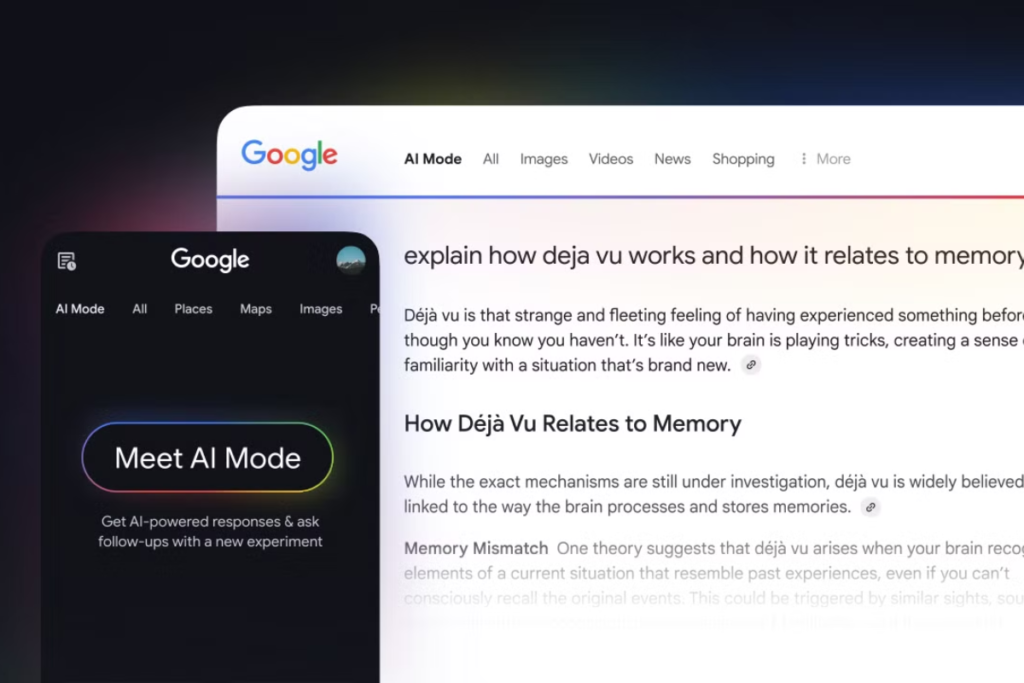
    Google AI Mode India rollout is particularly important for service businesses because many users are skipping traditional browsing and relying on summarized answers to find providers. This means that optimizing only for local pack rankings is no longer enough. You must ensure that your brand narrative is strong enough for Google AI Mode search to reuse. When the AI understands your positioning, it becomes more likely to mention you when users ask conversational questions about services in their area.

    Google Shopping AI Mode and How It Changes Buying Decisions

    Google Shopping AI Mode changes how people evaluate products. Instead of comparing ten product pages manually, users often rely on Google AI Mode to summarize differences, suggest categories, and highlight features that matter. This shifts product discovery from a browsing experience to a guided decision flow.

    If your product listings are generic, Google AI Mode may not see a strong reason to feature them. The AI is not just pulling product data; it is constructing explanations. If your product descriptions do not explain who the product is for, what problem it solves, and how it differs meaningfully from alternatives, the AI summary may favor competitors with clearer narratives.

    For eCommerce brands, this means your product content must be written in a way that helps Google AI Mode tell a story. Instead of listing features in isolation, your descriptions should explain context. Who benefits from this product? In what situations does it perform best? What kind of buyer is it not for? These explanations help Google AI Mode deep search present your product naturally inside its answers.

    Google AI Mode vs Gemini: Why the Difference Matters for Visibility

    Many people confuse Google AI Mode vs Gemini, but the difference is important for discovery. Gemini is designed as a general assistant. It helps users think, plan, and explore ideas. Google AI Mode is designed as a search experience. It helps users decide. That difference changes how brands appear.

    When someone asks Gemini a broad question, the AI may explore multiple perspectives. When someone uses Google AI Mode search, the system is more likely to summarize and recommend. If your brand is positioned as a practical solution, it is more likely to appear in Google AI Mode than in Gemini, where the conversation may remain more abstract.

    Understanding this difference helps you shape content correctly. Content designed to influence decisions should be optimized for Google AI Mode search. Content designed to educate broadly may appear more often in Gemini-style conversations. Both matter, but if your goal is leads, Google AI Mode is the surface where buying decisions are increasingly shaped.

    Why Some Brands Appear in Google AI Mode Reddit Discussions

    The reason people search for Google AI Mode Reddit threads is because they are trying to reverse-engineer visibility. They notice patterns. Certain brands keep showing up. Others never do. The difference usually comes down to whether the brand has a strong narrative presence across the web.

    Reddit discussions, forums, and long-form blogs all contribute to how Google AI Mode search engine perceives brands. If your brand is mentioned in thoughtful discussions where people explain why they use your product or service, that context feeds into how AI systems learn. Over time, this creates a stronger association between your brand and your category. That association increases the likelihood that Google AI Mode will surface your brand when users ask relevant questions.

    Managing User Settings: Turn Off Google AI Mode and What It Means for You

    Some users actively look for how to turn off Google AI Mode, remove Google AI Mode, or remove Google AI Mode from search bar. Others search for how to turn on Google AI Mode, how to enable Google AI Mode, or how to get Google AI Mode access. This split behavior shows that the user base is still adjusting. But from a business perspective, the trend is clear. More users are experimenting with Google Search AI Mode, even if they later switch back for certain queries.
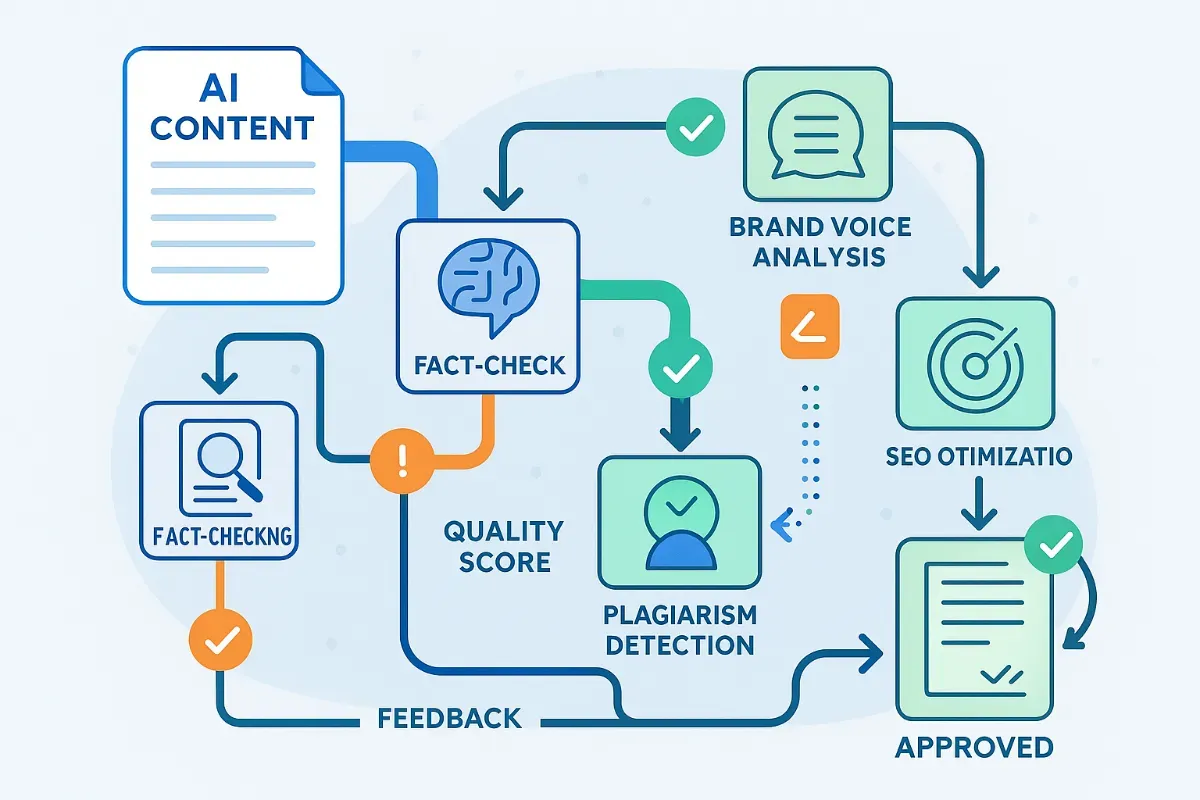
    This means your strategy cannot depend on a single interface. You must be discoverable in both traditional search and AI-powered search. However, the users who remain inside Google AI Mode search often have higher intent. They are exploring, comparing, and deciding. If your brand is absent there, you lose influence at the most critical moment.

    How to Future-Proof for Google AI Mode UK, India, and Global Rollout

    As Google AI Mode expands into the UK, India, and other markets, cultural and linguistic context becomes more important. Google AI Mode India queries often reflect local usage patterns, service needs, and product preferences. If your content only reflects a US-centric perspective, the AI may struggle to match you with Indian users. This is why localization is no longer just about translating keywords. It is about understanding how people in each market ask questions and what kind of answers they trust.

    Similarly, Google AI Mode UK users may phrase queries differently, rely on different terminology, and value different decision criteria. Your content should reflect these nuances if you want Google AI Mode to recommend you in those regions. Over time, the brands that adapt their narratives for different markets will appear more naturally in regional AI Mode search results.

    Becoming “AI-Recommendable” Instead of Just SEO-Optimized

    The biggest mindset shift is moving from trying to rank to trying to be recommended. Google AI Mode search does not just surface pages. It surfaces ideas and brands that fit into those ideas. If your brand is easy to place inside a helpful explanation, you become recommendable. If not, you remain invisible even if your SEO metrics look good on paper.

    Becoming AI-recommendable means your content must help Google AI Mode do its job better. When your explanations reduce confusion, clarify options, and guide decisions responsibly, the AI system is more likely to reuse your perspective. This is how discovery compounds. Each time your brand appears in a Google AI Mode answer, it strengthens the association between your brand and your category. Over time, this association becomes the default.

    Final Perspective on Google AI Mode and Lead Growth

    Google AI Mode is not just another feature. It is a shift in how discovery happens. Users are no longer navigating lists of results. They are interacting with summaries, recommendations, and guided answers. If you want more leads in this environment, your brand must be visible inside those answers.

    This does not happen through tricks. It happens through clarity, consistency, and genuinely helpful content that aligns with how humans ask questions and how Google AI Mode search engine explains answers. The brands that adapt early will not just survive this transition. They will benefit from it, because being suggested by Google AI Mode carries a level of trust that traditional rankings alone no longer guarantee.

    Also Read: SEO for Gemini : How Visibility Works Inside Google’s AI Answers

    FAQs

    1. What is Google AI Mode and how is it different from normal Google Search?

    Google AI Mode is an AI-powered layer inside Google Search AI Mode that summarizes answers instead of just showing links. Unlike the classic results page, the google ai mode search engine explains options, compares sources, and helps users decide faster. Many users now try Google AI Mode when they want direct answers instead of browsing ten websites.

    2. How do I turn on Google AI Mode in search?

    To turn on Google AI Mode, you usually need access through Google Labs AI Mode or an official google ai mode launch update in your region. Once enabled, the google ai mode tab appears inside Google Search AI Mode. If you don’t see it yet, you can try Google AI Mode from Labs when it becomes available in your country.

    3. How can I turn off or remove Google AI Mode from search?

    If you don’t want to use it, you can turn off Google AI Mode in your search settings. Many users look for how to turn off google ai mode or google remove ai mode because they prefer classic results. You can also remove google ai mode from search bar or turn off google ai mode search through your Google account preferences when the option is available.

    4. Is Google AI Mode available on iPhone?

    Yes, google ai mode iphone access is rolling out gradually, and google ai mode India availability depends on your account and region. Google often launches features in phases, so some users see google ai mode launch earlier than others. You may need to enable it from google labs ai mode to access it first.

    5. How do I use Google AI Mode for deep research?

    Google AI Mode deep search is designed for longer, complex questions where users want summarized insights instead of basic links. To use google ai mode deep search effectively, frame your queries in full sentences and ask follow-up questions inside Google Search AI Mode. This helps the system refine answers over time.

    6. What is the difference between Google AI Mode vs Gemini?

    Google AI Mode vs Gemini comes down to intent. Gemini acts more like a general AI assistant, while google ai mode search is built directly into the google ai mode search engine to support discovery and decision-making. If your goal is finding services, products, or local options, Google Search AI Mode is more practical.

    7. Can I access Google AI Mode in the UK and other regions?

    Google AI Mode UK access is part of Google’s phased rollout strategy. Some regions get google ai mode search features earlier through invite-based testing. If you don’t see the google ai mode tab yet, keep an eye on google ai mode launch announcements or enable google labs ai mode to get early access.

    8. How do I get the Google AI Mode URL, shortcut, or direct access?

    Users often look for a google ai mode url or google ai mode shortcut, but access usually appears directly inside Google Search AI Mode once enabled. You can bookmark the google ai mode tab when it appears. Some people also search for Google Doodle AI mode, but official access is managed through Google Labs and search settings.

    9. How do I remove Google AI Mode from the search bar permanently?

    To remove google ai mode from search bar, you need to adjust your Google search preferences. Many users search for google search remove ai mode or google search turn off ai mode when they want a traditional search experience. Once disabled, your Google Search AI Mode reverts to classic results for most queries.

    10. How can businesses get discovered inside Google AI Mode search results?

    To get discovered in google ai mode search, your brand needs clear topical authority, consistent content, and helpful explanations that Google Search AI Mode can reuse. Businesses that align their content with how users phrase questions in google ai mode search engine are more likely to be suggested. This is especially important as google ai mode gemini integration evolves and discovery becomes more AI-driven.

  • AI + Programmatic SEO: The Future of Content Automation

    AI + Programmatic SEO: The Future of Content Automation

    AI Programmatic SEO is no longer an experiment. It’s quietly becoming the backbone of how large websites scale traffic without increasing content teams.

    A few years ago, creating 1,000 pages meant hiring writers, editors, and SEO managers. Now, with the right structure, the same output can be achieved with a lean system—if you understand how to combine automation with intent.

    This isn’t about flooding Google with pages. It’s about building structured, useful content at scale that answers specific queries better than competitors.

    What AI Programmatic SEO Actually Means in Practice

    AI Programmatic SEO

    At its core, programmatic SEO is about generating multiple pages using a common template and a dataset.

    AI simply improves the quality and efficiency of that process.

    Let’s say you run a service business. Instead of creating one page for “digital marketing services,” you create hundreds of pages targeting variations like:

    • service + city
    • service + problem
    • service + industry

    AI helps you write those pages faster, but the real strength lies in the structure behind them.

    Without structure, AI content becomes noise. With structure, it becomes a growth engine.

    Why Businesses Are Quietly Shifting to This Model

    Most businesses don’t talk openly about it, but many high-traffic websites rely heavily on programmatic pages.

    Here’s why:

    • Manual content do not scale beyond a particular point.
    • Long-tail keywords drive consistent conversions
    • Search intent is becoming more fragmented
    • AI reduces production time drastically

    In markets like Toronto digital marketing services, search behavior is highly localized and intent-driven. One generic page won’t cover all variations.

    You need depth, not just volume.

    Difference Between AI Content and Programmatic SEO

    Many people confuses AI-generated content with the programmatic SEO. They’re not the same.

    AI content:

    • Often generic
    • Lacks structure
    • Doesn’t scale strategically

    Programmatic SEO:

    • Built on keyword patterns
    • Uses structured templates
    • Focuses on intent clusters

    AI is just a tool here actually the strategy comes first. If your keyword model is weak, no AI tool will save the outcome.

    Building a Programmatic SEO System That Actually Works

    This is where most businesses get it wrong. They jump into tools without planning the architecture.

    A working system usually includes:

    1. Keyword Pattern Identification

    Instead of targeting random keywords, you identify repeatable patterns such as:

    • service + location
    • product + use case
    • problem + solution

    For example, in Hamilton SEO services, users are often searching for very specific solutions rather than broad services.

    That changes how your pages should be structured.

    2. Data Layer Creation

    Every programmatic system runs on data.

    This could be:

    • City names
    • Service variations
    • Industry categories
    • FAQs

    The quality of your dataset seems to directly affects the usefulness of your web pages. If your data is shallow, your content will be thin.

    3. Template Design (The Most Underrated Step)

    Templates are not just layouts. They define how value is delivered on each page.

    A strong template includes:

    • Contextual introduction
    • Service-specific insights
    • Local or use-case relevance
    • FAQs based on real queries

    Most failed programmatic projects usually have one issue that is the presence of thin templates

    4. AI Content Layer (Used Carefully)

    AI should assist, not replace thinking.

    Use it for:

    • Expanding structured sections
    • Generating variations
    • Drafting FAQs

    Avoid using it blindly for entire pages. Google doesn’t penalize AI. It penalizes useless content.

    5. Internal Linking System

    Programmatic pages need strong internal connections.

    Without links, Google treats them as isolated pages.

    A proper setup:

    • Links related pages together
    • Connects to pillar pages
    • Builds topical authority

    Where Most Businesses Fail With AI Programmatic SEO

    After working with multiple campaigns, a pattern becomes clear.

    Failures usually come from:

    • Creating pages without search intent
    • Using identical content across pages
    • Ignoring on-page SEO basics
    • Publishing without indexing strategy

    In competitive regions like Ontario SEO agency, poor execution doesn’t just fail—it can harm your domain authority.

    Balancing Scale With Quality

    There’s a misconception that programmatic SEO means low-quality content at scale.

    That approach worked years ago , but not anymore.

    What works now is :

    • Moderate scale
    • High relevance
    • Clear intent matching

    Instead of building 10,000 pages one should focus on 500 strong pages that actually answers real queries.
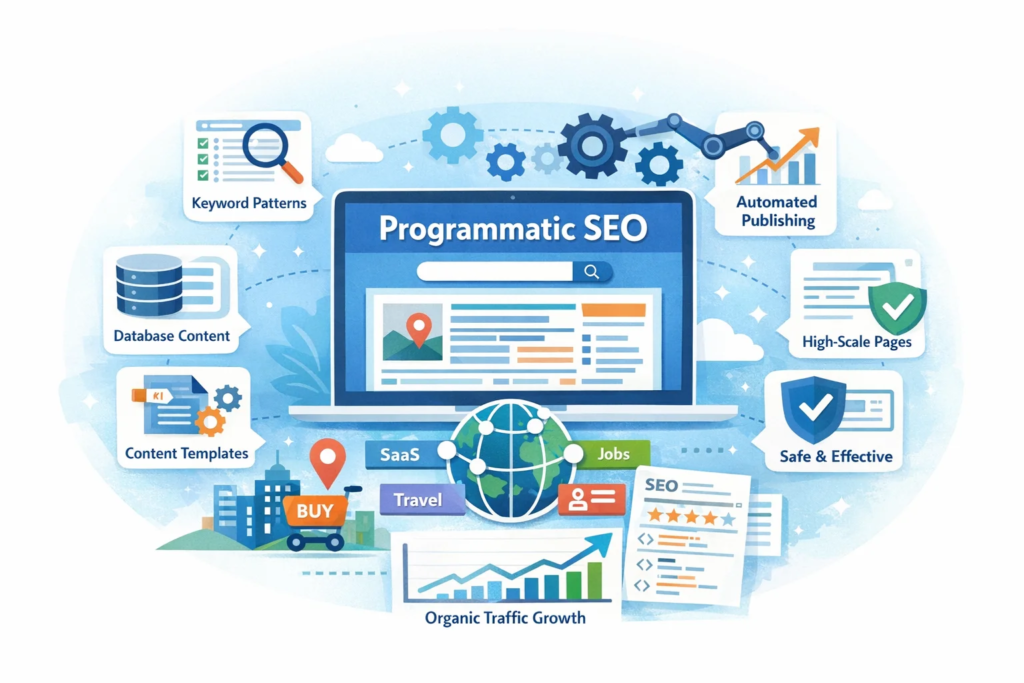
    How AI Improves Efficiency Without Killing Quality

    AI becomes powerful when used in controlled workflows.

    Here’s how experienced teams use it:

    • Drafting structured sections, not full articles
    • Generating multiple variations quickly
    • Assisting with keyword clustering
    • Creating FAQ sections based on search queries

    The key is editing.

    Raw AI output rarely performs well. Human refinement is still essential.

    Real Use Cases That Work Today

    You’ll notice successful implementations in:

    • Local service pages
    • SaaS landing pages
    • Job listing platforms
    • Real estate property pages

    Each of these relies on structured data + scalable templates and not just

    random blog content.

    Programmatic SEO and Lead Generation

    This is where things get interesting. Unlike traditional blogs, programmatic pages target users closer to action.

    For example:

    • “SEO services for dentists in X location”
    • “Best solution for [specific problem]”

    These aren’t browsing queries. These are actually decision stage searches. That is why programmatic SEO often brings better conversion rates.

    A Practical Approach for Agencies

    If you’re running an agency, don’t try to automate everything at once.

    Start small:

    • Pick one service
    • Identify 20–30 keyword variations
    • Build a clean template
    • Test performance

    Once you see traction, scale gradually.

    This avoids the common mistake of launching hundreds of low-performing pages.

    The Future of AI Programmatic SEO

    Search engines are getting better at understanding intent, not just keywords.

    This changes how programmatic SEO works.

    It’s no longer about:

    • Exact keyword matching
    • Bulk page creation

    It’s about:

    • Context
    • Relevance
    • Depth

    AI will continue to evolve, but strategy will be something that will bring the difference in the result.

    Final Thoughts

    AI Programmatic SEO isn’t a shortcut. It’s a system.

    When done right, it allows you to:

    • Capture long-tail traffic
    • Build topical authority
    • Generate consistent leads

    When done poorly, it creates hundreds of pages that never rank.

    The difference is not the tool , it’s how you think about search.

    What is AI Programmatic SEO in simple terms?

    AI Programmatic SEO is a method of creating multiple web pages using structured data and templates, with AI helping to generate and refine content efficiently.

    Does Google penalize AI-generated content?

    No, Google does not penalize AI content directly. It penalizes the content that lacks value, relevance or usefulness to the users.

    How many pages should I create in programmatic SEO?

    Start with a small batch, usually 20 to 50 pages. Measure performance, then scale based on results rather than assumptions.

    Is programmatic SEO good for local businesses?

    Yes, especially for local services where users search with specific intent It helps ti target multiple location-based queries effectively.

    What tools are needed for AI Programmatic SEO?

    Common tools include CMS platforms, data sheets like Airtable, automation tools, and AI writing assistants for content support.

    How long does it take to see results?

    It typically takes a few weeks to a few months depending on competition, indexing, and content quality.

  • AI SEO Tools for Competitor Analysis: What Actually Works in Real Campaigns

    AI SEO Tools for Competitor Analysis: What Actually Works in Real Campaigns

    If you’ve ever tried ranking a website using guesswork, you already know how quickly things fall apart. That’s where AI SEO tools for competitor analysis start to make a real difference. They don’t just show data—they help you interpret what your competitors are doing right (and where they’re weak).

    I’ve worked on campaigns where two businesses had almost identical services, yet one dominated search results while the other barely showed up. The difference wasn’t budget. It was clarity—knowing exactly which keywords, backlinks, and content structures were driving results.

    This blog breaks that down in a practical way—no fluff, no recycled theory.

    Why Competitor Analysis Has Changed with AI

    AI SEO tools for competitor analysis

    Traditional SEO tools use to give you the raw numbers—keywords, backlinks, rankings, useful, but incomplete. AI has changed that by connecting patterns.

    Instead of asking:

    • “What keywords are they ranking for?”

    You now ask:

    • “Why are they ranking for these keywords?”
    • “What content angle is working?”
    • “What’s missing that I can exploit?”

    That shift is important.

    For example, while working with a SEO agency in Toronto, we have noticed competitors ranking with thinner content but stronger topical clusters. AI tools helped identify that they weren’t better they were just structured better.

    What AI Actually Does in Competitor Analysis

    Let’s keep this grounded.

    AI doesn’t magically rank your site. What it does is:

    • Spot keyword gaps faster
    • Identify content patterns
    • Analyze backlink quality (not just quantity)
    • Predict ranking difficulty more accurately
    • Suggest content improvements based on real SERP data

    Think of it as reducing guesswork.

    Top AI SEO Tools for Competitor Analysis (That Are Worth Using)

    Here are tools that consistently deliver value—not just dashboards.

    1. Surfer SEO

    Best for content-based competitor analysis.

    • Compares your page with top-ranking pages
    • Suggests NLP keywords
    • Shows ideal content length and structure

    In one project targeting a digital marketing agency Hamilton, we used Surfer to reverse-engineer competitor blog structures. Rankings improved within weeks—not because we wrote more, but because we wrote aligned content.

    2. SEMrush (AI Features)

    A strong all-rounder.

    • Keyword gap analysis
    • Traffic estimation
    • AI-powered content recommendations

    The “Keyword Gap” tool alone can reveal hundreds of missed opportunities.

    3. Ahrefs with AI Insights

    Still one of the most reliable tools.

    • Backlink profile analysis
    • Content explorer
    • Competitor keyword tracking

    What makes it powerful now is combining its data with AI interpretation—especially for spotting patterns in top-performing pages.

    4. Frase

    the Content research made faster :

    • SERP analysis
    • AI briefs
    • Competitor content summaries

    Useful when you want to understand what competitors are actually saying, not just what they rank for.

    5. MarketMuse

    Best for deep content strategy.

    • Topic authority scoring
    • Content gaps
    • AI-driven optimization

    This works well when you’re building authority in a niche rather than chasing short-term rankings.

    How to Actually Use These Tools (Step-by-Step)

    Most people use tools. Very few use them properly.

    Here’s a practical workflow.

    Step 1: Identify Real Competitors (Not Just Business Competitors)

    Your actual competitors are:

    • Websites ranking for your target keywords
    • Not necessarily businesses offering the same service

    For example, while working on a campaign in SEO services Ontario, we found blogs outranking service pages. That changed the entire approach.

    Step 2: Run a Keyword Gap Analysis

    This is where AI shines.

    Look for:

    • Keywords competitors rank for but you don’t
    • Keywords where they rank low (easy wins)

    Don’t just collect keywords. Group them by intent.

    Step 3: Analyze Content Structure

    Instead of the copying content , studythe following things :

    • Headings
    • Content depth
    • Internal linking
    • Use of FAQs

    AI tools help identify patterns across multiple pages quickly.

    Step 4: Backlink Quality Check

    Not all backlinks matter equally.

    Look at:

    • Domain relevance
    • Anchor text patterns
    • Link velocity

    AI tools can now flag spammy or weak links automatically.

    Step 5: Build a Better Version (Not Just Similar)

    This is where most people fail.

    If competitors have:

    • 1500-word blogs → don’t just write 1600 words
    • Basic FAQs → answer real user questions better

    Your goal is clarity, not volume.

    Common Mistakes People Make with AI SEO Tools

    Let’s be honest—tools don’t fail. Usage does.

    1. Blindly Following Recommendations

    AI suggestions are most of the time helpful, but are not context-aware.

    Example:

    • Adding too many keywords
    • Over-optimizing headings

    This leads to content that looks optimized but reads poorly.

    2. Ignoring Search Intent

    Ranking isn’t about keywords alone.

    If someone searches:

    • “best SEO tools”

    They don’t want a service page.

    AI tools can show keywords—but intent still needs human judgment.

    3. Overloading Content with Data

    More data doesn’t mean better content.

    In fact, the best-performing pages are often:

    • Clear
    • Direct
    • Easy to scan

    4. Chasing Competitors Instead of Outthinking Them

    If you only copy competitors, you’ll always stay behind.

    AI helps you see gaps—use that to lead, not follow.

    How AI Helps You Find Content Gaps That Others Miss

     Find Content Gaps

    This is where things get interesting.

    AI tools can cluster topics and reveal:

    • Subtopics competitors haven’t covered
    • Questions users are asking but not answered
    • Weak sections in top-ranking pages

    For example:

    Instead of writing another generic blog on competitor SEO analysis, you can:

    • Add case-based insights
    • Include real workflows
    • Answer specific user questions

    That’s what improves rankings today.

    On-Page Signals AI Helps You Improve

    AI tools help to highlight :

    • Keyword placement
    • Content readability
    • Internal linking gaps
    • Semantic relevance

    But here’s the key:

    Don’t optimize for tools. Optimize for clarity.

    Voice Search & AEO Optimisation (Practical Approach)

    Voice search is less about keywords and more about questions.

    Instead of:

    • “AI SEO tools competitor analysis”

    Think:

    • “Which AI SEO tools are best for competitor research?”

    So your content should:

    • Include natural questions
    • Provide short, clear answers
    • Use conversational tone

    That’s exactly what helps with AEO (Answer Engine Optimization).

    What Actually Moves Rankings (Based on Real Campaigns)

    From experience, these factors matter most:

    • Content relevance over content length
    • Topical coverage instead of isolated blogs
    • Internal linking structure
    • Backlink quality, not volume
    • Clear answers to user queries

    AI tools support these—but they don’t replace them.

    How to Build a Long-Term Competitor Strategy Using AI

    Short-term wins are easy. Sustained rankings are not.

    Here’s what works:

    1. Track Competitors Weekly

    Not just rankings—look at:

    • New content
    • Backlinks
    • Keyword movements

    2. Update Existing Content

    Often easier than creating new pages.

    AI tools can help to pinpoint :

    • Missing keywords in the page
    • Outdated sections in thr website.

    3. Build Topic Clusters

    Instead of random blogs:

    • Create interconnected content
    • Cover a topic deeply

    4. Focus on Authority Signals

    AI tools can guide you, but authority comes from:

    • Consistency
    • Useful content
    • Real expertise

    Final Thoughts

    AI has made competitor analysis faster, but not easier.

    Because now :

    • Everyone has the access to the same data
    • The difference lies in how you use it

    If you rely only on tools, your content will look like everyone else’s.

    But if you combine:

    • AI insights
    • Real-world understanding
    • Clear execution

    That’s when rankings start to move.

    What are AI SEO tools for competitor analysis?

    AI SEO tools for competitor analysis are platforms that use machine learning to study competitor keywords, backlinks, and content strategies, helping you identify ranking opportunities faster.

    Which AI SEO tool is best for competitor research?

    Tools like Surfer SEO, SEMrush, and Ahrefs are commonly used, but the best choice depends on whether you’re focusing on content, backlinks, or keyword gaps.

    How do I find competitor keywords using AI?

    You can use keyword gap analysis feature in tools like SEMrush or Ahrefs that helps you to identify keywords your competitors rank for but your website does not.

    Can AI SEO tools improve rankings directly?

    No, AI tools don’t improve rankings on their own. They provide insights that help you create better content, fix gaps, and build stronger strategies.

    How often should I analyze competitors using AI tools?

    A weekly check is usually enough to track down the changes in rankings, new content, and backlink activity without overcomplicating your workflow.

    What is the biggest advantage of AI in SEO competitor analysis?

    Speed and pattern recognition. AI helps you process large amounts of data quickly and spot trends that are difficult to identify manually.

  • AI Tools for Automated Content Creation: What Actually Delivers Results

    AI Tools for Automated Content Creation: What Actually Delivers Results

    When clients first come to me asking about AI Tools for Automated Content Creation, it’s usually after they’ve tried something and it didn’t work. Either the content didn’t rank, or worse, it ranked briefly and then dropped.

    There’s a common misconception here. AI doesn’t fix bad content strategy. It only speeds up whatever system you already have—good or bad.

    Over the last decade and a half, I’ve seen content evolve from keyword stuffing to intent-driven SEO. AI is just another phase in that evolution. The difference now is speed. The fundamentals, however, haven’t changed as much as people think.

    What AI Content Tools Really Do (And What They Don’t)

    Most AI tools for content creation are trained on large datasets and generate text based on patterns. That sounds impressive, but in practice, it means they are excellent at producing structured drafts—not finished content.

    If you publish AI-generated content as it is, you’ll notice a few issues almost immediately. The tone feels flat. Sentences start sounding similar. And more importantly, it rarely aligns perfectly with search intent.

    That’s why experienced marketers don’t rely on AI alone. They use it as a starting point.

    Why AI Content Tools Are Becoming Standard in SEO Workflows

    I’ll give you a simple example. A few years ago, creating 20 SEO pages for different services would take weeks. Today, using automated content creation tools, the initial drafts can be done in a day.

    But here’s the key difference—earlier, time was spent writing. Now, time is spent refining.

    Businesses targeting markets like Toronto SEO services for small businesses are using AI to scale location-based pages faster, but the ones that actually rank are the ones where someone has taken the time to adjust the messaging, add context, and align it with real user queries.

    The Tools That Are Actually Worth Using

    After testing in multiple platforms across client projects, a few tools consistently stand out. Not because they give perfect results , but because they fit into a practical workflow.

    ChatGPT is still one of the most flexible options when it comes to structuring content. It works well for outlines, topic expansion, and even drafting FAQs. However, without proper prompts, it tends to repeat patterns.

    Jasper is useful when you need marketing-oriented content—especially landing pages and ad copies. It’s faster than most tools in generating variations, although it sometimes leans toward generic phrasing.

    When it comes to optimization, tools like Surfer SEO play a different role altogether. This is where AI SEO content tools become important. Writing content is one part; aligning it with ranking signals is another.

    Writesonic and Copy.ai also have their place, especially when speed matters more than depth. For bulk content tasks, they save time, but they still need oversight.

    Where Most People Get It Wrong

    This is something I’ve seen repeatedly. People assume that using the best AI content generator automatically leads to better rankings. It doesn’t.

    The real issue is not the tool—it’s how it’s used.

    Publishing raw AI content without editing is the fastest way to get ignored by search engines. Not because Google detects AI, but because the content lacks depth and originality.

    Another common mistake is ignoring keyword intent. Just inserting AI content marketing tools into a paragraph doesn’t mean the page satisfies what the user is actually looking for.

    A Workflow That Has Consistently Worked

    Instead of relying on tools blindly, a structured approach works far better.

    Everything starts with keyword clarity. If the primary keyword is AI Tools for Automated Content Creation, the supporting keywords should naturally include variations like AI blog writing tools and content automation software, but they need to fit into the context—not forced into sentences.

    Once the keywords are mapped, AI can be used to generate a rough structure. This saves time, especially when working on multiple pages.

    The real work begins after that. Editing is where the content becomes usable. This includes adjusting tone, improving readability, and adding practical insights—things AI cannot do convincingly on its own.

    Finally, optimization tools help refine the content further. This is where AI writing tools for SEO and on-page analysis platforms come into play, ensuring that the content aligns with ranking factors without over-optimization.

    Voice Search Has Changed Content Expectations

    A noticeable shift in recent years is how people search. They don’t type short keywords anymore; they ask full questions.

    Instead of searching for “AI content tools,” users now ask things like, “Which AI tools are best for writing blog content?”

    That changes how content should be written.

    You don’t need overly long explanations. You need clear answers. This is where many AI content marketing tools fall short—they generate long paragraphs but miss direct responses.

    How AI Supports Local SEO Without Making It Look Duplicate

    For businesses targeting different cities, AI can help generate multiple versions of similar content. But this is also where it can go wrong.

    If you create five pages with almost identical content and just change the location name, none of them will perform well.

    For example, a page targeting Hamilton digital marketing agency services needs to feel locally relevant. That means slight changes in messaging, examples, and structure—not just swapping the city name.

    AI can assist with drafts, but the localization still needs human input.

    Where AI Content Still Falls Short

    Even with all the improvements, there are areas where AI struggles.

    It doesn’t bring real experience into the content. It cannot explain what worked in a campaign or why a certain strategy failed. That level of detail only comes from actual work.

    There’s also the issue of repetition. If you generate multiple blogs using the same tool, you’ll start noticing similar sentence patterns. Over time, this affects content quality.

    And then there’s nuance. AI tends to generalize. It avoids strong opinions, which makes the content safe—but not necessarily useful.

    What the Future Looks Like

    From what I see, AI is not replacing content creators. It’s changing what is expected from them.

    Basic writing is becoming automated. What matters now is how well someone can guide the tool, refine the output, and align it with strategy.

    The role is shifting from writing everything manually to managing content quality and direction.

    AEO: The Missing Piece in Most AI Content

    Answer Engine Optimization is not complicated, but it’s often ignored.

    Search engines are prioritizing direct answers. If your content doesn’t answer questions clearly, it won’t get featured—even if it’s well-written.

    This is where structured responses matter. Not long explanations required, just clear and relevant answers. Take for example:

    If someone asks what automated content creation tools are, they expect a simple explanation, not a detailed essay .

    AI can generate content, but structuring it for AEO still requires intent and clarity.

    Final Thoughts From Experience

    After working with different industries and content strategies, one thing is clear—AI is useful, but only when used correctly.

    It saves time, but it doesn’t replace thinking. It helps with scale, but not with originality.

    If you treat it as a shortcut, results will be inconsistent. If you treat it as a support tool within a structured SEO process, it becomes valuable.

    That’s the difference between content that fills pages and content that actually ranks.

    What are AI tools for automated content creation?

    They are platforms that use machine learning to generate written or visual content, mainly used for blogs, marketing copy, and SEO pages.

    Can AI-generated content rank on Google?

    Yes, but only if it is edited, optimized  and the aligned with search intent. Raw AI content usually do not perform well and need some sort of improvement.

    Which are the best AI tools for content creation?

    ChatGPT, Jasper, and Surfer SEO are commonly used, each serving different purposes like writing, marketing, and optimization.

    Are AI writing tools reliable for SEO content?

    They are useful for the drafts and structure , but they still require a human editing to ensure quality and ranking potential.

    How do I use AI for content marketing effectively?

    Start with keyword research, generate drafts using AI, refine the content manually, and then optimize it using SEO tools.

  • AI Tools for Technical SEO Audits

    AI Tools for Technical SEO Audits

    Technical SEO rarely fails because of strategy. It usually fails because issues remain hidden in large volumes of data. That is where best AI SEO tools for technical SEO audits have started changing the way professionals approach site analysis. Instead of manually checking crawl errors, indexing problems, or page speed issues, AI-powered systems now scan thousands of pages, identify patterns, and highlight the root causes much faster.

    For businesses running websites in Toronto, this shift has practical implications. Competitive markets mean that technical mistakes cost rankings quickly. AI-based auditing tools allow teams to detect structural problems early and prioritize fixes before they affect organic visibility.

    This article looks at how AI supports technical SEO audits, which tools provide real value, and how experienced professionals integrate them into real workflows

    Why Technical SEO Audits Matter More Than Ever

    Search engines have now become an extremely sensitive to technical signals. Few years back , websites could still rank with imperfect structures. Today, a slow loading page, crawl traps, and indexing confusion will quietly reduce the visibility of your page.

    A technical audit typically reviews several areas such as :

    • Crawlability

    • Indexing

    • Site structure

    • Internal linking

    • Page speed of the website

    • Structured data

    • Mobile performance

    Manually auditing these elements across hundreds or thousands of URLs can take days. AI helps compress that process dramatically.

    Instead of checking issues one by one, modern tools analyze site-wide patterns and highlight problems that humans might overlook.

    For example, AI can detect the following things :

    • Clusters of thin the pages

    • Duplicate templates causing the index dilution

    • Internal linking gaps

    • JavaScript rendering problems

    The result is not just faster analysis but better prioritization.

    What Makes AI Different From Traditional SEO Tools

    Traditional SEO tools already crawl websites. However, they mostly report raw data.

    AI-powered systems interpret that data.

    That difference matters.

    Rather than listing thousands of warnings, AI tools identify relationships between issues. For example:

    A crawl error might not matter individually. But if hundreds of similar pages fail because of the same template error, AI tools can flag that pattern instantly.

    This is where platforms focused on technical SEO automation have started gaining attention.

    They evaluate:

    • site architecture

    • rendering behaviour

    • internal link equity flow

    • semantic page similarity

    The output becomes more actionable.

    Instead of overwhelming reports, SEO teams receive prioritized insights.

    Key Capabilities of AI Tools for Technical SEO Audits

    AI-based audit tools are useful because they handle several technical areas simultaneously.

    Intelligent Crawl Analysis

    Crawlers used to simply list the broken links or the missing tags.

    Now, AI-driven crawlers analyze how pages interact across the site.

    They identify structural problems like:

    • orphan pages

    • excessive crawl depth

    • inefficient navigation paths

    This helps maintain a strong website crawlability audit process.

    Automated Indexation Monitoring

    Many sites unknowingly index unnecessary pages such as :

    • Filtered URLs

    • Parameter duplicates

    • Pagination variations

    AI tools helps in studying and analyze indexing behavior and then highlight pages that dilute ranking signals. This improves search engine indexing optimization without needing manual review of every URL.

    Internal Linking Pattern Detection

    Internal linking influences how search engines distribute authority across pages. AI models analyze link graphs to identify :

    • Pages receiving the weak internal support

    • Clusters with the excessive links in it.

    • Important pages that are buried deep in the structure.

    These insights strengthen the  internal linking strategy for SEO.

    Page Experience Diagnostics

    Google’s ranking systems rely heavily on user experience signals.

    AI tools combine multiple data points to evaluate:

    • page speed metrics

    • layout shifts

    • mobile rendering

    • server response times

    This helps maintain strong core web vitals optimization across large sites.

    Popular AI Tools Used for Technical SEO Audits

    Many platforms now integrate AI features, but only a few provide practical technical insights.

    Below are tools commonly used by professional SEO teams.

    Screaming Frog with AI integrations

    This crawler tool has been widely used by the people for years. With AI integrations and automation scripts, it can now:

    • categorize page templates

    • detect duplicate content patterns

    • identify rendering problems

    It remains valuable for detailed site structure analysis.

    JetOctopus

    JetOctopus focuses on large-scale technical analysis.

    It combines crawl data with server logs and uses AI to identify crawl waste. This makes it highly effective for improving search engine crawl budget optimization.

    Sitebulb

    Sitebulb presents audit data visually.

    AI-driven hints help explain why certain technical issues matter. This makes it useful for diagnosing technical SEO performance issues.

    Surfer AI Audit Features

    Although widely known for content optimization, Surfer’s AI analysis also detects structural issues affecting rankings.

    It helps identify pages with semantic SEO relevance gaps.

    How SEO Professionals Actually Use AI in Technical Audits

    The biggest misconception is that AI replaces SEO expertise.

    In practice, experienced professionals use AI as a diagnostic assistant

    A typical workflow usually looks like this :

    1. Crawl the entire site using an AI-enabled crawler
    2. Identify structural anomalies and template errors
    3. Validate findings using log data
    4. Prioritize fixes based on impact on rankings
    5. Monitor changes after implementation

    AI seems to speeds up step one and step two significantly . But decision-making still depends on the human understanding of search behavior.

    Real Example: Fixing Hidden Crawl Problems

    A mid-sized e-commerce website once experienced a gradual drop in their rankings. Manual checks showed that there is no obvious errors.

    But an AI crawler detected a pattern : thousands of category filter pages were being crawled and indexed.

    These URLs consumed crawl budget and diluted internal link equity.

    After blocking the parameters and restructuring navigation, indexing stabilized and rankings recovered within weeks.

    Without AI detection, the issue would have taken far longer to identify.

    Local SEO and Technical Audits

    Technical SEO becomes even more important for location focused businesses.

    A service provider operating in Hamilton must have to ensure that the search engines correctly understand the service pages, location signals and structured data.

    AI audit tools help detect:

    • incorrect schema markup

    • duplicate local landing pages

    • inconsistent NAP references

    This improves local search visibility optimization.

    The Role of AI in Future SEO Audits

    Search engines are now increasingly relying on the machine learning systems.

    SEO tools are adapting in the same direction. In the near future, AI auditing tools will likely to be :

    • Simulating search engine crawling behavior

    • Predicting ranking impact of technical changes

    • Recommending architecture improvements in the website automatically.

    Businesses competing in Ontario markets may have to rely heavily on these predictive insights to stay ahead in the game.

    Limitations of AI in Technical SEO

    Despite their advantages, AI tools are not perfect.

    They may:

    • misinterpret JavaScript frameworks

    • misclassify page templates

    • flag non-critical issues as urgent

    This is why experienced SEO professionals still review audit findings manually.

    AI improves efficiency. It does not replace expertise.

    Practical Tips When Using AI Tools for Technical SEO Audits

    Professionals who get the most value from these tools follow a few practical habits.

    First, never rely on a single crawler. Different tools reveal different technical patterns.

    Secondly it combines crawl analysis with a real user data .

    Third is that it validates the issues using  a server logs whenever its  possible.

    Finally, always evaluate whether a technical fix will actually influence rankings. Not every issue matters equally.

    The strongest technical SEO strategy focuses on impact, not just fixing warnings.

    Conclusion

    Technical SEO has always required careful investigation. What has changed is the scale of modern websites and the complexity of search engine algorithms.

    AI tools for technical SEO audits make it possible to analyze large websites quickly and detect patterns that would otherwise remain hidden. They assist with crawl analysis, indexing diagnostics, internal linking insights, and performance monitoring.

    However, tools alone do not produce results. The real advantage comes when AI insights are combined with experienced SEO judgment and structured workflows.

    For businesses competing in search results across Canada, maintaining a technically healthy website is no longer optional. It is part of staying visible in increasingly competitive search landscapes.

    FAQs

    What are AI tools for technical SEO audits?

    AI tools for technical SEO audits are software platforms that analyze websites using machine learning. They scan pages, identify crawl issues, detect indexing problems, and highlight structural weaknesses that affect search rankings.

    How do AI tools help improve technical SEO?

    AI tools analyze large amounts of site data very quickly. They are quick to identify patterns such as duplicate pages, weak internal linking, or crawl budget waste, allowing SEO professionals to prioritize fixes more effectively.

    Are AI SEO audit tools better than traditional SEO tools?

    AI tools are not necessarily better, but they provide deeper analysis. Traditional tools mainly report data, while AI systems interpret patterns and highlight the most impactful issues.

    Which AI tools are commonly used for technical SEO audits?

    Some commonly used tools include Screaming Frog, JetOctopus, Sitebulb, and Surfer AI. These platforms help analyze crawlability, site structure, indexing signals, and performance metrics.

    Do AI tools replace SEO experts?

    No. AI tools assist with data analysis, but SEO professionals still interpret the findings and decide which optimizations will improve rankings.

  • Best AI Content Optimization Tools for SEO 2026

    Best AI Content Optimization Tools for SEO 2026

    Choosing the best AI content optimization tools for SEO has become an essential part of modern search marketing. Content does not suffice to rank anymore. Search engines assess relevance, semantic strength, structure, and intent behind searches. This is where AI-driven optimization services come into play.

    Rather than speculating about the requirements of Google, the software analyzes high-ranking pages and suggests enhancements. They help writers structure articles better, include relevant entities, improve topical coverage, and maintain natural readability.

    SEO professionals working with businesses in Toronto have started relying on AI optimization platforms to scale content production without sacrificing quality. Agencies that manage large websites particularly benefit because manual optimization across hundreds of pages becomes almost impossible.

    Still, not every tool performs the same way. Some focus on semantic analysis. Others specialize in content scoring, NLP recommendations, or competitive benchmarking.

    This article examines the tools that consistently deliver practical results.

    Why AI Content Optimization Matters for SEO

    Traditional keyword optimization used to be straightforward. Writers placed keywords in headings, added internal links, and hoped the content would rank.

    That approach rarely works now.

    Search engines analyze context, topic relationships, and user satisfaction signals. AI optimization tools help bridge the gap between what search engines evaluate and how content is written.

    Here is what these tools typically help with:

    1. Search Intent Alignment

    Many pages fail because they miss the actual search intent. AI platforms analyze the pages ranking on page one and highlight what kind of information users expect.

    2. Semantic Keyword Coverage

    Instead of repeating one keyword, modern SEO relies on related terms and contextual signals. AI tools suggest semantically related phrases that strengthen topical authority.

    3. Content Structure Improvements

    Tools often recommend headings, paragraph length, and topic clusters. These adjustments help search engines understand the hierarchy of information.

    4. Content Scoring Systems

    Several platforms provide a score that indicates how well your content compares with competing pages.

    5. Optimization at Scale

    For groups that work on numerous blogs posts monthly, AI-based processes ensure that there is consistency in quality management. SEO teams in charge of regional marketing campaigns for companies based in Hamilton tend to rely on such systems.

    1. Surfer SEO

    Surfer SEO has built a strong reputation among SEO professionals because of its data-driven recommendations.

    Instead of offering vague advice, the platform analyzes dozens of top ranking pages and extracts patterns.

    Key Features

    • Real-time SEO content optimization
    • NLP keyword suggestions
    • SERP data analysis
    • Content scoring system
    • Integration with Google Docs

    One practical advantage is the editor interface. Writers receive suggestions while drafting content rather than after publishing.

    This prevents over-optimization and encourages natural writing.

    For agencies handling local campaigns across Ontario, Surfer’s SERP analysis provides useful insights into regional ranking trends.

    2. Clearscope

    Clearscope focuses heavily on semantic relevance. It identifies related terms that help search engines understand the full topic context.

    Content teams appreciate its clean interface and straightforward recommendations.

    What Makes Clearscope Useful

    • Detailed content optimization analysis
    • Simple grading system
    • Topic coverage suggestions
    • Strong semantic keyword insights

    Unlike some platforms that overwhelm users with metrics, Clearscope prioritizes clarity. Writers can focus on improving content rather than interpreting complicated reports.

    3. MarketMuse

    MarketMuse approaches optimization differently. Instead of analyzing only individual pages, it evaluates the entire content ecosystem of a website.

    This makes it especially useful for websites building long-term topical authority.

    Core Strengths

    • Topic modeling
    • Content gap analysis
    • AI-driven briefs
    • Competitive benchmarking

    MarketMuse also recommends how deeply a topic should be covered. For complex industries, this helps writers avoid shallow content.

    4. Frase

    Frase is widely used for creating optimized content briefs.

    It gathers SERP information and compiles research automatically. Writers can see common questions, headings, and statistics appearing across ranking pages.

    Useful Capabilities

    • AI content briefs
    • Question extraction from search results
    • SERP-based topic research
    • Automated outline generation

    Frase is particularly helpful when preparing informational blog posts or FAQ-based articles.

    5. Scalenut

    Scalenut combines content research, AI writing assistance, and optimization features in one platform.

    This makes it attractive for smaller marketing teams that prefer an all-in-one workflow.

    Key Benefits

    • AI writing support
    • Keyword clustering
    • SEO scoring system
    • Content research reports

    Many users appreciate its structured workflow that moves from research to drafting and finally to optimization.

    6. NeuronWriter

    NeuronWriter relies heavily on natural language processing models to analyze content structure and keyword relationships.

    The platform is gaining attention because it provides strong optimization features at a lower price compared with enterprise tools.

    Important Features

    • NLP-based keyword suggestions
    • Competitor analysis
    • Content scoring
    • Internal link recommendations

    NeuronWriter also helps identify missing entities that competing pages mention.

    How to Choose the Right AI Optimization Tool

    Selecting the right tool depends on how content is produced in your organization.

    Consider these practical factors.

    Content Volume

    Large editorial teams benefit from platforms with collaboration features and workflow automation.

    Budget

    Enterprise platforms often provide deeper analysis but cost significantly more.

    Learning Curve

    Some tools require technical SEO knowledge to interpret recommendations correctly.

    Integration with Writing Platforms

    Many teams prefer tools that integrate directly with Google Docs or CMS environments.

    Common Mistakes When Using AI Content Optimization Tools

    Despite their advantages, these platforms are often misused.

    Here are several mistakes frequently seen in SEO projects.

    Over-Optimization

    Following every recommendation blindly can produce unnatural writing.

    Search engines still evaluate readability and user engagement signals.

    Ignoring Search Intent

    A high optimization score does not guarantee rankings if the page fails to satisfy search intent.

    Keyword Stuffing Through AI Suggestions

    Some writers attempt to include every suggested keyword. This often harms readability.

    The best approach is to treat AI suggestions as guidance rather than strict rules.

    How AI Optimization Improves Content Strategy

    The biggest advantage of AI tools is strategic clarity.

    Instead of guessing what to publish next, teams can analyze content gaps and identify opportunities.

    These insights influence several areas.

    Topic Clustering

    AI tools reveal how topics relate to each other. This helps create clusters of related articles.

    Internal Linking Opportunities

    Several platforms highlight pages that should link to each other based on topical similarity.

    Content Refresh Decisions

    Older articles can be improved by adding missing sections and updating data.

    Practical Workflow for AI-Optimized Content

    A structured process helps maximize the value of these tools.

    1. Begin with a keyword research and search intent analysis
    2. Generate a content brief using an optimization tool
    3. Draft content naturally without obsessing over metrics
    4. Review optimization suggestions and refine the article
    5. Check readability and human flow before publishing
    6. Monitor rankings and update content periodically

    This workflow balances data-driven optimization with natural writing.

    The Future of AI Content Optimization

    Search engines are continuing to improve their ability to interpret meaning rather than isolated keywords.

    Because of this shift, optimization tools are evolving toward deeper semantic analysis.

    Future platforms will likely focus on:

    • Entity recognition
    • Knowledge graph relationships
    • Intent prediction
    • Topic authority measurement

    SEO teams that adopt these tools early gain a measurable advantage.

    What are AI content optimization tools?

    AI content optimization tools analyze top-ranking pages and provide recommendations that help improve SEO performance. They suggest related keywords, better content structure, and improved topic coverage.

    Which AI tool is best for optimizing SEO content?

    Several tools perform well depending on the workflow. Surfer SEO, Clearscope, and MarketMuse are widely used because they provide detailed content recommendations based on search engine results.

    Can AI tools help improve Google rankings?

    Yes. AI optimization tools help align content with search intent, improve semantic relevance, and strengthen topical authority. These factors influence how search engines evaluate pages.

    Are AI SEO tools suitable for beginners?

    Many tools are beginner friendly, especially platforms that provide simple content scores and clear recommendations. However, understanding basic SEO concepts still improves results.

    Do AI optimization tools replace human writers?

    No. These tools assist with research and optimization, but human writers are still needed to provide clarity, originality, and expertise.