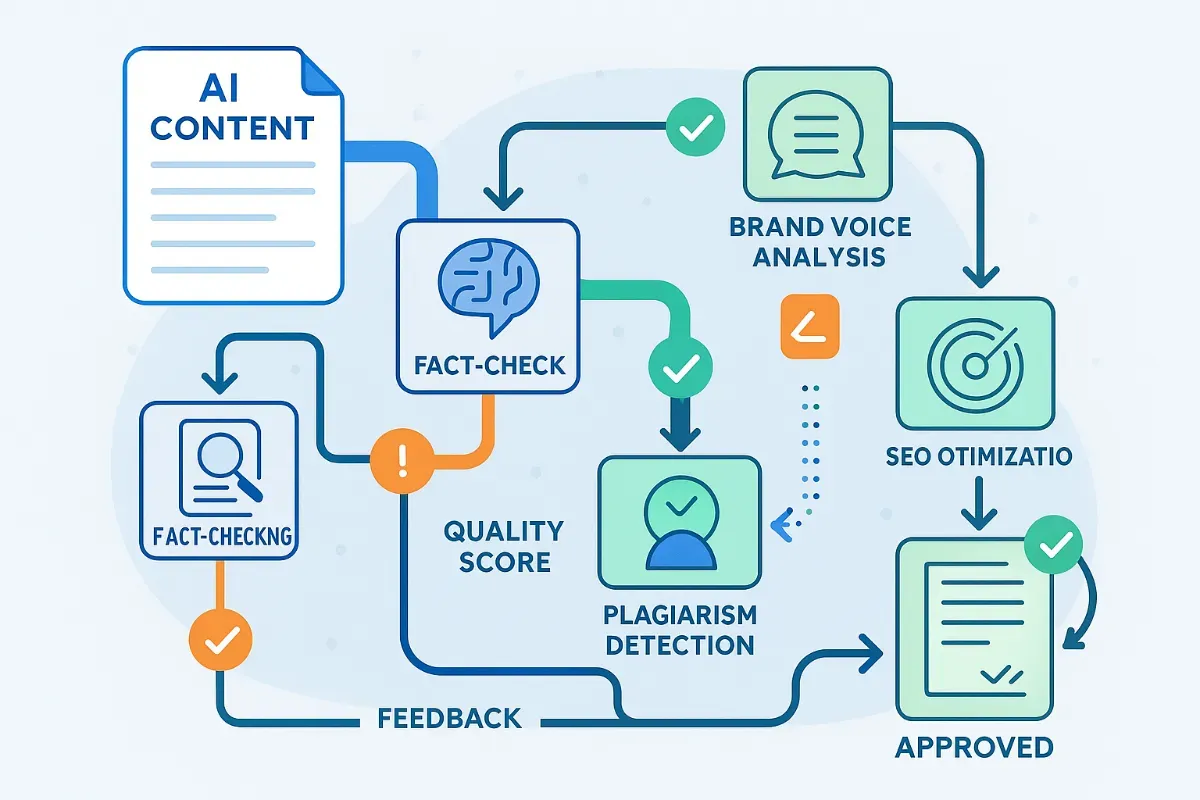
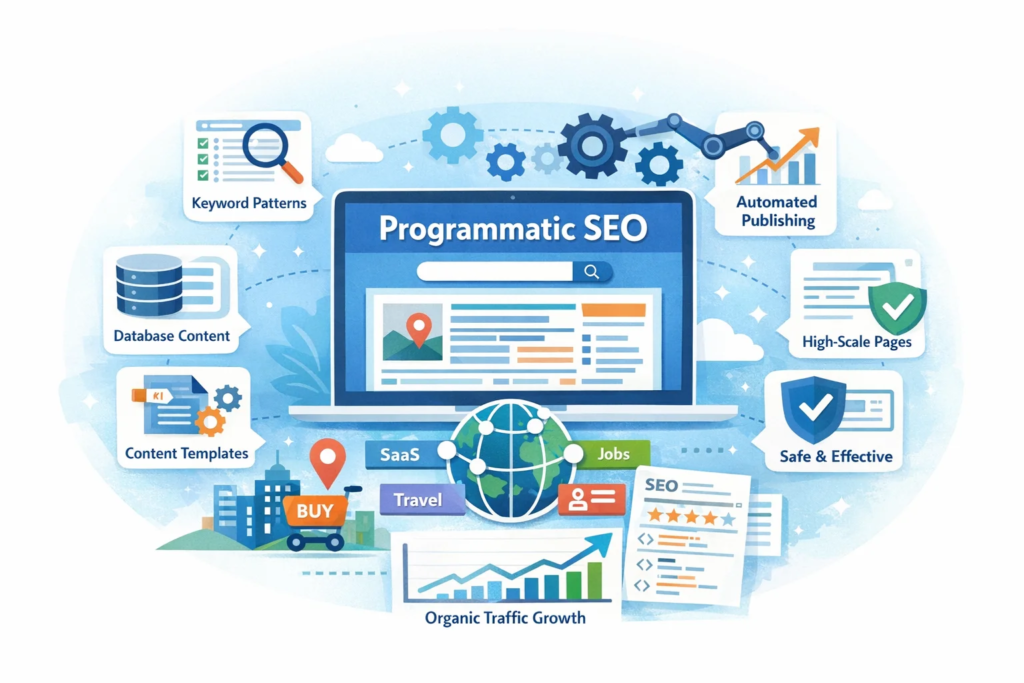
AI Programmatic SEO is no longer an experiment. It’s quietly becoming the backbone of how large websites scale traffic without increasing content teams.
A few years ago, creating 1,000 pages meant hiring writers, editors, and SEO managers. Now, with the right structure, the same output can be achieved with a lean system—if you understand how to combine automation with intent.
This isn’t about flooding Google with pages. It’s about building structured, useful content at scale that answers specific queries better than competitors.
What AI Programmatic SEO Actually Means in Practice
At its core, programmatic SEO is about generating multiple pages using a common template and a dataset.
AI simply improves the quality and efficiency of that process.
Let’s say you run a service business. Instead of creating one page for “digital marketing services,” you create hundreds of pages targeting variations like:
service + city
service + problem
service + industry
AI helps you write those pages faster, but the real strength lies in the structure behind them.
Without structure, AI content becomes noise. With structure, it becomes a growth engine.
Why Businesses Are Quietly Shifting to This Model
Most businesses don’t talk openly about it, but many high-traffic websites rely heavily on programmatic pages.
Here’s why:
Manual content do not scale beyond a particular point.
Long-tail keywords drive consistent conversions
Search intent is becoming more fragmented
AI reduces production time drastically
In markets like Toronto digital marketing services, search behavior is highly localized and intent-driven. One generic page won’t cover all variations.
You need depth, not just volume.
Difference Between AI Content and Programmatic SEO
Many people confuses AI-generated content with the programmatic SEO. They’re not the same.
AI is just a tool here actually the strategy comes first. If your keyword model is weak, no AI tool will save the outcome.
Building a Programmatic SEO System That Actually Works
This is where most businesses get it wrong. They jump into tools without planning the architecture.
A working system usually includes:
1. Keyword Pattern Identification
Instead of targeting random keywords, you identify repeatable patterns such as:
service + location
product + use case
problem + solution
For example, in Hamilton SEO services, users are often searching for very specific solutions rather than broad services.
That changes how your pages should be structured.
2. Data Layer Creation
Every programmatic system runs on data.
This could be:
City names
Service variations
Industry categories
FAQs
The quality of your dataset seems to directly affects the usefulness of your web pages. If your data is shallow, your content will be thin.
3. Template Design (The Most Underrated Step)
Templates are not just layouts. They define how value is delivered on each page.
A strong template includes:
Contextual introduction
Service-specific insights
Local or use-case relevance
FAQs based on real queries
Most failed programmatic projects usually have one issue that is the presence of thin templates
4. AI Content Layer (Used Carefully)
AI should assist, not replace thinking.
Use it for:
Expanding structured sections
Generating variations
Drafting FAQs
Avoid using it blindly for entire pages. Google doesn’t penalize AI. It penalizes useless content.
5. Internal Linking System
Programmatic pages need strong internal connections.
Without links, Google treats them as isolated pages.
A proper setup:
Links related pages together
Connects to pillar pages
Builds topical authority
Where Most Businesses Fail With AI Programmatic SEO
After working with multiple campaigns, a pattern becomes clear.
Failures usually come from:
Creating pages without search intent
Using identical content across pages
Ignoring on-page SEO basics
Publishing without indexing strategy
In competitive regions like Ontario SEO agency, poor execution doesn’t just fail—it can harm your domain authority.
Balancing Scale With Quality
There’s a misconception that programmatic SEO means low-quality content at scale.
That approach worked years ago , but not anymore.
What works now is :
Moderate scale
High relevance
Clear intent matching
Instead of building 10,000 pages one should focus on 500 strong pages that actually answers real queries.
How AI Improves Efficiency Without Killing Quality
AI becomes powerful when used in controlled workflows.
Here’s how experienced teams use it:
Drafting structured sections, not full articles
Generating multiple variations quickly
Assisting with keyword clustering
Creating FAQ sections based on search queries
The key is editing.
Raw AI output rarely performs well. Human refinement is still essential.
Real Use Cases That Work Today
You’ll notice successful implementations in:
Local service pages
SaaS landing pages
Job listing platforms
Real estate property pages
Each of these relies on structured data + scalable templates and not just
random blog content.
Programmatic SEO and Lead Generation
This is where things get interesting. Unlike traditional blogs, programmatic pages target users closer to action.
For example:
“SEO services for dentists in X location”
“Best solution for [specific problem]”
These aren’t browsing queries. These are actually decision stage searches. That is why programmatic SEO often brings better conversion rates.
A Practical Approach for Agencies
If you’re running an agency, don’t try to automate everything at once.
Start small:
Pick one service
Identify 20–30 keyword variations
Build a clean template
Test performance
Once you see traction, scale gradually.
This avoids the common mistake of launching hundreds of low-performing pages.
The Future of AI Programmatic SEO
Search engines are getting better at understanding intent, not just keywords.
This changes how programmatic SEO works.
It’s no longer about:
Exact keyword matching
Bulk page creation
It’s about:
Context
Relevance
Depth
AI will continue to evolve, but strategy will be something that will bring the difference in the result.
Final Thoughts
AI Programmatic SEO isn’t a shortcut. It’s a system.
When done right, it allows you to:
Capture long-tail traffic
Build topical authority
Generate consistent leads
When done poorly, it creates hundreds of pages that never rank.
The difference is not the tool , it’s how you think about search.
What is AI Programmatic SEO in simple terms?
AI Programmatic SEO is a method of creating multiple web pages using structured data and templates, with AI helping to generate and refine content efficiently.
Does Google penalize AI-generated content?
No, Google does not penalize AI content directly. It penalizes the content that lacks value, relevance or usefulness to the users.
How many pages should I create in programmatic SEO?
Start with a small batch, usually 20 to 50 pages. Measure performance, then scale based on results rather than assumptions.
Is programmatic SEO good for local businesses?
Yes, especially for local services where users search with specific intent It helps ti target multiple location-based queries effectively.
What tools are needed for AI Programmatic SEO?
Common tools include CMS platforms, data sheets like Airtable, automation tools, and AI writing assistants for content support.
How long does it take to see results?
It typically takes a few weeks to a few months depending on competition, indexing, and content quality.
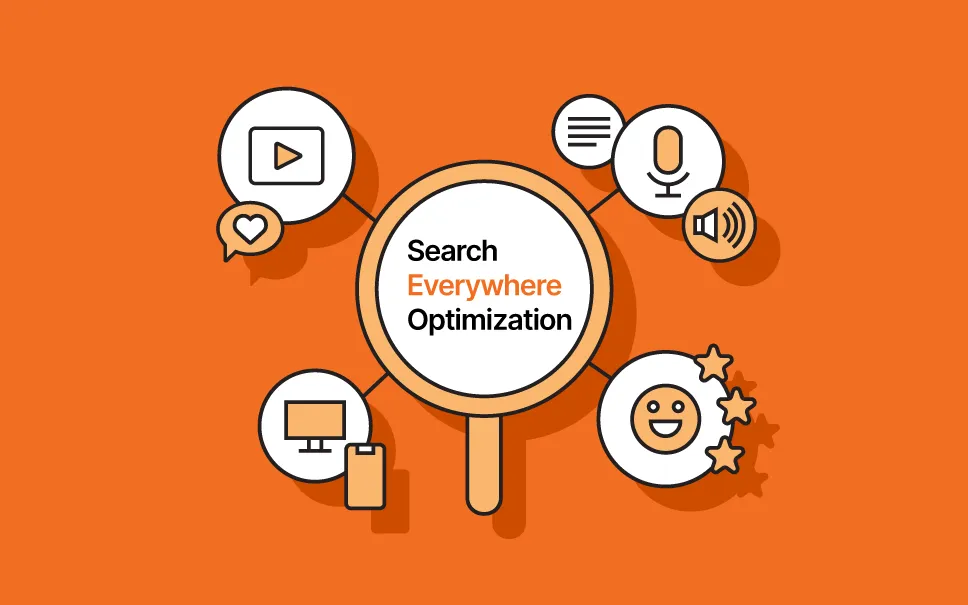
If someone told you in 2015 that Google would one day not be the most important place to optimize your content, you would have laughed them out of the room. Nobody’s laughing anymore. In 2026, your audience doesn’t just search on Google. They are also searching on TikTok, Reddit, YouTube, Amazon, ChatGPT, Instagram, Perplexity, LinkedIn and even through voice assistants — often without ever clicking a single link. This is the era of Search Everywhere Optimization — where brands must optimize not just for Google, but for every platform where discovery, intent, and decisions are happening.
They search in fragments, in full sentences, in questions whispered to smart speakers at 11 pm. And if your brand only exists on Google, you’re invisible in every one of those moments. This is the world that gave rise to Search Everywhere Optimization and if you’re serious about visibility, growth, and staying ahead of the brands that are already adapting, this guide is where you start.
What Is Search Everywhere Optimization?
Search Everywhere Optimization
Search Everywhere Optimization is the practice of building visibility across every platform where your audience searches and researches — not just Google. It’s a complete evolution of how we think about SEO, expanding the playing field from a single search engine to every digital surface where discovery happens.
The term has been gaining momentum across the digital marketing world. We’re entering the era of Search Everywhere Optimization as omnichannel search expands further beyond Google to social, video, forums, and AI platforms. Brand reputation is becoming a core ranking and visibility signal.
But here’s what’s important to understand from the start: Search Everywhere Optimization (SEvO) is not about abandoning traditional SEO. It’s about expanding your strategy to match where modern users actually look for answers. Google still matters enormously. It always will. What’s changed is that Google is now one channel in a much larger ecosystem — not the whole game.
People are now calling it Search Everywhere Optimization. And if you thought about SEO as some sort of hacky way to manipulate search rankings, then yes, this is new. But if you think about SEO from first principles — understanding search intent and demand and trying to match it with the best source of supply — then nothing has fundamentally changed.
The platforms have multiplied. The principle is the same: be found where people look, with content worth finding.
Why Search Everywhere Optimization Matters More Than Ever in 2026
Search Behavior Has Fundamentally Shifted
The numbers tell a clear story. Google is still king with 417 billion searches per month — but ChatGPT alone is processing 72 billion messages a month. And users under 44 use, on average, five platforms to search. From TikTok to ChatGPT to review sites and Reddit, discovery is diversifying rapidly.
46% of adults now use social media as their first platform for online search. That’s not a fringe behavior. That’s nearly half of your potential audience starting their research somewhere other than a search engine.
By 2026, 55% of searches will be voice or image-based. Mobile-friendly, conversational content is no longer optional — it’s the baseline expectation.
AI Is Changing Who Answers the Questions
ChatGPT reaches over 800 million weekly users. Google’s Gemini app has surpassed 750 million monthly users. And AI Overviews are appearing in at least 16% of all searches — significantly higher for comparison and high-intent queries.
AI systems are increasingly the entity answering your audience’s questions — synthesizing, summarizing, and recommending without sending users to your website at all. If your brand isn’t being cited in those answers, you don’t exist in that moment of discovery.
Zero-Click Searches Are Rising
The increase in zero-click searches is one of the largest search engine optimization disruptors. This experience is dominated by AI summaries, featured snippets, and voice responses.
Users are getting answers without clicking. This doesn’t mean visibility is worthless — it means the type of visibility you’re optimizing for has changed. Being cited, being mentioned, being referenced inside an AI answer is a form of visibility that didn’t exist five years ago and matters enormously today.
The Platforms That Define Search Everywhere Optimization
Traditional Search Engines: Still the Foundation
Google, Bing, and traditional search aren’t going anywhere. Search engines are still vital. The focus should be on structured data, entities, and SERP feature inclusion. What’s changed is that ranking on Google is now one pillar of a larger strategy, not the entire edifice.
Technical SEO fundamentals — clean site structure, schema markup, fast loading, mobile optimization — remain essential because they’re the foundation that supports visibility everywhere else. Search engine optimization everywhere starts with getting the basics right on your own domain.
AI Platforms: The Fastest-Growing Discovery Channel
Generative engine optimization (GEO) is the practice of optimizing your content to get appeared in AI-generated answers from the platforms like ChatGPT, Google Gemini and Perplexity. Unlike traditional SEO , which usually focuses on the ranking search results, GEO is all about influencing how large language models read, interpret, and cite your brand when responding to user prompts.
This is one of the most critical trends in search today. For bootstrapped tools and growing brands alike, AI platforms are becoming primary discovery surfaces. For form builder tool Tally, ChatGPT became the #1 referral source. That’s not a quirky anomaly — it’s a preview of where visibility is heading.
Social Media Platforms: Where Research Really Begins
Social platforms have completed their transformation from entertainment channels to full-scale search engines. TikTok, YouTube, Instagram, Reddit, LinkedIn, Pinterest — each has its own search behavior, its own algorithm, and its own audience expectation.
You can optimize your social media presence for search engines just by using keyword-rich profiles with relevant hashtags and keywords in the bios and descriptions hence developing a hashtag strategy to expand visibility, optimizing content with SEO-friendly captions and even implementing video SEO across YouTube, TikTok, and Instagram Reels.
Reddit deserves particular attention. Reddit posts rank high on Google, so use search-friendly titles. Engage in high-traffic subreddits in your niche, answer questions early when new posts get the most visibility, and share insightful responses before linking to your blog or video.
Voice Search: The Invisible Platform Most Brands Ignore
Voice search optimization is one of the most underinvested areas in most brand’s digital strategies — and one of the highest-opportunity ones heading into 2026.
Voice search is fundamentally different from text search. People don’t say “best CRM software 2026” into their phone. They ask: “Hey Siri, what’s the best CRM for a small business without a dedicated IT team?”
To appear in voice search results, your content needs to be structured around natural language patterns, answer specific questions concisely, use conversational phrasing, and load fast enough on mobile to be a viable source. Featured snippets and position zero results are the primary supply for voice answers — which means structured content with clear Q&A formats is your path to voice visibility.
E-Commerce Marketplaces: Where Purchase Intent Lives
More than half of product searches are now starting on Amazon rather than Google. For the brands that are selling physical products , this makes Amazon SEO not a supplementary tactic but a core visibility strategy.
The same principle extends to Shopify, Etsy, and category-specific marketplaces. Being discoverable on the platform where your customer is actively considering a purchase is often more valuable than ranking on Google for the same intent.
Generative Engine Optimization: The New Frontier of SEvO
What GEO Actually Is
Generative Engine Optimization (GEO) focuses on making brands, content, and data visible inside AI-driven search experiences rather than only traditional search engine results pages. Rather than targeting one keyword per page, GEO builds topic clusters that cover a subject comprehensively, making content more useful for AI summarization.
Generative engine optimization mostly focus on the publishing authoritative, structured and cited content ; embedding long-tail keywords in natural Q&A formats; optimizing for multi-modal AI engines covering text, image, and voice search; and maintaining E-E-A-T in AI answers.
Five Core Principles of GEO
1. Structured, Extractable Content
AI systems that often extract substantive passages without the conversational setup around them. You need clear headings to help AI identify which section answers which question. Putting answers early in sections may make them easier for AI to find and extract. Traditional SEO often rewards comprehensive coverage; GEO places more emphasis on content that’s easy to extract and reassemble.
2. Demonstrated Authority and E-E-A-T
Right now E-E-A-T is going nowhere. It needs to be your strategic cornerstone. Your digital PR strategy should include always-on digital PR with fresh mentions and citations in high-authority sources, customer review strategies focused on reputation and sentiment, and third-party trust signals from awards and accreditations.
3. Consistent Brand Entity Clarity
AI systems understand the web through entities — brands, products, people, locations, and concepts. GEO strategies ensure your brand is clearly defined as an authoritative entity within your industry. This means consistent NAP data, Organization schema, Knowledge Panel management, and unified brand information across every platform.
4. Content Freshness
AI models usually favor the most current and authoritative information. Strategies to maintain the freshness that includes auditing and updating the content monthly or more frequentlyand hence highlighting recently published or revised date stamps, adding new statistics and case studies promptly, and refreshing FAQs to reflect evolving user questions.
5. Multi-Platform Brand Presence
GEO isn’t just about your website. Mentions across reputable platforms, expert authorship, consistent brand information, and authoritative backlinks all improve AI trust. GEO goes beyond Google — it optimizes content for AI chat platforms, voice assistants, knowledge panels, and emerging generative search tools.
The GEO tool landscape has matured rapidly since heading into 2026. Goodie AI still remains one of the most complete GEO platforms available . It tracks how your brand appears across engines like ChatGPT, Gemini, Perplexity, Claude, Copilot, and DeepSeek, then pairs that visibility data with actionable optimization guidance.
Optimized content is achieving 43% higher citation rates on average, and multi-platform optimization has become essential with successful companies monitoring 10 or more generative engines simultaneously.
Other notable generative engine optimization tools include:
Semrush AI Visibility Toolkit integrates GEO monitoring into the SEO ecosystem most teams already use
Ahrefs AI features bridges traditional SEO with an AI visibility tracking
Otterly.AI focused on the generative search visibility monitoring
Gauge delivers gap analyses and competitor benchmarking across AI platforms
Profound AI — emphasizes technical SEO integration alongside GEO strategy
Many tools now specialize in generative engine optimization. AI content assistants like the Writesonic, Jasper and Otterly AI help to craft AI-friendly content . Schema generator tools streamline structured data implementation . Analytics platforms track snippet appearances, voice search traffic, and AI citations.
Building Your Search Everywhere Optimization Strategy
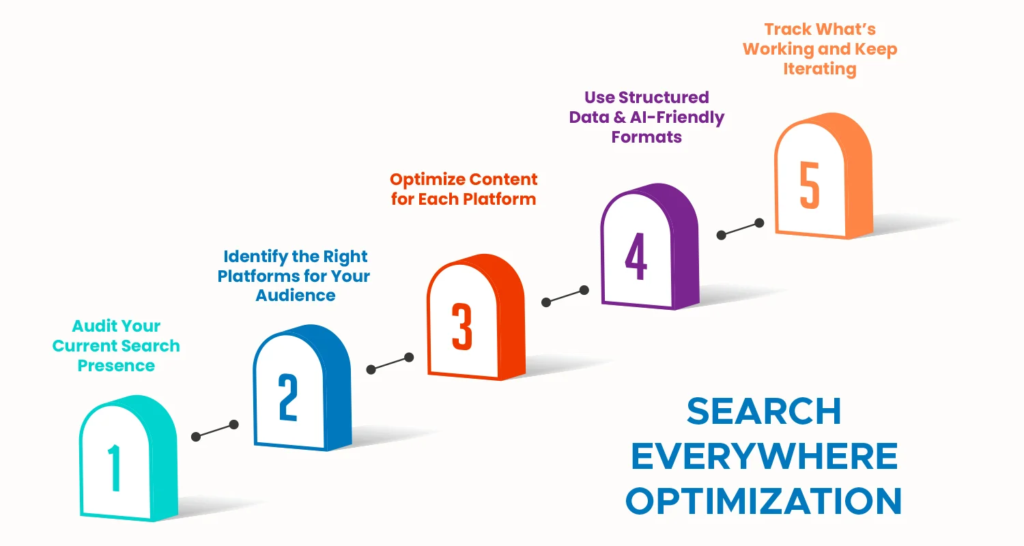
Step 1: Start With Intent, Not Platforms
The biggest mistake brands make when adopting SEvO is jumping straight to platform tactics without mapping the intent behind their audience’s searches first.
Your keyword research skills translate directly to Search Everywhere Optimization — they’re your starting point. The shift is in what you do after you’ve identified your keywords. Instead of stopping at a keyword and creating a single optimized page, you expand that keyword into an intent pillar. An intent pillar is the conversation behind the keyword — the real thing someone is trying to figure out.
Ask: what decisions is my audience making? Where do those conversations live? Who is talking about these topics? That investigation rhave shown that which platforms deserve your attention and in what order.
Step 2: Map Platforms to Audience Behavior
Not every platform deserves equal investment. Your audience research should tell you where the conversation is active for your specific topics and industry.
When searching for SEO tools , for example you might see some trends in ChatGPT prompts around wanting help with vetting and asking for specific comparisons. YouTube is the second-largest search engine in the world, and people search differently there than they do on Google. Reddit discussions often reveal questions and problems that don’t show up in traditional keyword research.
Map your primary intent pillars to the platforms/places where those conversations are still looking active. Then acoordingly prioritize them based on where your audience concentrates and where you can realistically build consistent presence.
Step 3: Create Native Content, Not Repurposed Filler
Native content wins. Just repurposing blog content won’t cut it. You need to speak the platform’s language. Turn blog insights into short-form videos for TikTok, Instagram, or LinkedIn. Convert FAQ sections into Reddit threads or LinkedIn carousels. Package data-driven insights for LLMs in clear, structured formats. Meet users where they are, in the format they prefer.
A blog post shared as a link on TikTok is not TikTok content. An explainer turned into a 60-second video with platform native editing is TikTok content . The distinction matters enormously for both algorithmic reach and audience reception.
Step 4: Build Topic Authority Across Channels
With AI systems pulling from the entire web to form opinions about brands, earned media coverage and unique data assets become powerful differentiators.
Topic authority in 2026 is not just about your website. It has been build through a consistent constellation of signals : your website content depth on a topic, your social presence discussing that topic, third-party mentions in credible publications, reviews that reference your expertise, and citations in AI-generated answers. All of these signals feed into how AI systems and search engines perceive your brand’s authority in a given space.
A focused entity optimization strategy can deliver a 61% organic growth increase in just eight months. That’s the compounding power of building coherent authority rather than chasing individual rankings.
Step 5: Optimize for Voice Search Specifically
Voice search optimization actually deserves its own dedicated workstream within your SEvO strategy. The key principles are as follows :
Write content that mirrors conversational language patterns
Target featured snippets and position zero results — the primary source for voice answers
Structure FAQ sections with natural question phrasing that matches how people actually speak
Ensure pages are loading fast on mobile and are technically clean
Use schema markup, especially FAQPage and HowTo schema, to help voice assistants extract precise answers
Optimize for local intent where relevant — “near me” queries dominate voice search patterns
Step 6: Rethink Your Measurement Framework
In Search Everywhere Optimization, success is being visible everywhere people are looking, whether or not they click. We care just as much about where we show up, how often we’re mentioned, and whether people come back to us later as we do about any one keyword.
Instead of optimizing solely for clicks, you’re optimizing for visibility and citations across multiple platforms — Reddit threads, AI summaries, TikTok videos, and yes, still those classic Google search results.
New metrics to track alongside traditional SEO KPIs:
AI citation rate across ChatGPT, Gemini, Perplexity, and Claude
Brand mention volume across social platforms and forums
Branded search lift — are more people searching your name?
Share of voice in AI-generated responses for your target queries
Query diversity — are you appearing for a broader range of searches over time?
Engagement depth when users do reach your site
What Trends in Search Tell Us About Where This Is Heading
The Convergence of SEO and Brand Marketing
One of the clearest trends in search heading into 2026 is the convergence of SEO and brand building. Growing branded demand shifts from a marketing byproduct to a strategic SEO initiative, making brand building and awareness campaigns integral to your 2026 search strategy.
When AI systems determine which brands to cite in their answers, they’re making judgments about trust and authority that look a lot like brand equity assessments. The brands that show up consistently, that have strong third-party mentions, that users actively search for by name — those are the brands AI platforms treat as reliable sources.
The Death of Generic Content at Scale
The brands that win will build a stronger product and value proposition, doubling down on real expertise and evolving based on authentic customer feedback. Product quality and brand reputation become the foundation — everything else is built on top of it.
Mass-produced, AI-generated, template-driven content is flooding every platform. The response from search systems — both Google and the AI platforms — is to increasingly reward content that demonstrates genuine expertise, original perspective, and real-world specificity. If your content could apply to any brand in any industry, it will increasingly apply to none of them in algorithmic terms.
Human Expertise as a Competitive Moat
Human expertise, transparent authorship, and integrated strategies across PR, product, social, and technical channels define which brands thrive.
This is arguably the most important strategic insight for 2026: the brands investing in real expertise, real authors with real credentials, and real original research are building something that no content farm or AI content tool can replicate. That expertise, consistently expressed across every platform where your audience searches, is the competitive moat of the SEvO era.
Do You Need a Search Everywhere Optimization Agency?
The scope of SEvO — across Google, AI platforms, social search, voice, marketplaces, and forums — is genuinely difficult to manage without dedicated expertise. A specialized search everywhere optimization agency is known for bringing several advantages:
Cross-platform strategy development that maps channels to audience behavior
Generative engine optimization expertise that most traditional SEO agencies are still developing
Content production capacity to create platform-native assets at the scale SEvO requires
AI visibility monitoring and GEO tools that require significant investment and expertise to use effectively
Measurement frameworks that track the full spectrum of SEvO metrics, not just Google rankings
Whether you need a full-service search everywhere optimization agency or a consultant who can guide your in-house team depends on your resources, competitive landscape, and growth goals. What’s less debatable is that SEvO requires a broader skillset than traditional SEO — and trying to retrofit a keyword-focused team into an omnichannel visibility operation without external input tends to produce inconsistent results.
Is a Search Everywhere Optimization Course Worth It?
For marketing professionals, content teams along with business owners who want to build SEvO competency in-house, a dedicated search everywhere optimization course can dramatically accelerate the learning curve.
The most valuable courses in this space cover the full spectrum : traditional SEO fundamentals (which haven’t changed), GEO and AI platform optimization, social search strategy, voice search, local search, and the measurement frameworks needed to tie it all together. Look for courses that include real case studies, are updated frequently to reflect the fast-moving landscape, and offer community access to practitioners who are actively working in the space.
The foundational SEO skills you already have translate directly — the learning curve is primarily in understanding the new platforms, the AI optimization layer, and how to coordinate across channels rather than treating each one as a separate silo.
The Core Truth About Marketing Everywhere Optimization
Visibility in 2026 won’t come from gaming the system. It will come from understanding the human behind the query — and showing up with something truly helpful.
Search everywhere optimization — or marketing everywhere optimization, as some practitioners frame it — is ultimately a return to the most fundamental principle of good marketing: be where your audience is, with something worth their attention.
The platforms have changed. The AI systems are new. The voice interfaces are still developing. But the underlying truth has not moved : the brands that understand what their audience is trying to figure out, and build genuine authority in those spaces across every channel where those conversations happen, will own the discovery moment in their category.
Search engine optimization has developed into Search Everywhere Optimization — visibility, authority, and performance are now the key aspects rather than rankings alone.
The question isn’t whether to adapt. It’s how fast.
What is Search Everywhere Optimization (SEvO)?
Search Everywhere Optimization is the practice of optimizing your brand’s visibility across every platform where your audience searches — not just Google. This includes AI platforms like ChatGPT and Perplexity, social media, YouTube, Reddit, Amazon, voice assistants, and industry-specific communities.
How is SEvO different from traditional SEO?
Traditional SEO focuses on ranking in Google search results through keywords, backlinks, and on-page optimization. SEvO expands this to cover every discovery surface — AI citations, social search, voice results, marketplace listings, and more. The fundamentals of SEO remain valid; SEvO simply applies them across a much broader ecosystem.
What is Generative Engine Optimization (GEO)?
GEO is the subset of SEvO focused specifically while appearing in AI-generated answers from platforms like ChatGPT, Gemini, and Perplexity. It usually involves the structuring content for AI extractability, building cross-platform authority along with maintaining E-E-A-T and ensuring consistent brand entity signals that AI systems recognize and trust.
How do I optimize for voice search in 2026?
Focus on conversational, natural language content that answers specific questions concisely. Target featured snippets and position zero results. Use FAQ and HowTo schema markup. Ensure fast mobile page loading. Write in the way people actually speak rather than how they type keywords.
Do I need a Search Everywhere Optimization agency?
If your team has been focused on traditional SEO alone, working with a specialized SEvO agency or consultant can significantly accelerate your transition — especially for GEO, AI platform optimization, and cross-channel strategy development. The breadth of SEvO requires expertise that goes well beyond keyword research and link building.
Even worse, half of those people leave because they cannot find the information they need.
If you want your business to grow, you need to optimize product pages so they work for you.
You can’t just hope for visitors; you have to turn those visitors into customers.
Think of your product page as a 24-hour salesperson.
When it’s done right, it builds trust and answers every question a customer has.
When it’s messy, you lose money.
In this blog, we will guide you through the ways to optimize your product pages to drive higher conversions.
Why Optimizing Product Pages Matters?
Having well-optimized product pages can be super beneficial for your brand. Here are some of the reasons why:
a. Optimizing product pages helps shoppers quickly understand what you are selling and why it is right for them, which makes them more likely to buy.
b. When you optimize product pages, you remove confusion and answer common questions, so visitors feel confident instead of hesitant.
c. Well-optimized product pages keep people on your site longer and reduce the chances of them leaving without taking action.
d. Clear images, simple descriptions, and strong trust signals make products feel more reliable and worth the price.
e. Optimized product pages turn existing traffic into real sales, helping your business grow without needing more visitors.
10 Ways to Optimize Product Pages for Higher Conversions
a. Understand the User Intent
To grow your shop, you must first learn why people visit your store. Some shoppers want to compare prices while others are ready to pay right now.
You need to help both groups without making things confusing. You can optimize product pages by looking at what people type into search engines to find you.
If a visitor is just looking for information, give them clear details to build trust.
If they already know your brand, make it very easy for them to check out quickly.
Place your best features and prices at the very top so busy buyers see them fast.
Put extra details and common questions further down for people who need more time to decide.
This simple layout keeps everyone happy and helps you sell more items.
By matching your page to what the shopper wants, you turn more visitors into happy customers.
b. Craft High-Converting Product Page Headlines
Your headline tells every visitor they have found exactly what they need.
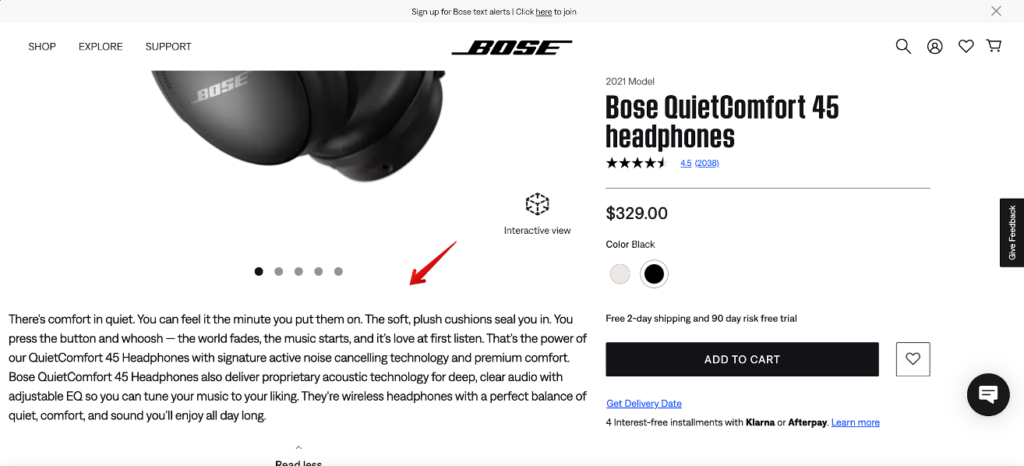
You should write a strong title that clearly names your item and explains why it matters to the buyer.
Do not use confusing names or inside jokes that might puzzle a new customer.
Instead, focus on how your item makes life better or solves a common problem.
You optimize product pages when you use simple words that show real value right away.
You can also add a short sentence below the main title to build more trust.
This extra line tells people who the item is for and what makes it special compared to other brands.
When you use clear headings, shoppers stay on your site longer because they do not feel lost.
This simple change helps you turn more browsers into buyers by making your message easy to understand.
c. Optimize the Product Descriptions
Great product descriptions should teach, win over, and comfort your customers.
Many shop owners make the mistake of using the boring notes from the factory, but those do not help you sell.
You can optimize product pages by turning basic facts into real-life perks.
Instead of just listing what a tool is made of, tell the buyer how it makes their day easier or saves them time.
Use short groups of sentences and speak like a normal person talking to a friend. Most people scan your site before they decide to read every word.
Use lots of white space and bold text to catch their eye.
When you write with the shopper in mind, you make it much easier for them to choose your item.
Clear writing takes away the stress of shopping and helps you close more sales every single day.
d. Use High Quality Visuals That Reduce Uncertainty
When shoppers feel unsure, they leave your store without buying anything.
Clear pictures are the fastest way to fix this problem and win their trust.
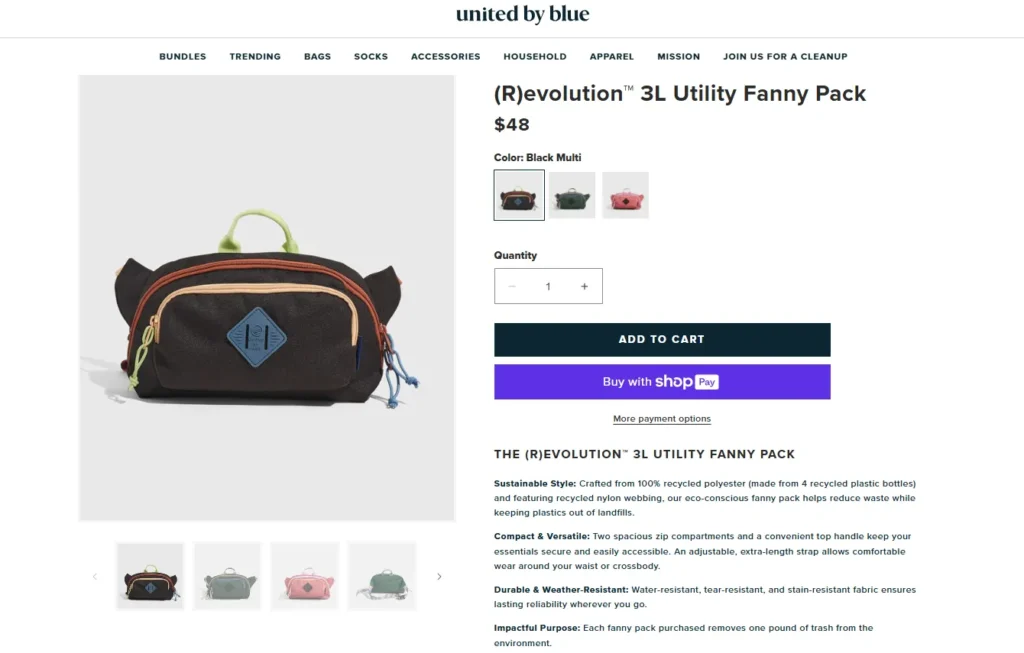
You can optimize product pages by using high-quality photos from every side so people know exactly what they are getting.
Show your items being used in real life so customers can imagine owning them. Short videos also help because they show how big an item is and how it works.
Modern search engines and smart apps also look for these great photos to show your store to more people.
Treating your images like important facts rather than just pretty decorations will make your shop look much more professional.
Good visuals take away the fear of the unknown and make it easy for someone to click the buy button.
Focus on being clear and honest with every shot to keep your customers happy and confident.
e. Build Solid Trust and Social Proof
Trust is the secret to making more sales in your online store.
Even a great deal can fail if a buyer feels nervous about your website.
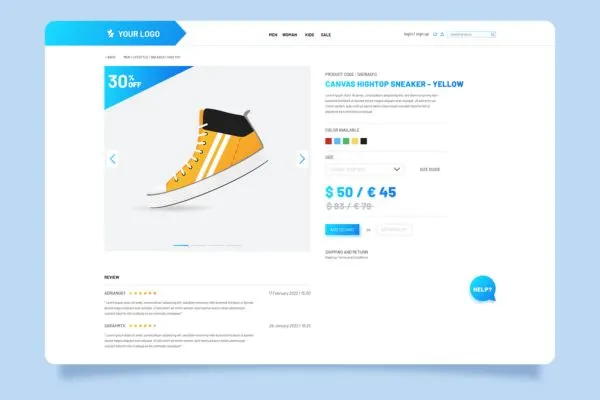
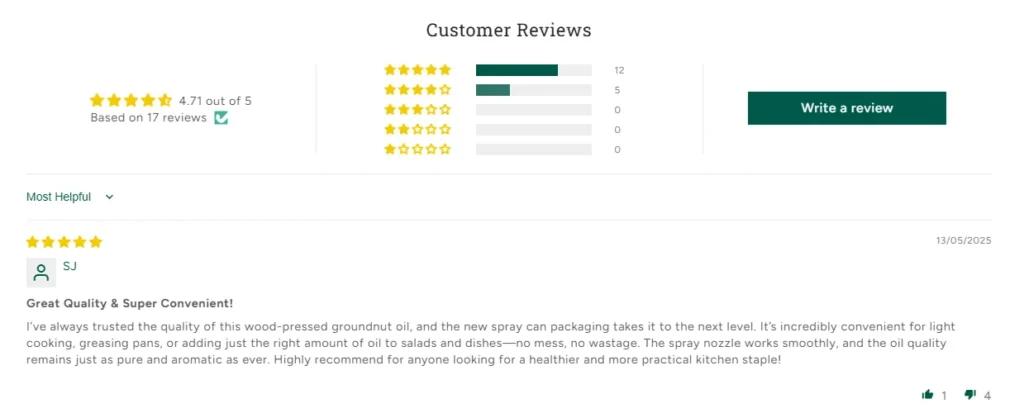
You can optimize product pages by showing honest reviews and star ratings from real people who bought your items.
Do not hide the bad reviews because showing a mix of feedback actually makes you look more honest.
You should also put icons for safe credit card payments and clear shipping costs where everyone can see them.
Tell your customers exactly how they can return an item if they are not happy.
These small details answer the silent worries that keep people from clicking the buy button.
When you make your shop look safe and open, shoppers feel much better about spending their money with you.
This simple change helps turn nervous browsers into loyal fans who trust your small business.
f. Improve Page Speed and Mobile Experience
Your website must be fast if you want to keep your customers.
Most people shop on their phones today, so your store must work perfectly on a small screen.
If a page takes more than three seconds to load, shoppers will leave before they even see your items.
You can optimize product pages by making images smaller, so they pop up instantly.
Ensure your text is large enough to read without zooming in and make your buttons easy to tap with a thumb.
When you fix these small issues, you make shopping much easier for everyone. A slow site or tiny buttons will frustrate people and cost you money every single day.
By focusing on speed and mobile comfort, you remove the hidden blocks that stop people from buying.
A smooth and quick experience turns browsers into buyers and helps your small business grow much faster.
g. Use Pricing Psychology and Offers
How you show your price matters just as much as the amount you charge.
Customers feel more comfortable when they see clear and honest numbers right away. You can optimize product pages by making sure your costs are easy to find and understand.
Show your original price next to a sale price so shoppers see the true value of the deal.
Offering a small discount for buying a bundle is a great way to help people save while you sell more items.
Do not hide extra fees or wait until the end to show shipping costs, as this makes people leave their carts.
Stick to one or two great offers instead of listing too many, which can make a buyer feel overwhelmed.
When your pricing looks fair and simple, customers will trust your brand more.
This honest approach turns curious browsers into loyal buyers who feel good about their purchase.
h. Minimize Distractions and Friction
Too many links or messy images can distract your shoppers and stop them from buying.
Every extra button on your screen pulls attention away from your main goal. You should remove any links that do not help the customer choose the item they are looking at.
When you optimize product pages for your store, you make the shopping path clear and fast.
A button that stays at the top of the screen as they scroll helps people buy without searching for the checkout.
You should also keep your checkout forms very short.
Asking for too much information makes people frustrated, and they might leave your site.
By making the process simple, you show that you respect the time of your customers.
A clean page leads to more sales because it focuses on the product. Keeping things simple is the best way to turn a visitor into a buyer.
i. Use FAQs in Your Product Pages
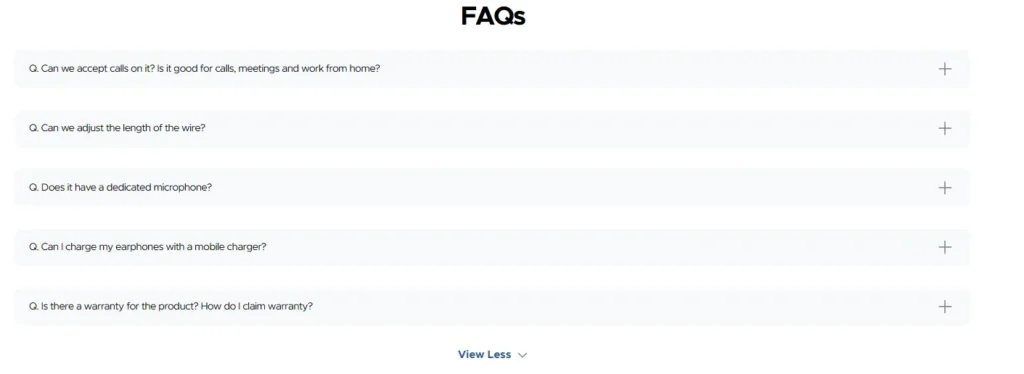
Adding a section for common questions is a smart way to help your customers feel sure about their purchase.
These answers fix the worries that stop people from buying your items.
You can optimize product pages by writing clear answers about shipping times, easy returns, and how to use your products.
When you write in a natural way using full sentences, search engines and smart tools can find your store more easily.
This helps more people discover your shop when they search for help online.
Good questions and answers also mean you will spend less time answering the same emails every day.
By giving shoppers the facts they need right away, you build a lot of trust.
This simple change makes your site feel more professional and helps hesitant buyers feel ready to click the buy button.
j. Test, Measure, and Continuously Improve
Improving your shop is a task that never truly ends.
People change how they shop, and other stores will always try to beat your prices.
To stay ahead, you must optimize product pages by watching how people move through your site.
Pay close attention to how many visitors actually buy something and how far down the page they read.
You should try testing two different versions of a headline or a photo to see which one your customers like more.
This takes the guesswork out of running a business because you are using real facts to make choices.
When you make small fixes based on what the numbers show, those tiny wins add up to huge growth over time.
Keeping your pages fresh and easy to use ensures that your brand stays strong. By focusing on what your customers do, you can build a store that lasts.
Sample Product Page Optimization Checklist
Element
Common Issue
Optimization Focus
Headline
Too vague
Clear benefit driven message
Images
Low quality
High resolution, multiple angles
Description
Feature heavy
Benefit focused, scannable
Reviews
Hidden
Visible and authentic
Page Speed
Slow load
Image and script optimization
Mobile UX
Poor layout
Responsive design
Conclusion
Learning how to Optimize Product Pages is one of the highest-impact investments an e-commerce brand can make.
It aligns user experience, search visibility, and conversion psychology into one cohesive system.
Instead of chasing more traffic, optimization helps you do more with the visitors you already have.
Brands that treat product pages as living assets rather than static listings consistently outperform competitors.
If your team is refining its approach to product page performance, thoughtful strategies and structured experimentation make all the difference.
1. How long does it take to see results after you optimize product pages?
Results depend on traffic volume and the type of changes made. Small improvements like clearer headlines or faster load times can show impact within weeks, while deeper structural changes may take one to three months to reflect in conversion data.
2. Can you optimize product pages without redesigning the entire website?
Yes. Many high-impact optimizations involve content, layout adjustments, trust signals, and performance improvements. These changes can often be implemented without a full redesign
3. Do optimized product pages help with SEO and AI visibility?
Absolutely. When you Optimize Product Pages with clear intent, structured content, FAQs, and strong engagement signals, search engines and AI systems can better understand and surface your pages.
4. How often should product pages be reviewed for optimization?
A quarterly review is a good starting point. High traffic or seasonal products may benefit from more frequent testing and updates.