Author: Adsagenz

  • What Is Answer Engine Optimization (AEO)? The Complete 2026 Guide

    What Is Answer Engine Optimization (AEO)? The Complete 2026 Guide

    Search is not what it used to be.

    Just a few years ago, ranking on Google meant squeezing keywords into your titles, building backlinks, and hoping your page landed somewhere in the top 10 results.

    Today? People don’t even want “results.”

    They want… answers. Direct. Clear. Instant.

    They ask questions not just from Google, but from:

    • ChatGPT
    • Bing Copilot
    • Perplexity
    • Google SGE
    • Voice assistants
    • Smart search bars inside apps
    • Auto-generated AI summaries on social media

    This massive shift has given birth to a new SEO discipline that is now essential in 2026:

    Answer Engine Optimization (AEO).

    AEO is no longer a buzzword—it’s now the foundation of organic visibility in an AI-first world.

    And in this guide, we’ll break down everything you need to know in a way that is human, simple, and genuinely useful.

    What Is Answer Engine Optimization (AEO)?

    Answer Engine Optimization (AEO) is the process of optimizing your website and content so that AI search tools choose your content as the best possible answer to user questions.

    Instead of optimizing only for Google’s traditional search engine, you optimize for:

    • AI chatbots
    • Semantic search systems
    • Voice assistants
    • Generative search experiences (SGE)
    • Zero-click answers
    • Featured snippets
    • AI-powered summaries
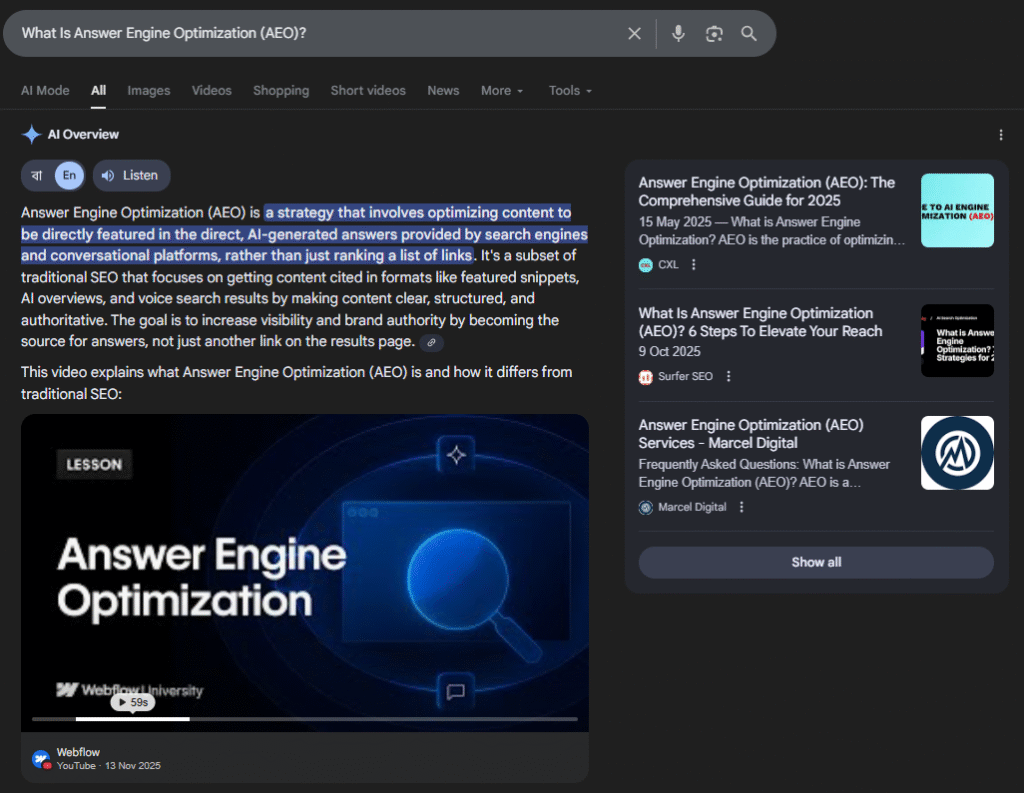
    A screenshot that shows how answer engine optimization AEO works

    In simple words:

    SEO helps you rank. AEO helps you get selected.

    It’s the difference between being one link in a list and being the answer the search tool delivers.

    AEO focuses on:

    • Clear, direct answers
    • Strong topical authority
    • Clean content structure
    • Natural language
    • Semantic depth
    • Updated information
    • Trust signals (EEAT)

    So when someone asks a question like:

    “What size dump trailer do I need for landscaping?”

    AEO ensures that your content is what ChatGPT, Google SGE, and Bing Copilot pick to answer it.

    Why AEO Matters More Than Ever in 2026?

    We’re in a new era of search.

    AI search tools no longer act like directories. They act like digital librarians; they read everything, understand context, and pull the best summary from the sources they trust most.

    Here are the biggest reasons AEO is becoming essential:

    a. AI Search Is Becoming the New Default Behavior

    More and more users are turning to AI tools because:

    • They want instant answers
    • They don’t want to scroll
    • They don’t want 20 tabs
    • They trust conversational responses more
    • They want “one complete answer,” not “many long options”

    We’re officially entering a post-click world.

    Your brand must appear in answers—not just links.

    b. Google SGE Is Changing Traditional SEO Ranking

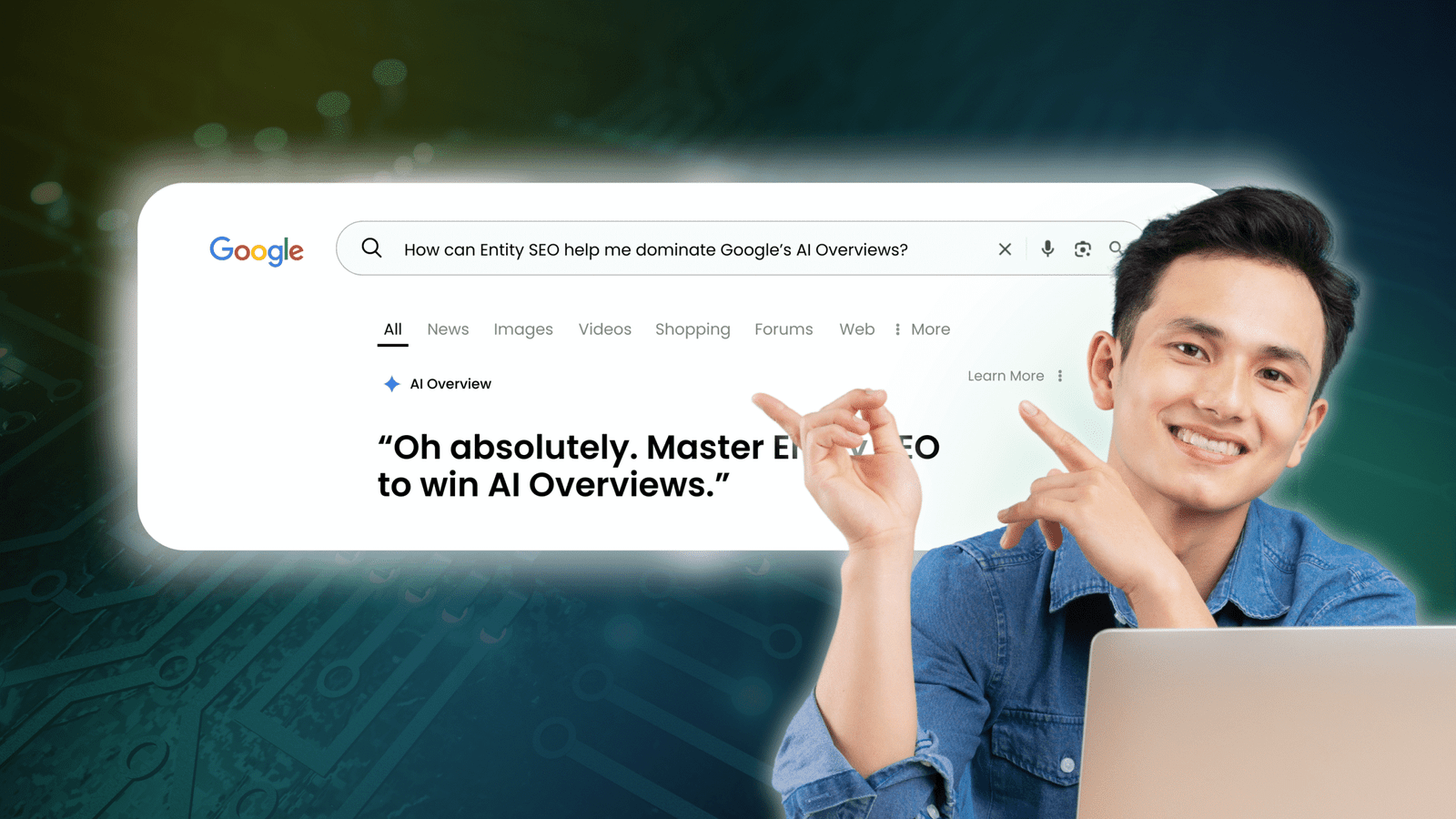
    Google’s Search Generative Experience (SGE) places an AI-generated answer above the usual search results.
    Google logo next to the text SGE, which stands for Search Generative Experience

    Sometimes, users see:

    • SGE answer
    • People Also Ask
    • Maps
    • Knowledge panels
    • Video carousels
    • Images

    …and don’t even reach the organic results.

    This means:

    Even if you rank #1, you may not be seen.

    But if you optimize for AEO, your content can be included inside the SGE answer, even above paid ads.

    c. AI Tools Prefer Structured, Clear Content — Not Keyword Stuffing

    Traditional SEO rewarded:

    • Keywords
    • Length
    • Backlinks
    • Technical optimization

    AEO rewards:

    • Precision
    • Clarity
    • Factual information
    • Organized structure
    • Answer depth

    AI wants content that is easy to extract, easy to understand, and easy to trust.

    d. Being the AI-Generated Answer Builds MASSIVE Authority

    When AI says:

    “According to [Your Brand]…”

    …it gives you credibility that no ad or ranking can replicate.

    This authority compounds over time. The more answer engines cite you, the more they trust you.

    AEO vs Traditional SEO: What’s the Real Difference?

    Here’s the simplest way to understand it:

    • SEO wants you to rank.
    • AEO wants you to be chosen.

    Here’s a deeper comparison:

    1. Traditional SEO

    • Focuses on keywords
    • Optimizes for Google’s ranking algorithm
    • Long-form content often wins
    • Backlinks heavily influence ranking
    • User intent matters, but not as deeply
    • Meta tags, alt text, speed—all important

    2. Answer Engine Optimization (AEO)

    • Focuses on answering real user questions
    • Optimizes for AI language models
    • Short, clear, direct answers win
    • Clarity and structure matter more than length
    • Semantic meaning > keyword density
    • Strong EEAT is critical
    • FAQ content performs extremely well
    • Updated content wins more often
    Traditional SEOAnswer Engine Optimization (AEO)
    Rank in Google resultsBe selected as the answer
    Keywords matterMeaning & clarity matter
    Long contet helps rankingsShort, direct answers win
    Google-firstAI-first (ChatGPT, SGE, Siri, etc.)
    Backlinks importantE-E-A-T more important
    Meta tags & keywordsStructure, FAQs, schema
    Slow feedbackFast inclusion in AI answers

    How AI “Answer Engines” Actually Work?

    Answer engines rely on advanced Natural Language Processing (NLP).
    Instead of scanning for keywords, they scan for meaning.

    Here’s what they look for:

    1. Clear definitions

    AI wants to pull a clean, 1–3 sentence explanation.

    2. Question-based formatting

    Headings that include actual questions get indexed first.

    3. Lists and steps

    AI extracts lists to build concise explanations.

    4. Semantic relevance

    AI needs content that deeply covers the topic.

    5. Authority signals

    Author bios, credentials, real experience, data-backed statements.

    6. Freshness

    AI often prioritizes updated content for accuracy.

    7. Low ambiguity

    AI avoids vague, confusing, overly promotional text.

    If your content checks these boxes, you become a preferred source.

    Also Read: Google’s AI Overview Explained

    What Platforms Use Answer Engines? (More Than You Think)

    AEO doesn’t just target Google.
    You’re optimizing for the entire AI search ecosystem.

    a. AI Chatbots

    • ChatGPT
    • Bing Copilot
    • Perplexity
    • Claude
    Logos for four popular AI tools: OpenAI (abstract black logo), Microsoft Bing Copilot, Perplexity, and Claude.

    b. Voice Search Tools

    • Siri
    • Alexa
    • Google Assistant

    c. AI-Powered Search Engines

    d. Social Media AI Assistants

    • Meta AI
    • Snapchat MyAI
    • TikTok search AI

    e. E-commerce Search

    Amazon and Shopify are integrating answer-style search results.

    f. In-app AI systems

    Banking apps, travel apps, recipe apps—everything is using AI answers.

    If your brand isn’t optimized for AEO, you’re invisible across an entire ecosystem—not just Google.

    How to Create AEO-Friendly Content (Core Principles)?

    We’ll go deeper in Part 2, but here are the basics:

    1. Start With Questions

    Be the content that answers:

    • What
    • Why
    • How
    • When
    • Which
    • Where

    AI indexes question-based headings faster.

    2. Give Short, Sharp, Direct Answers First

    Example:

    Q: What is AEO?

    AEO (Answer Engine Optimization) is the process of structuring and writing content so AI tools like Google SGE and ChatGPT can easily extract, understand, and deliver it as the best answer to user questions.

    Then expand below.

    This mirrors how AI structures its own responses.

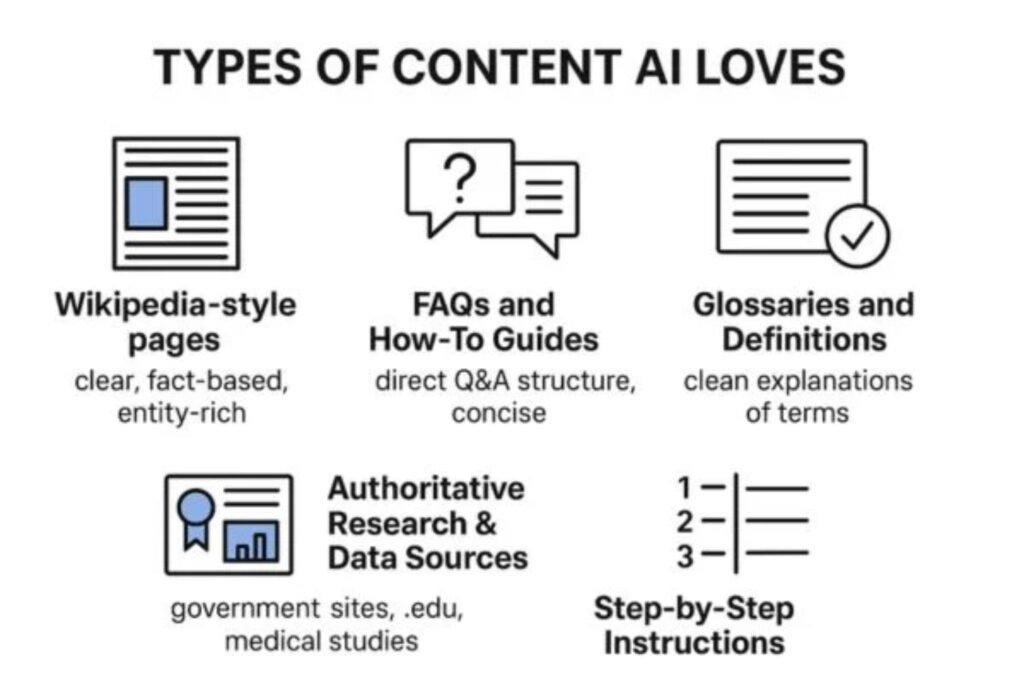
    3. Use Structured Formats

    AI LOVES:

    • Lists
    • Bullet points
    • Tables
    • How-to steps
    • Pros and cons

    These are easy for AI to extract and summarize.

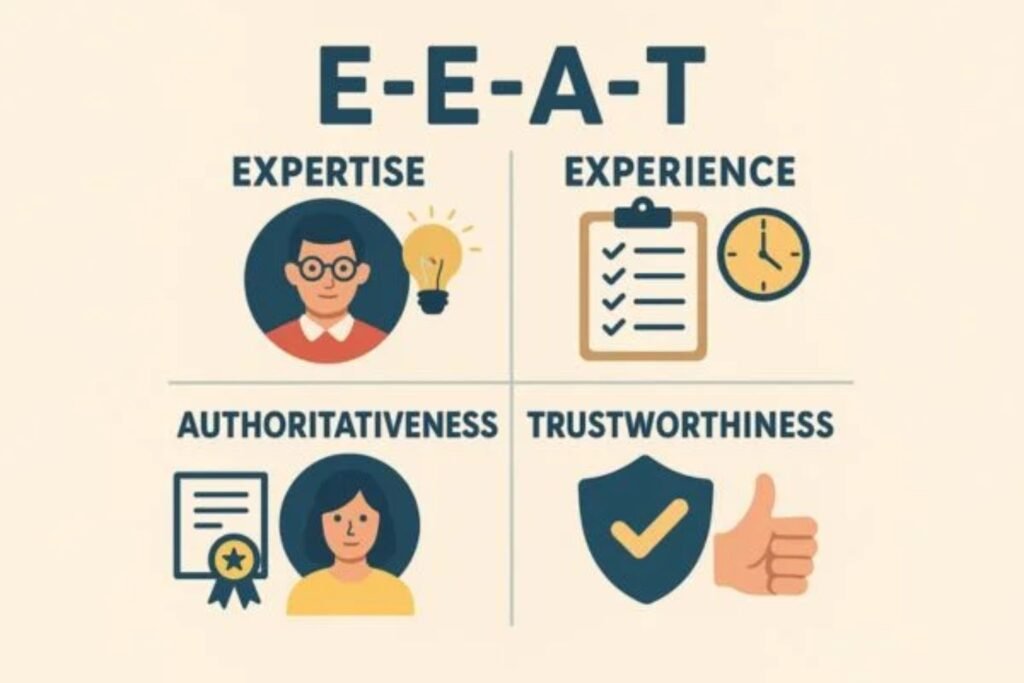
    4. Strengthen Your EEAT

    Show you are:

    • Experienced
    • Knowledgeable
    • Authoritative
    • Trustworthy

    AI checks author bios, brand reputation, expertise, and consistency.

    5. Use Natural Language

    Write like people speak.

    Not like a keyword-optimized robot.

    “best dump trailer landscaping weight capacity”
    is dead.

    “Which dump trailer size is best for landscaping?”
    is the future.

    6. Update Your Content Regularly

    AI hates outdated information.

    Update every 60–120 days for accuracy.

    7. Add FAQ Sections to Every Key Page

    FAQ sections help you appear in:

    • Featured snippets
    • AI answer boxes
    • People Also Ask
    • Voice search

    They are AEO gold.

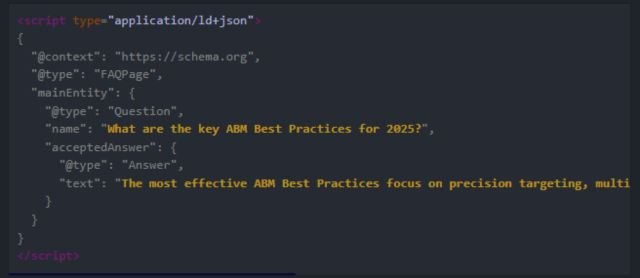
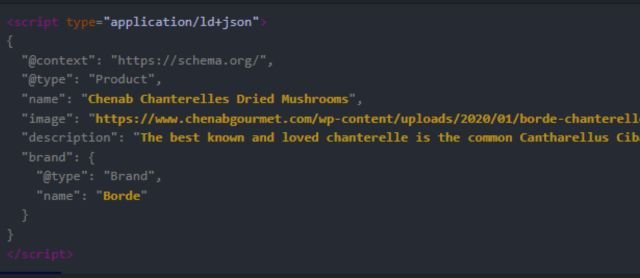
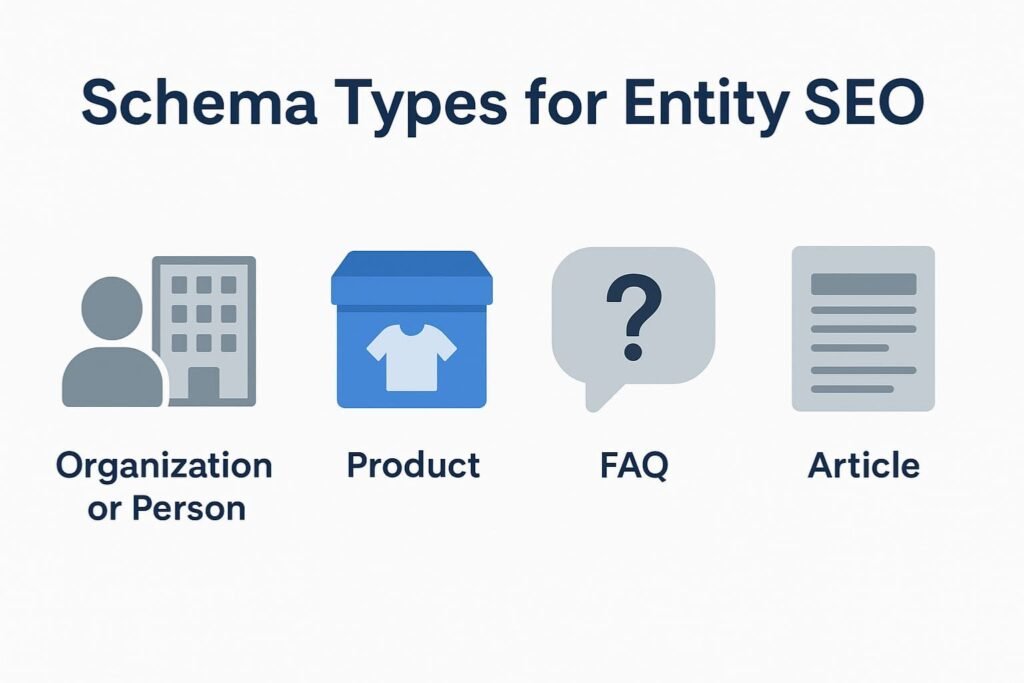
    8. Add Schema Markup

    Especially:

    • FAQ schema
    • HowTo schema
    • Article schema
    • Product schema

    Schema gives AI context, meaning, and structure—like handing it a cheat sheet.

    The Real Benefits of AEO for Businesses

    Let’s talk business impact—because AEO isn’t just about “being found.”
    It affects trust, conversions, and brand reach.

    a. Become the “Default Answer” in Your Industry

    Imagine:

    Someone asks ChatGPT or Google SGE:

    “Best trailer dealer in Georgia?”

    …and your company is included in the answer.

    That’s the modern version of ranking #1.

    b. Get Visibility Across Multiple Search Channels

    With AEO, you appear:

    • In AI chat
    • In voice answers
    • In search summaries
    • In FAQ snippets
    • In social media AI recommendations

    You’re not dependent on Google ranking alone.

    c. Build Brand Authority Automatically

    If AI repeatedly cites your brand, it signals:

    “This source is trustworthy.”

    Users absorb that subconsciously.
    This builds huge long-term credibility.

    d. Win In a World of Zero-Click Searches

    Zero-click searches are increasing because:

    People get the answer immediately.

    AEO helps your brand be the answer.

    e. Competitive Advantage (Most Businesses Still Aren’t Doing This)

    AEO is still new.
    Very few businesses actively optimize for answer engines.

    This means:

    Brands that start in 2026 win early, easily, and massively.

    Now that we’ve covered the foundations of AEO, it’s time to roll up our sleeves and talk about how to actually implement it, step by step, across different types of businesses.

    We’ll dive into:

    • advanced AEO techniques
    • how to structure your website for answer engines
    • how to write AEO-friendly content
    • AEO for local SEO
    • AEO for e-commerce
    • tools & checklists
    • examples you can follow
    • and a final wrap-up

    Let’s get into it.

    Advanced AEO Techniques for 2026 and Beyond

    Basic AEO gets you visibility.
    Advanced AEO helps your site become a primary source for AI tools.

    These strategies separate average websites from authoritative answer-level websites.

    a. Use Semantic Clusters, Not Standalone Pages

    The old way of SEO:

    one keyword = one blog post.

    The new way:

    one topic = one cluster of interlinked articles, FAQs, definitions, guides, and supporting pages.

    AI systems rely heavily on context and topic depth.

    So if you want to rank as the best answer for:

    “cargo trailers vs enclosed trailers”

    You shouldn’t just write that one blog.
    You should also have:

    • What is a cargo trailer?
    • Pros and cons of cargo trailers
    • What is an enclosed trailer?
    • Different trailer types explained
    • How to choose a trailer
    • Trailer sizes & uses

    Together, this tells AI:

    “This brand knows trailers extremely well. It is a trustworthy source.”

    b. Build “Answer Blocks” in Every Major Page

    An Answer Block is a 2–3 sentence, bold, direct response placed at the top of a section.

    AI LOVES these.

    Example:

    What is Answer Engine Optimization?

    AEO is the practice of structuring and writing content so AI-powered search tools—like ChatGPT, Google SGE, and voice assistants—can easily understand, extract, and present it as the best answer to a user’s question.

    Then you expand below.

    This is exactly how AI formats its own answers.

    c. Add a “People Also Ask” Style Section to Every Blog

    AI scrapes FAQs like crazy.

    So, mimic the structure found in Google’s People Also Ask box:

    • What is the difference between cargo and enclosed trailers?
    • Are cargo trailers cheaper than enclosed trailers?
    • Which trailer is better for business use?
    • What should beginners buy first?
    • Do you need a license to pull an enclosed trailer?

    Every time you answer one of these questions, you give AI more content to pull from.

    d. Use Schema Markup (Critical for AEO)

    Schema is like giving AI a roadmap instead of a puzzle.

    The most important types for AEO:

    • FAQ schema
    • HowTo schema
    • Product schema
    • Article schema
    • Organization schema
    • Breadcrumb schema

    FAQ schema alone can help your site appear in:

    • featured snippets
    • SGE summaries
    • voice assistant answers
    • AI chatbot citations

    This is AEO gold.

    e. Keep Sentences Short & Conversational

    AI prefers text written “for ears, not eyes.”

    Meaning:

    • short sentences
    • clear structure
    • everyday language
    • minimal jargon
    • conversational tone

    If a 7th-grade student can understand it, AI can too.

    f. Add Author Bios (AI Checks for EEAT)

    Google and AI tools want to know who wrote the content.

    Add:

    • author expertise
    • experience
    • credentials
    • industry background
    • LinkedIn link
    • real author photo
    Google logo above the letters E-E-A-T, which are color-coded and stand for Experience, Expertise, Authoritativeness, and Trustworthiness

    AI ranks content from real experts much higher.

    g. Refresh Your Content Every 60–120 Days

    AI hates outdated information.

    Updating content helps get indexed again:

    • add new stats
    • fix broken links
    • update examples
    • rewrite weak sections
    • expand FAQs
    • optimize answer blocks

    Every update signals freshness and relevance.

    How to Write AEO-Friendly Content (Templates + Guidelines)

    Here’s the exact structure AI loves:

    Step 1: Start with a Question-Based Title

    Example:

    What Is Answer Engine Optimization (AEO)?

    or

    Cargo Trailers vs Enclosed Trailers: What’s the Real Difference?

    Questions trigger AI indexing.

    Step 2: Give a 2–3 Sentence Direct Answer at the Top

    Example:

    AEO (Answer Engine Optimization) is the process of structuring your content so AI search tools can understand and deliver it as the best available answer. It focuses on clarity, semantic depth, and user intent instead of keyword stuffing.

    This is your “snippet magnet.”

    Step 3: Expand into a More Detailed Paragraph

    After the direct answer, explain the topic in simple, conversational language.

    Step 4: Add Lists, Steps, Comparisons

    AI LOVES structured data.

    Examples:

    • pros and cons
    • step-by-step guides
    • comparison tables
    • quick definitions
    • bullet lists

    Step 5: Add FAQ Section

    Example:

    FAQs About AEO

    Is AEO the same as SEO?

    No—SEO helps you rank, but AEO helps your content be chosen as the direct answer.

    How long does it take for AEO to work?

    Usually 30–90 days depending on content quality and domain authority.

    These FAQ blocks often get pulled into AI answers directly.

    Step 6: Add Schema Markup to Reinforce Structure

    Especially FAQ and HowTo schema.

    AEO for Local Businesses (VERY Important)

    Local businesses can dominate AI answers—because most industries have very weak content.

    Examples:

    • trailer dealerships
    • salons
    • restaurants
    • plumbers
    • consultants
    • repair shops

    AI needs “hyper-local answers,” such as:

    • “Best trailer dealer in Atlanta”
    • “Top HVAC companies in Ontario”
    • “Where to buy dump trailers near me”
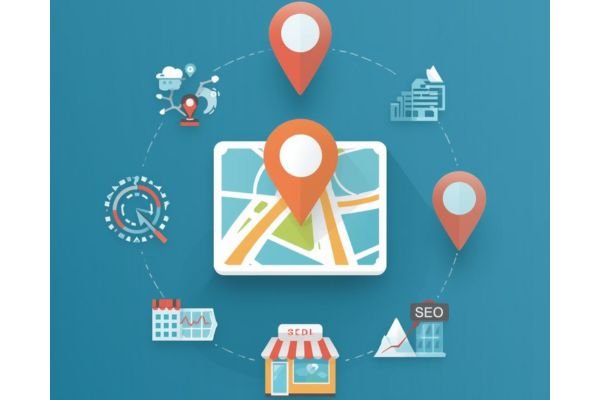
    Infographic showing a central map icon connected by a circular path to local business icons like a storefront, an SEO chart, and location pins, illustrating Answer Engine Optimization for local businesses.

    Conclusion: AEO Is the Future of Search

    Search is no longer about links.

    It’s about answers.

    Businesses that adapt to AEO in 2026 will:

    • appear in AI tools
    • build authority
    • capture zero-click searches
    • stay visible in SGE
    • outperform competitors still relying on 2015 SEO tactics

    If SEO is visibility,

    AEO is credibility + selection.

    If SEO brings traffic,

    AEO brings trust.

    If SEO gets you seen,

    AEO makes you the answer.

    FAQs

    1. What is Answer Engine Optimization (AEO)?

    Answer Engine Optimization (AEO) is the process of optimizing your content so AI tools, voice assistants, and search engines can quickly understand and deliver your answers. Instead of ranking only on Google, AEO prepares your brand to appear as the “direct answer” on platforms like ChatGPT, Gemini, Siri, Alexa, and AI search.

    2. How is AEO different from traditional SEO?

    Traditional SEO focuses mainly on keyword rankings and website visibility.

    AEO focuses on answer visibility — providing short, clear, structured answers that AI systems can read and deliver instantly. SEO brings traffic, while AEO brings fast, direct responses that build authority.

    3. Why is AEO important in 2026?

    People now use AI chatbots and voice assistants more than search engines for quick answers. If your brand doesn’t optimize for AI systems, you miss out on visibility, credibility, and leads. AEO helps your content get picked up by these new answer platforms.

    4. What type of content works best for AEO?

    Any content that gives clear, concise, structured answers, such as:
    – FAQ pages
    – How-to guides
    – Step-by-step instructions
    – Comparison tables
    – Short definitions
    – Expert Q&A blocks
    – Local business information (NAP details)
    This format makes it easier for AI tools to extract and deliver your answers.

    5. How long does it take to see results from AEO?

    AEO results can start showing in 2–6 weeks, depending on:
    – Your existing website authority
    – Content quality
    – Consistency of publishing
    – Technical setup (schema, NAP, page speed)
    – Competition in your niche
    Since AI systems crawl and learn quickly, clear and structured content can gain visibility much faster than traditional SEO.
  • 10 Trustworthy Digital Marketing Agencies in Ontario

    10 Trustworthy Digital Marketing Agencies in Ontario

    Ontario’s digital marketing scene has exploded in the last few years. With competition getting tougher and online audiences shifting faster than ever, businesses now need agencies that are not just creative- but strategic, data-driven, and deeply committed to outcomes.

    To make things easier, here’s a curated, trustworthy list of 10 digital marketing agencies in Ontario worth considering in 2025. These agencies have strong reputations, transparent processes, and consistent client satisfaction.

    What to Look for in a Digital Marketing Agency?

    Choosing the right digital marketing agency can make or break your online success. Before you commit, it’s important to know what separates a reliable, high-performing agency from one that overpromises and underdelivers. Here are the key factors to look for:

    1. Proven Track Record & Case Studies

    A trustworthy agency should be able to show real results—case studies, testimonials, and examples of past campaigns. Look for measurable improvements in traffic, leads, and ROI.

    2. Transparency in Strategy & Reporting

    The agency should clearly explain what they plan to do and how they will measure success. Regular reports, analytics access, and open communication are crucial.

    3. Specialized Expertise

    Digital marketing covers many areas—SEO, PPC, social media, email marketing, content creation, CRO, and more. Choose an agency that specializes in the services that matter most to your business.

    4. Customized Marketing Plans

    Avoid agencies that push one-size-fits-all packages. A reliable partner will take time to understand your industry, competition, and goals before building a tailored strategy.

    5. Up-to-Date Knowledge & Tools

    Digital trends change fast. Make sure the agency uses modern tools, follows best practices, and keeps up with Google algorithm updates, platform changes, and emerging marketing technologies.

    6. Strong Communication & Support

    A good agency should feel like an extension of your team. Look for clear communication channels, fast response times, and a dedicated account manager if possible.

    7. Fair Pricing & Clear Contracts

    Trustworthy agencies provide transparent pricing, clear deliverables, and flexible contract terms. Be cautious of extremely cheap offers—they often signal low quality or outdated tactics.

    Top Digital Marketing Agencies In Ontario

    1. AdsAgenz (Ontario’s Rising Performance-Driven Agency)

    Adsagenz (AA) digital marketing agency website homepage with the headline "Top-Rated Digital Marketing Agency In Toronto Driving Success."

    Adsagenz is a results-driven digital marketing partner built on the belief that effective marketing should be accessible, transparent, and directly tied to real business growth.

    Founded in 2025, the agency was created to help brands move beyond generic strategies and embrace tailored, data-backed solutions that fuel smarter and faster scaling.

    Whether working with emerging startups or established companies, Adsagenz focuses on strengthening digital presence, optimizing revenue opportunities, and enhancing long-term competitiveness.

    As one of the top Digital Marketing Agencies in Ontario, Adsagenz stands out for its commitment to true partnership.

    Every campaign, creative asset, and strategic decision is crafted with the client’s goals at the center; ensuring every dollar spent contributes to measurable progress.

    The team stays aligned with the latest industry trends, backed by trusted certifications and continuous learning, so clients benefit from cutting-edge expertise rather than outdated tactics.

    Among all digital marketing agencies in Ontario, Adsagenz is recognized for guiding businesses through every stage of their marketing journey.

    From solving complex challenges to executing targeted strategies, the agency is dedicated to turning insights into action and action into meaningful, trackable results.

    With a philosophy rooted in clarity and accountability, Adsagenz continues to deliver measurable growth and a competitive edge.

    Services Offered:

    1. Ads Management
    2. SEO (AEO & GEO)
    3. Website Designing & Development
    4. Designing Services

    Website: https://adsagenz.com/ 
    Contact: +1 866-624-0030
    Location: 2727 Steeles Ave W Unit 103, North York, ON M3J 3G9, Canada

    2. BrandLume Inc.

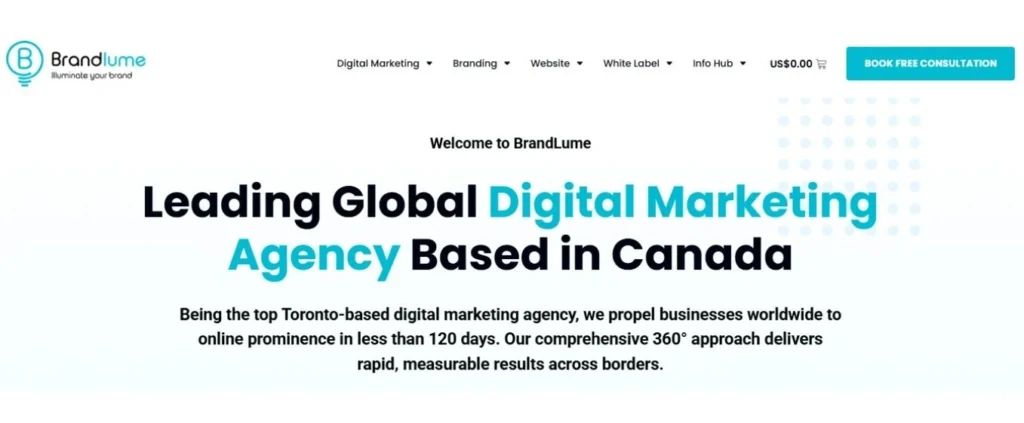
    Brandlume digital marketing agency website homepage with the text "Leading Global Digital Marketing Agency Based in Canada" and a small lightbulb logo

    BrandLume is a global one-stop online shop offering comprehensive digital marketing, branding, and website development services; all designed to help businesses stand out without the hassle of dealing with multiple agencies.

    Among the top Digital Marketing Agencies in Ontario, BrandLume helps clients manage everything from SEO, SEM, PR, and social media to hosting, domains, and web design in one place, at a fraction of traditional costs.

    A key part of BrandLume’s appeal is its transparent, upfront pricing. Every service is priced based on the effort required, not the size or profit of the client’s business.

    With clear product descriptions and no hidden fees, businesses can easily compare options and choose only what they need.

    Their à la carte model means clients pay strictly for the services they want, avoiding unnecessary bundles.

    Whether you’re searching for reliable web solutions or full-scale digital campaigns, BrandLume stands out among digital marketing agencies for its streamlined approach, removing the need for quotes or back-and-forth proposals, just select a service, provide guidelines, and their team handles the rest.

    They also offer unmatched flexibility with no long-term contracts, relying instead on quality results that drive a 96% client retention rate.

    Supported by a friendly, non-sales-driven team and backed by a complete transparency policy, BrandLume positions itself as a trustworthy partner, making it one of the most reliable digital marketing agency for businesses seeking honest communication and measurable results.

    Services Offered:

    1. SEO
    2. Content Marketing
    3. PPC Marketing
    4. Social Media Marketing
    5. Video Marketing
    6. Website Design & Development

    Website: https://brandlume.com/ 
    Contact: +1 (855) 864-6283
    Location:  7200 Yonge St, Thornhill, ON L4J 1V8

    3. Major Tom

    Major Tom is a strategic digital agency that goes beyond simply solving the challenges clients bring to them. Instead of offering surface-level solutions, the team works closely with businesses to uncover the root causes limiting growth.

    Their signature four-phased approach allows them to gain a deep understanding of an organization from top to bottom.

    With this holistic view, they can craft the right strategy, determine the most effective tactics, and outline how clients can continue improving long after the initial success.

    As one of the well-known Digital Marketing Agencies in Ontario, Major Tom emphasizes that a consistent, seamless brand experience drives trust, loyalty, and measurable results.

    To achieve this, the agency brings together in-house experts across Strategy, Creative, Development, and Marketing. This unified structure ensures that every touchpoint; from messaging and design to technology and campaign execution—works together to support the brand’s goals.

    Whether a business needs a long-term strategic partner or targeted assistance for a single initiative, Major Tom offers flexible engagement options.

    Their services are designed to deliver tailored solutions that align with each client’s unique objectives, helping brands grow with clarity, confidence, and consistency.

    Services Offered:

    1. Digital & Brand Strategy
    2. SEO, GEO, & AEO
    3. Content Marketing
    4. Social Media Marketing
    5. eCommerce Development
    6. Web Design & Development
    7. HubSpot Consulting

    Website: https://www.majortom.com/ 
    Contact:+14168926767
    Location:  1090 Homer St #490, Vancouver, BC V6B 2W9, Canada

    4. Brand & Mortar

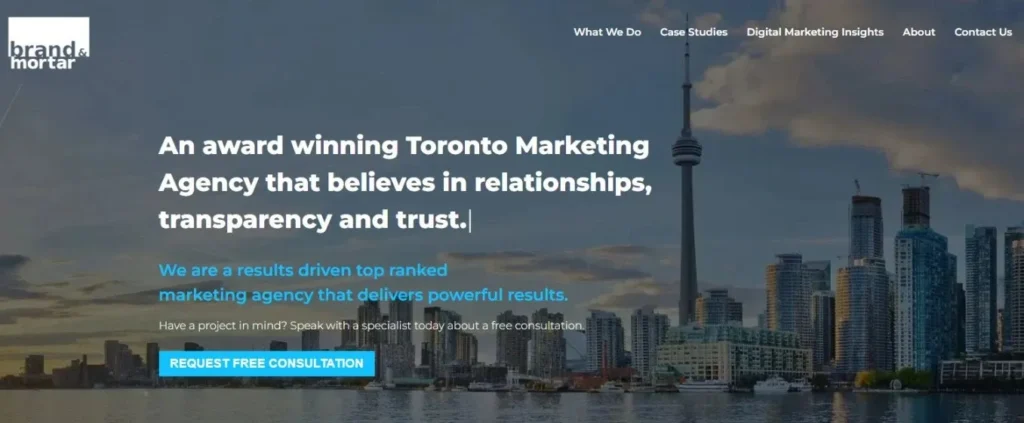
    Brand & Mortar Marketing Agency homepage banner. Shows the Toronto skyline with the CN Tower in the background and a large headline: "An award winning Toronto Marketing Agency that believes in relationships, transparency and trust."

    Founded in 2011 and headquartered in Toronto, Brand & Mortar is on the list of top digital marketing agencies in Ontario as a full-service marketing and website design agency serving clients across Canada and the United States.

    With a team of over 20 marketing and advertising professionals, the agency supports both small and medium-sized businesses as well as large enterprises across diverse industries, including eCommerce, technology, SaaS, CPG, beauty and fitness, healthcare, tourism, automotive, insurance, professional services, and more.

    Brand & Mortar offers a comprehensive suite of services designed to elevate brand presence and drive measurable business growth.

    Their capabilities span branding, website design and development, social media management, content marketing, SEO, PPC advertising, video production, and custom technology development.

    By combining modern technology, streamlined workflows, industry best practices, and extensive experience, the agency focuses on delivering tailored strategies that generate meaningful results.

    Driven by a mission to help businesses grow, Brand & Mortar is committed to improving marketing performance and maximizing ROI for clients.

    Their broader vision is to become a leading agency recognized for significantly enhancing marketing and advertising outcomes for organizations in major cities across North America.

    Services offered:

    1. Brand Marketing & Marketing Strategy
    2. Content Marketing & Public Relations
    3. Social Media & Pay Per Click (PPC) Advertising
    4. Mobile Application Development
    5. Website Design & Website Development
    6. Creative, Graphic Design & Communication
    7. Video Production & Video Marketing
    8. Search Engine Optimization (SEO) & Content Marketing

    Website: https://brandandmortar.com/  
    Contact:+1 416-729-1154
    Location:  31 Powerhouse St, Suite 203, Toronto, ON M6H 0C7, Canada

    5. Social Media 55

    Social Media 55 is a full-service, award-winning digital marketing agency based in downtown Toronto, known for delivering highly effective and innovative online marketing solutions.

    The agency specializes in a wide range of services designed to help businesses strengthen their digital presence and achieve measurable growth.

    Their expertise spans social media marketing, social media advertising, PPC management, and comprehensive website design and development, ensuring clients receive strategic support across every major digital channel.

    As one of the notable Digital Marketing Agencies in Ontario, Social Media 55 particularly excels in influencer marketing.

    Recognized as a top provider of influencer services in Canada, they connect brands with the right voices to expand reach, build credibility, and engage target audiences authentically.

    Their team focuses on personalized strategies tailored to each client’s unique goals, industry, and competitive landscape.

    Whether a business needs stronger brand visibility, more targeted advertising campaigns, or a complete digital overhaul, Social Media 55 positions itself as a reliable partner capable of delivering results.

    With a commitment to staying ahead of industry trends and providing high-quality service, they offer the expertise and tools needed to support businesses of all sizes in navigating the ever-evolving digital marketing landscape.

    Services offered:

    1. Instagram Engagement Campaign
    2. Email Marketing
    3. Search Engine Optimization (SEO)
    4. Pay Per Click (PPC) Management
    5. Content Marketing Services
    6. Social Media Paid Advertising
    7. Branding & Media
    8. Social Media Management
    9. Web Design & Development

    Website: https://socialmedia55.com/  
    Contact: +1 844-633-4255
    Location:  130 King St W, Suite 1900, Toronto, ON M5X 1E3, Canada

    6. dNOVO – Digital Marketing & SEO Agency

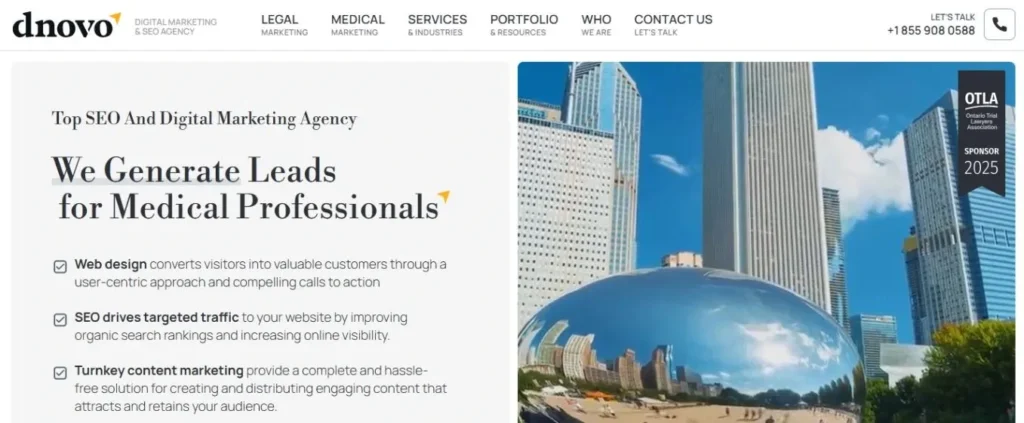
    Dnovo Digital Marketing & SEO Agency homepage highlighting their specialization: "We Generate Leads for Medical Professionals" next to a large reflective, modern sculpture in an urban setting.

    dNOVO Group began in 2010 as an SEO company with over a decade of industry experience and a diverse client base.

    The company’s evolution began when it partnered closely with a prominent lawyer seeking to expand their firm’s digital footprint.

    This collaboration required a comprehensive online strategy—including social media growth, video marketing, online reputation management, and lead generation; which pushed the team to broaden its expertise.

    Through this multifaceted campaign, dNOVO gained deep industry insight and transformed into a full-service digital marketing agency, now recognized among digital marketing agencies in Ontario for providing turnkey internet marketing solutions.

    Over the years, dNOVO has built strong strategic relationships across the legal, medical, and other professional sectors.

    Much of this success stems from the agency’s skilled and creative marketing team, each member handpicked for their unique professional strengths and ability to think outside the box.

    Today, dNOVO continues to deliver tailored marketing solutions that help businesses enhance their online presence, strengthen their reputation, and generate consistent, high-quality leads.

    Services Offered:

    1. SEO (AI SEO)
    2. Paid Advertising
    3. Website Design & Development

    Website: https://dnovogroup.com/  
    Contact: +1 416-912-1101
    Location: 82 Scollard St, Suite B, Toronto, ON M5R 1G2, Canada

    7. King Digital Marketing Toronto

    King Digital website homepage banner displaying "Toronto Digital Marketing Company" over a blurred image of a laptop with charts and graphs on the screen.

    King Digital is a team of dedicated digital marketers committed to building strong, measurable, and lasting connections between businesses and their customers.

    With diverse backgrounds and expertise across multiple channels, they offer a versatile and innovative approach to enhancing brand presence, increasing engagement, and driving meaningful online growth.

    As one of the trusted digital marketing agencies in Ontario, King Digital focuses on creating tailored strategies that align with each client’s unique goals.

    Their collaborative approach ensures that every campaign is data-driven, results-oriented, and designed to foster long-term success for businesses in an ever-evolving digital landscape.

    Services Offered:

    1. Search Engine Optimization
    2. Lead Generation
    3. YouTube Marketing
    4. Search Engine Marketing
    5. Web Design & Development

    Website: https://www.mattkingdigital.com/  
    Contact: +1 416-858-0623
    Location: 125 Peter St Unit #2004, Toronto, ON M5V 0M2, Canada

    8. Clever Digital Marketing Inc

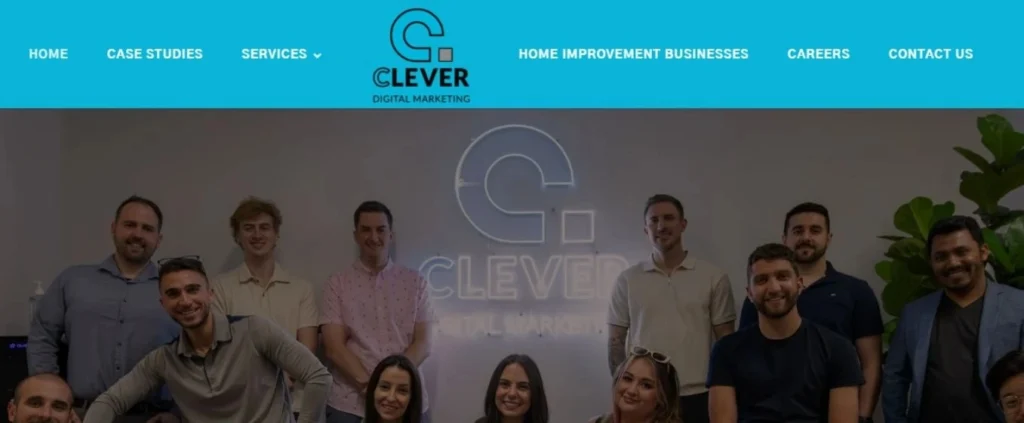
    Clever Digital Marketing agency team posing in front of a neon sign with the company name, below the main navigation menu.

    Clever Digital Marketing is one of the country’s fastest-growing agencies, specializing in lead generation through Facebook, Instagram, and Google advertising.

    With a strong focus on service-based industries, the team has consistently delivered impressive returns on investment over the past several years.

    Among digital marketing agencies in Ontario, they stand out for their selective approach, taking time to audit accounts and understand long-term goals before onboarding any client.

    This careful approach ensures that every partnership is set up for success—evidenced by their perfect client retention over the last year.

    Their omnichannel strategy helps businesses attract a steady stream of new customers, allowing owners to focus on growth, sales, and operations without worrying about where their next leads will come from.

    What sets Clever Digital Marketing apart is its commitment to data-driven decision-making. Using advanced tracking tools like Hyros, the team monitors performance closely to maintain a consistent net ROI.

    With attention to detail and a results-first mindset, they position themselves not just as a marketing provider but as a true growth partner.

    Services offered:

    1. Search Marketing
    2. Social Advertising

    Website: https://cleverdigitalmarketing.ca/  
    Contact: +1 866-826-6777
    Location: 260 Edgeley Blvd Unit 18 B, Vaughan, ON L4K 3Y4, Canada

    9. Stryve Digital Marketing

    Stryvers is a digital-first agency that has been supporting enterprise marketing teams and growing companies since 2008.

    They help brands strengthen their digital capabilities by taking a holistic, consultative approach to every project—ensuring each tactic aligns with the bigger marketing picture.

    With experience across multiple industries and disciplines, Stryvers’ team can cross-pollinate ideas, uncover new opportunities, and move quickly in fast-changing digital environments.

    As one of the trusted digital marketing agencies in Ontario, they focus on delivering strategies that are both innovative and measurable.

    Digital marketing demands a balance of creativity and analytics, and Stryvers focuses on developing both skill sets across all roles.

    This versatility allows them to tailor teams and strategies to each client’s specific needs. Rather than promoting any particular marketing technology, they remain fully platform-agnostic, choosing tools based solely on what fits the client’s situation.

    And when a project requires additional expertise, Stryvers taps into its trusted network; handling all vetting to ensure seamless, high-quality execution.

    This flexible, integrity-driven approach positions Stryvers as a reliable partner for businesses aiming to scale their digital marketing efforts.

    Services Offered:

    1. Branding & Strategy
    2. Content marketing
    3. Design
    4. Digital advertising
    5. Logo design
    6. Website design & development
    7. WebOps

    Website: https://www.stryvemarketing.com/ 
    Contact: +1 855-747-0044
    Location: 137 Glasgow St Unit 440, Kitchener, ON N2G 4X8, Canada

    10. Preeminent Marketing – PPC Ads & SEO Agency

    Founded in 2016, Preeminent Marketing began with a clear mission: to empower businesses through smart, innovative, and personalized marketing strategies.

    What started as a small consultancy has grown into a full-service digital marketing agency recognized for its commitment to excellence and client-focused approach.

    Among the notable digital marketing agencies in Ontario, the agency stands out for its emphasis on understanding each client’s unique goals, challenges, and industry landscape—an approach that continues to shape its success today.

    Over the years, Preeminent Marketing has expanded its expertise across key digital areas, including PPC, SEO, web development, eCommerce solutions, social media marketing, and application development.

    Their team of seasoned professionals stays ahead of industry trends and emerging technologies to ensure every client benefits from cutting-edge strategies and measurable results.

    As the agency looks toward the future, its mission remains unwavering: to deliver preeminent marketing solutions that fuel meaningful business growth.

    Whether a brand needs stronger online visibility, better customer engagement, or a complete digital transformation, Preeminent Marketing provides the tools, creativity, and expertise to make it happen.

    Services Offered:

    1. PPC
    2. E-commerce
    3. LinkedIn Marketing
    4. Website Design & Development
    5. Social Media Marketing
    6. YouTube Ads
    7. SEO

    Website: https://preeminentmarketing.ca/ 
    Contact: +1 647-270-8468
    Location: 251 Consumers Rd, North York, ON M2J 4R3, Canada

    Final Thoughts: Finding Your Ideal Ontario Marketing Partner in 2025

    Ontario is home to a diverse and rapidly evolving digital marketing landscape, offering businesses plenty of strong options to choose from. The right agency for you ultimately depends on your unique goals, whether you’re focused on boosting search visibility, running high-converting ad campaigns, enhancing your brand presence, or building a complete digital strategy from the ground up.

    Consider what matters most—your budget, your timeline, and how closely you want an agency involved in your day-to-day marketing efforts. The best partnership is one that aligns with your business values, communicates clearly, and delivers measurable growth.

    No matter your industry or size, the right Ontario agency can help you navigate the digital world with confidence and stay competitive in 2025 and beyond. Focus on finding a team that understands your vision, adapts to your needs, and is committed to helping your business thrive.

    FAQs 

    1. How do I choose the best digital marketing agency for my business in Ontario?

    Look for an agency that aligns with your goals, offers transparent reporting, has proven case studies, and specializes in the services you need; whether that’s SEO, PPC, social media, branding, or full-service digital growth. Also consider your budget, expected timeline, and how involved you want the agency to be in the process.

    2. What services do Ontario digital marketing agencies typically offer?

    Most agencies provide SEO, PPC advertising, social media marketing, website design and development, branding, content marketing, eCommerce solutions, and analytics. Some also offer specialized services like influencer marketing, AI-driven SEO, and application development.

    3. How long does it take to see results from digital marketing?

    Timelines vary depending on the service. SEO typically takes 3–6 months, PPC can deliver results within days or weeks, and website design projects can take 4–12 weeks. Long-term growth often requires sustained effort and ongoing optimization.

    4. Are boutique agencies better than large full-service agencies?

    Boutique agencies often provide more personalized attention, faster communication, and flexible pricing. Larger agencies typically offer broader resources and larger specialist teams. The best choice depends on your business size, goals, and preferred working style.

    5. How much do digital marketing services cost in Ontario?

    Costs depend on the scope of work, service type, and experience level of the agency. SEO retainers may range from $800–$5,000/month, PPC can run on a flat fee or percentage model, and website projects can range from $1,500 to $20,000+. Always look for transparent pricing and clear deliverables.

  • Mastering Modern Website Development – A Complete 101 Guide

    Mastering Modern Website Development – A Complete 101 Guide

    Website development is one of the most essential digital skills of the modern era. Whether you’re an entrepreneur, student, freelancer, or simply someone curious about how the web works, understanding website development opens doors to infinite opportunities. 

    Today, we rely on websites for everything: learning, buying, socializing, working, and consuming information. And behind every website lies a blend of creativity, logic, technology, and problem-solving.

    This comprehensive guide breaks down the fundamentals of website development in simple terms. No complicated jargon. No advanced-level assumptions.

    Just a clear roadmap to help you understand how websites work, what tools developers use, and how you can build your first website step by step.

    Understanding How Websites Work?

    Before diving into code, every developer must understand the invisible machinery powering websites. At its core, the web operates on the client–server model, which governs how browsers and servers communicate. 

    When a user enters a URL, the browser sends a request to a remote server, asking for the page’s content.

    The server processes the request, gathers all necessary resources such as HTML, CSS, JavaScript, images, and data, and sends them back to the browser. The browser then interprets the files and renders the final output.

    What Is a Website?

    A website is a collection of web pages stored on a server and accessible through a web browser, such as Chrome, Firefox, or Safari.

    Each page contains content — text, images, videos, buttons, links, and animations — all structured using code.

    When you enter a URL like www.example.com, you are requesting a specific file or resource that lives on a remote computer called a web server.

    How Browsers Communicate With Servers?

    Let’s simplify how the browser fetches a website:

    1. You type a URL into your browser.
    2. The browser sends a request to the DNS (Domain Name System) to find the server’s IP address.
    3. The server receives the request.
    4. The server sends the correct files back to the browser.
    5. The browser reads and displays those files for you.

    This back-and-forth communication follows a set of rules known as HTTP or HTTPS.

    What Is Hosting?

    If a website is a home, hosting is the land it stands on.

    Hosting providers store the code and files that make up your website on their servers. When visitors access your site, they’re retrieving these files from your hosting space.

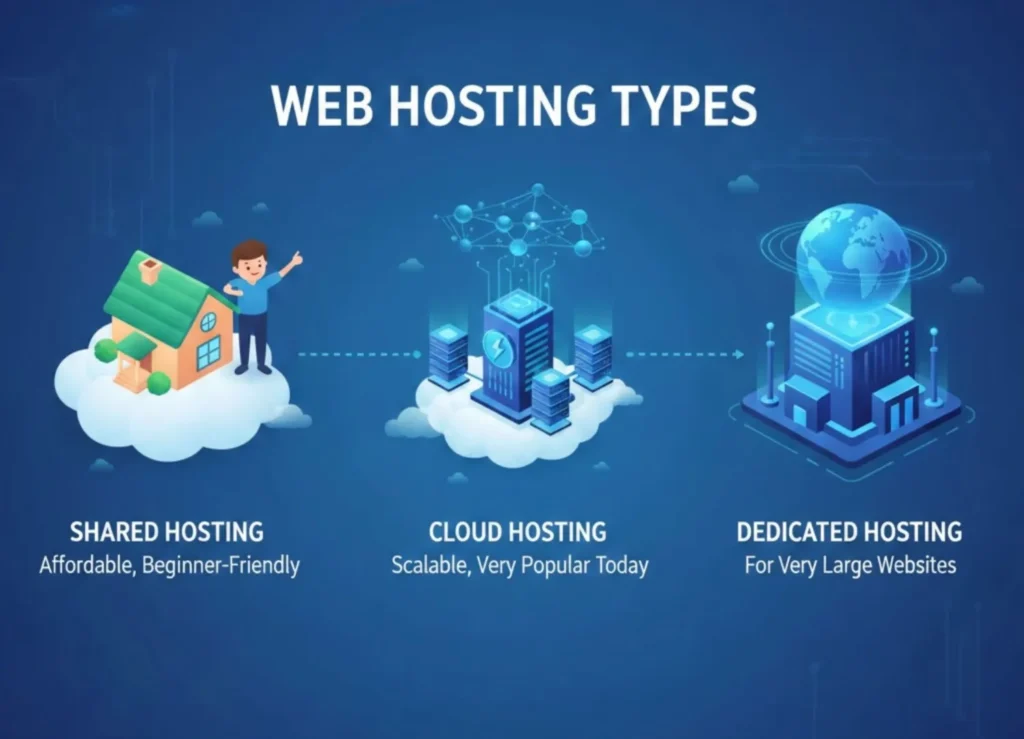
    Common hosting types include:

    • Shared hosting (affordable, beginner-friendly)
    • VPS hosting (more power, for growing sites)
    • Cloud hosting (scalable, very popular today)
    • Dedicated hosting (for very large websites)
    Illustration showing three web hosting types: Shared Hosting (affordable, beginner-friendly), Cloud Hosting (scalable, popular), and Dedicated Hosting (for very large websites), essential components of website development.

    What Is a Domain Name?

    A domain name is the web address people type to visit your site — like google.com, yourcompany.com, or blogonline.net. It’s your website’s identity on the internet.

    A domain is mapped to your server’s IP, so users never need to memorize numbers.

    Together, domain + hosting make your website accessible to the world.

    Core Building Blocks of the Web

    Every website depends fundamentally on three technologies: HTML, CSS, and JavaScript. These might seem basic, but mastering them deeply will set you apart as a strong developer.

    A smiling man working on a laptop surrounded by speech bubbles indicating various web technologies like JS (JavaScript), C++, CSS, PHP, HTML, and CMS, representing modern website development.

    a. HTML – The Structure

    HTML (HyperText Markup Language) is the structural skeleton of any webpage. Modern HTML emphasizes the use of semantic tags, which give meaning to content.. Modern HTML emphasizes:

    • Semantic tags like <header>, <main>, <footer>, <article>
    • Accessibility improvements through proper labels
    • SEO boosts with a structured layout
    • Clean code structure that is easy to read and maintain

    Good HTML is the backbone of every successful website.

    b. CSS – The Styling

    CSS breathes life into HTML. From color to spacing to layout, CSS defines the visual presentation.

    Important concepts include:

    • Box model
    • Selectors and inheritance
    • Flexbox and Grid, the modern layout systems
    • Variables and functions such as var(), clamp(), and modern responsive units
    • Media queries & container queries for responsiveness

    Tools like Tailwind CSS, Sass, and PostCSS have transformed how CSS is written today.

    c. JavaScript – The Interactivity

    JavaScript turns static pages into engaging, dynamic experiences.

    Core skills every developer should learn:

    • ES6+ modern syntax: let/const, arrow functions, classes, modules
    • DOM manipulation
    • Fetching data using Fetch API or Axios
    • Working with JSON
    • Event handling and state management

    JavaScript is the gateway to using frameworks, APIs, and backend technologies.

    Modern Frontend Website Development

    More advanced website development require more advanced tools. This is where frontend frameworks and libraries enter the picture.

    Instead of writing everything from scratch, developers now use frameworks like React, Vue, and Svelte to build reusable, interactive user interfaces quickly. 

    These frameworks rely on component-driven architecture, where the UI is broken into small units like buttons, modals, or navigation bars.

    Each component manages its own data, logic, and appearance, making large applications easier to manage.

    a. Frameworks & Libraries

    Popular choices include:

    • React – component-based, large ecosystem
    • Vue – approachable, flexible, great developer experience
    • Svelte – fast, compiler-based, minimal boilerplate

    These frameworks help build reusable, scalable UIs.

    b. Component-Driven Architecture

    A modern website is built with reusable components:

    • Buttons
    • Forms
    • Cards
    • Navigation menus
    • Product listings

    Components increase maintainability, reduce code duplication, and enable faster development.

    c. UI Styling Approaches

    Developers now use:

    • Tailwind CSS (utility-first)
    • Bootstrap (traditional framework)
    • CSS-in-JS solutions like styled-components
    • Design systems like Material UI

    These tools streamline design and enforce consistency.

    d. Frontend Tooling

    Modern development requires tools that improve workflow:

    • npm, yarn, pnpm for package management
    • Vite for lightning-fast bundling and development
    • ESLint & Prettier for code quality
    • TypeScript for predictable code

    These tools ensure developers ship clean, optimized, production-ready applications.

    Backend Website Development Essentials

    The backend is where data, logic, and user interactions are processed.

    Backend website development encompasses server-side languages like JavaScript (Node.js), Python (Django or Flask), PHP (Laravel), Ruby, and Go. 

    The choice of language often depends on the project’s needs, existing infrastructure, and developer preference.

    Backend developers build APIs (Application Programming Interfaces) that handle tasks such as user authentication, data storage, session management, and business logic execution.

    A well-designed backend ensures the website remains secure, scalable, and reliable. 

    Modern backend website development often involves RESTful APIs or GraphQL, both of which define structured ways for the frontend to request data from the server.

    a. Server-Side Programming

    Popular backend languages:

    • JavaScript (Node.js)
    • Python (Django, Flask)
    • PHP (Laravel)
    • Go (Gin, Fiber)

    Backend responsibilities include:

    • Processing requests
    • Managing authentication
    • Handling business logic
    • Sending emails, notifications, and background tasks

    REST APIs and GraphQL power modern data-driven applications.

    b. Databases

    Two main types:

    SQL Databases (Structured)

    • PostgreSQL
    • MySQL
    • SQLite

    NoSQL Databases (Flexible)

    • MongoDB
    • Redis
    • Firestore

    Developers use ORMs like Prisma, TypeORM, and Mongoose to interact with databases more easily.

    c. Modern Backend Patterns

    Modern architecture focuses on scalability:

    • Microservices break apps into smaller services
    • Serverless functions like AWS Lambda reduce server maintenance
    • API gateways improve security and performance

    Knowing these patterns prepares you for real-world production systems.

    Full-Stack Development Pathways

    Full-stack developers bring together both the frontend and backend worlds.

    Popular stacks include MERN (MongoDB, Express, React, Node), MEVN (MongoDB, Express, Vue, Node), and frameworks like Next.js or Nuxt, which combine server-side rendering with modern frontend capabilities. 

    These frameworks simplify complex tasks such as routing, API management, authentication, and data fetching by providing a unified development environment.

    As a result, developers can build full-scale applications faster and with cleaner architecture.

    A focused woman wearing glasses working on a computer screen displaying code and data, representing a professional engaged in full stack website development.

    Popular stacks:

    • MERN (MongoDB, Express, React, Node)
    • MEVN (Vue instead of React)
    • Next.js (React + server-side rendering)
    • Nuxt (Vue + SSR)
    • Remix, SvelteKit, and others

    Full-stack frameworks simplify routing, data fetching, API creation, and deployment—all in one system.

    Version Control & Collaboration

    Version control is vital for both personal and team-based development. Git allows developers to track changes, manage branches, roll back mistakes, and collaborate easily.

    Hosting platforms like GitHub and GitLab add features such as pull requests, code reviews, and automated deployments. 

    Learning Git is non-negotiable for any serious developer; it safeguards your progress and enables efficient teamwork.

    Important concepts:

    • Initializing repositories
    • Branching and merging
    • Handling pull requests
    • Understanding conflicts
    • Working with GitHub or GitLab

    Version control enables teamwork, rollback, and safe experimentation.

    DevOps & Deployment

    Deploying a website means making it publicly accessible. Modern developers must understand hosting options ranging from simple shared hosting to powerful cloud platforms. 

    Services like Vercel and Netlify have become favorites because they automate builds, optimize performance, and streamline deployment for frontend applications.

    More complex applications may require services like AWS, DigitalOcean, or Render.

    DevOps principles such as Continuous Integration and Continuous Deployment (CI/CD) are also crucial.

    These practices automate tasks like testing, building, and deploying code whenever updates are pushed. 

    This reduces human error and accelerates release cycles. Equally important is performance optimization—compressing assets, reducing JavaScript bundle sizes, caching strategically, and improving Core Web Vitals.

    A fast website retains visitors and boosts search engine rankings.

    a. Hosting Options

    Today’s hosting options include:

    • Vercel and Netlify for frontend frameworks
    • DigitalOcean and AWS for full server environments
    • Render and Railway for backend deployment
    • Static hosting for simple sites

    Each platform balances convenience and control differently.

    b. CI/CD (Continuous Integration / Continuous Deployment)

    Modern teams automate:

    • Testing
    • Building
    • Deployment
    • Monitoring

    CI/CD ensures faster releases with fewer bugs.

    c. Website Performance Optimization

    Performance matters for SEO and user experience.

    Key optimizations:

    • Minifying code
    • Lazy loading images
    • Using CDN delivery
    • Caching strategies
    • Image optimization
    • Reducing JavaScript bundle size

    Google’s Core Web Vitals (LCP, FID, CLS) are now essential measurements.

    Security Best Practices

    With increasing cyber threats, securing your website is more important than ever. Developers must protect their applications from attacks like XSS, SQL injection, CSRF, and brute-force attempts. 

    This involves validating user inputs, sanitizing data, securing APIs, using HTTPS, encrypting passwords, and implementing rate limits.

    Security is not optional; it protects both users and your brand reputation.

    Close-up of hands typing on a laptop with a glowing digital overlay featuring a shield icon and security-related icons (globe, users, documents, settings/gear), symbolizing securing your website, a key part of website development.

    Common risks include:

    • XSS (Cross-Site Scripting)
    • CSRF (Cross-Site Request Forgery)
    • SQL Injection
    • Brute-force attacks

    Best practices:

    • Always validate and sanitize user input
    • Use secure HTTP headers
    • Hash and salt passwords (never store plain text)
    • Enable HTTPS everywhere
    • Use rate limiting for APIs

    Security is not optional; it’s mandatory.

    Building for Mobile & Accessibility

    Most users browse on mobile devices, so modern websites must be responsive. Responsive design ensures your website adjusts to different screen sizes gracefully.

    Techniques such as fluid layouts, flexible images, and media queries help create mobile-friendly experiences.

    Accessibility is equally essential. There a millions of users who rely on assistive technologies like screen readers.  

    Developers must ensure their websites follow WCAG guidelines by providing descriptive alt text, proper labels, keyboard navigation support, and high-contrast visuals.

    Progressive Web Apps (PWAs) take this further by enabling offline access, push notifications, and app-like functionality.

    a. Responsive Design

    Use flexible layouts, fluid grids, and dynamic units. Test on different screen sizes.

    b. Progressive Web Apps (PWA)

    PWAs allow websites to behave like mobile apps:

    • Offline access
    • Push notifications
    • Home screen installation

    c. Accessibility (A11y)

    Following WCAG guidelines ensures everyone—including users with disabilities—can access your site.

    Key principles:

    • Proper ARIA labels
    • Keyboard navigation support
    • High-contrast color palettes
    • Alt text for images

    Accessibility is a moral, legal, and usability requirement.

    Modern Design & UX Principles

    User experience (UX) and user interface (UI) design influence how visitors perceive and interact with your website. Good design establishes trust, improves usability, and increases engagement. 

    Modern UX focuses on clarity, simplicity, visual hierarchy, and intuitive navigation. Typography choices influence readability, while color theory affects emotional response. 

    Wireframing and prototyping tools like Figma help visualize interfaces early, saving development time and preventing design flaws.

    A person designing a user interface (UI) and user experience (UX) on a laptop, with floating holographic app elements, showing a crucial step in modern website development.

    Essential UX concepts:

    • Visual hierarchy
    • Gestalt principles
    • Spacing and alignment
    • Color theory and consistent palettes
    • Typography and readability
    • Wireframing before designing
    • Interactive prototypes

    Tools like Figma, Sketch, and Adobe XD help streamline UI/UX workflows.

    Testing Your Website

    No website is complete without proper testing. Bugs are inevitable, and testing ensures they don’t ruin the user experience.

    Developers perform unit tests to validate small pieces of code, integration tests to ensure components work together, and end-to-end tests to simulate user actions. 

    Tools like Jest, Cypress, and Playwright automate much of this process.

    Testing reduces risks and creates confidence in your final product.

    Types of tests:

    • Unit tests check small pieces of code
    • Integration tests check interactions
    • End-to-end tests simulate real user behavior
    • Performance tests ensure responsiveness

    Tools like Jest, Mocha, Cypress, and Playwright are industry standards.

    Roadmap for Beginners

    For beginners, the journey to mastering web development should be structured and progressive. Start with HTML, CSS, and JavaScript, building small projects to solidify your understanding. 

    Once you feel confident, learn a frontend framework like React or Vue. Gradually transition to backend concepts, learning Node.js or Python, and connect your applications to a database. 

    Explore full-stack frameworks, then learn Git and deployment techniques. Over time, focus on best practices, security, performance, and advanced ecosystem tools.

    Growth happens through consistent practice, curiosity, and building real projects.

    1. Start with fundamentals

    HTML → CSS → JavaScript
    Learn deeply, not quickly.

    2. Build small projects

    Start with landing pages, to-do apps, and portfolio sites.

    3. Learn a framework

    React, Vue, or Svelte.

    4. Move to backend

    Learn Node.js or Python and build CRUD apps.

    5. Add databases

    Learn SQL + NoSQL basics.

    6. Explore full-stack frameworks

    Next.js, Remix, or SvelteKit simplify modern development.

    7. Learn Git and deployment

    Push to GitHub and deploy projects online.

    8. Keep improving

    Stay updated, follow tutorials, join communities, and contribute to open-source.

    Conclusion

    Modern website development is an ever-evolving field that blends creativity, logic, and problem-solving. As technology continues to advance, developers must stay curious, adaptable, and committed to learning. 

    Mastering the fundamentals of HTML, CSS, and JavaScript, understanding backend technologies, exploring full-stack frameworks, and staying updated with design and performance standards will enable you to build fast, professional, and user-friendly websites. 

    Whether you want to pursue a career in tech or build something meaningful for yourself, this guide serves as your comprehensive starting point. 

    And if you ever need expert help bringing your ideas to life, Adsagenz offers professional website development services to support your journey from concept to a fully functional, high-performance website.

    FAQs

    1. What is the difference between frontend and backend development?

    Frontend focuses on what users see and interact with—layout, design, responsiveness, and interactivity (HTML, CSS, JS, frameworks like React).

    Backend handles data, logic, authentication, APIs, and communication with databases (Node.js, Python, PHP, SQL/NoSQL).

    2. Do I need hosting and a domain to publish a website?

    Yes.
    Hosting stores your website’s files on a server.
    – Domain is your website’s unique address (e.g., yoursite.com).
    Both work together to make your site accessible online.

    3. How long does it take to develop a website?

    The timeline depends on the project’s complexity.
    – Simple websites: 5–10 days
    – Business/portfolio websites: 2–4 weeks
    – E-commerce or custom web applications: 1–3 months

    We provide a project timeline after understanding your requirements.

    4. How much does a professional website cost?

    Costs vary based on features, design complexity, pages, and integrations. A basic website may start from affordable packages, while advanced or e-commerce sites require a higher budget. We offer customized quotes based on your needs.

    5. Do you provide website maintenance after development?

    Yes. We offer ongoing maintenance, including updates, backups, security checks, performance monitoring, and content changes to keep your website running smoothly.

    6. Will my website be SEO-friendly?

    Yes. We follow SEO best practices such as clean code, fast loading speed, mobile optimization, proper metadata, and structured content to improve your visibility on search engines.

  • Mastering Search Engine Optimization for Business Growth

    Mastering Search Engine Optimization for Business Growth

    If you’ve been in business long enough, you’ve probably heard the term Search Engine Optimization (SEO) tossed around in every marketing meeting. But here’s the truth –  SEO isn’t just about keywords or chasing Google’s algorithm updates. It’s about building long-term visibility, credibility, and trust online.

    Whether you’re a local business trying to attract nearby customers or a growing brand competing in a crowded market, Search Engine Optimization is what helps people actually find you when it matters most.

    In this complete guide, we’ll break down Search Engine Optimization for beginners in a practical, no-fluff way; covering the essentials like on-page best practices, off-page and link building, technical SEO audit checklists, Core Web Vitals, and Google’s E-E-A-T principles. By the end, you’ll not only understand what Search Engine Optimization is but also how to use it strategically to grow your business.

    What Is Search Engine Optimization?

    At its heart, Search Engine Optimization is about helping search engines like Google understand your website –  and convincing them your content deserves to be shown first.

    But more than algorithms, Search Engine Optimization is about people. It’s about understanding what your customers are searching for and how to meet those needs better than your competitors.

    When done right, Search Engine Optimization turns your website into a 24/7 marketing engine that consistently brings in leads and builds brand authority.

    Laying the Foundation: Keyword Research and Content Mapping

    If SEO is the engine, keyword research is the fuel. The goal is to find the exact words and phrases your target audience types into search bars.

    Here’s a simple process most experts use:

    1. Start broad, then narrow down –  use tools like Google Keyword Planner, SEMrush, or Ahrefs to find relevant search terms.

    2. Analyze search intent –  are people looking for information, comparison, or ready to buy?

    3. Map keywords to pages –  assign primary and secondary keywords to each page of your site.

    This approach is called content mapping, and it ensures your website has no keyword overlap or content gaps. It’s one of the biggest secrets behind consistent organic growth.

    On-Page SEO Best Practices: Building Pages That Rank

    Once you’ve nailed your keywords, it’s time to optimize your actual pages.

    Follow these on-page best practices to help Google (and readers) understand your content:

    • Use clear, keyword-rich titles and meta descriptions.
    • Structure content with H1, H2, and H3 headings for readability.
    • Include keywords naturally in your first paragraph and throughout the content.
    • Optimize images with descriptive alt text.
    • Use internal linking to connect related pages.
    • Ensure every page has a clear CTA (Call to Action).

    Remember: great SEO is invisible to readers. If it feels forced or robotic, you’re doing it wrong.

    If on-page builds your foundation, off-page and link building build your reputation. Google sees links from other websites as votes of confidence –  the more high-quality sites linking to you, the more authority your site gains.

    Some effective link-building strategies include:

    • Guest posting on relevant blogs
    • Partnering with industry influencers
    • Submitting to business directories
    • Creating shareable content (like infographics or guides)

    Avoid spammy backlinks –  quality always beats quantity.

    When done right, strong off-page can drastically improve your search rankings and brand credibility.

    Technical SEO Audit Checklist: Keeping Your Site in Top Shape

    Even the most beautiful website won’t rank if it’s technically broken. That’s where technical SEO comes in.

    Here’s a technical audit checklist you should review regularly:

    • Ensure your site loads fast (under 3 seconds).
    • Make sure it’s mobile-friendly.
    • Fix broken links and 404 errors.
    • Submit an updated sitemap to Google Search Console.
    • Use HTTPS for security.
    • Optimize your site’s crawlability and indexation.

    Think of technical SEO as the plumbing of your website –  it’s hidden, but without it, nothing runs smoothly.

    Technical SEO Audit Checklist Table

    Purpose: To create a scannable, actionable list of technical factors to review.

    Audit ItemWhat to CheckGoal
    Page SpeedLoad time under 3 secondsImprove user experience & ranking
    Mobile-Friendly DesignResponsive layoutEnsure accessibility on all devices
    Broken LinksFix 404 errorsMaintain healthy site structure
    SitemapSubmit via Google Search ConsoleImprove indexing
    HTTPSSecure your websiteBuild trust and authority
    CrawlabilityOptimize robots.txt and internal linkingHelp Google index pages effectively

    Core Web Vitals and Google Ranking Factors: The User Experience Connection

    In recent years, Google has shifted its focus toward user experience, and that’s where Core Web Vitals come in.

    These metrics –  Loading Speed (LCP), Interactivity (FID), and Visual Stability (CLS) –  determine how pleasant your site feels to use.

    To optimize them:

    • Compress large images.
    • Minimize JavaScript.
    • Use a reliable hosting service.
    • Avoid intrusive pop-ups or shifting layouts.

    A smooth, fast website isn’t just for ranking –  it’s for your visitors. Google rewards sites that make life easy for users.

    E-E-A-T Principles: Proving Your Site’s Credibility

    Google’s E-E-A-T principles (Expertise, Experience, Authoritativeness, Trustworthiness) are now central to Search Engine success.

    To build E-E-A-T:

    • Showcase author credentials and experience.
    • Use credible sources and cite them properly.
    • Maintain consistent branding and tone.
    • Encourage real customer reviews and testimonials.
    • Keep your site secure (SSL certificate).
    A computer screen displaying the 'E-E-A-T PRINCIPLES' for SEO, which are broken down into four columns: EXPERTISE (with a photo and credentials of Dr. Eleasmer Vence, PhD), EXPERIENCE (with case studies), AUTHORITATIVENESS (with sources and citations), and TRUSTWORTHINESS (with a customer review and security badges).

    E-E-A-T signals to Google that you’re not just creating content –  you’re providing value from a reliable source. And in competitive industries, that trust can be the deciding factor.

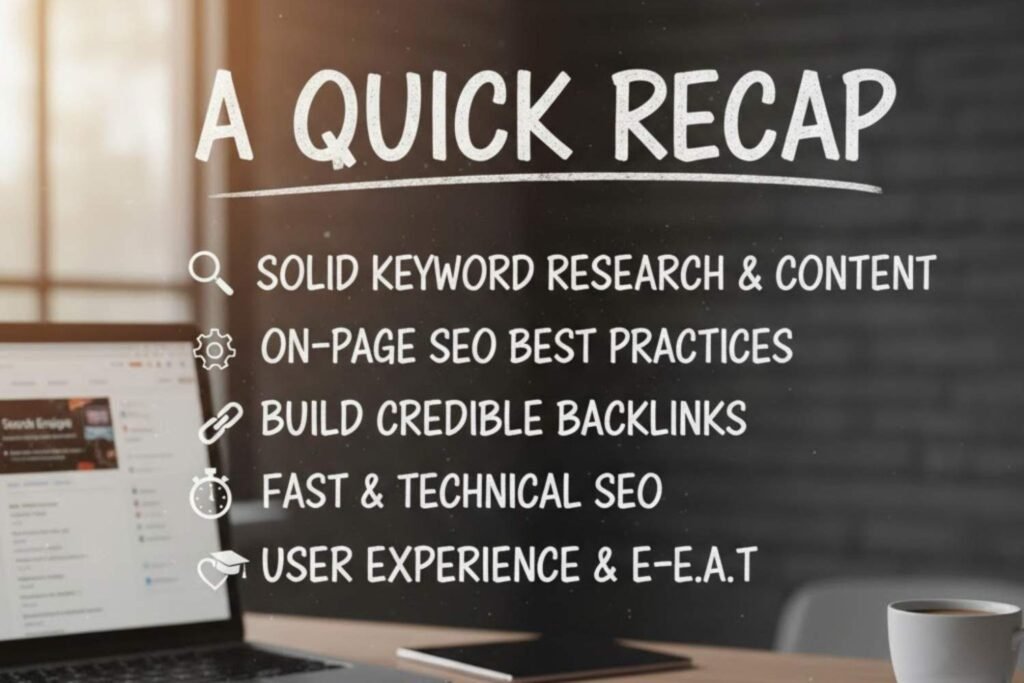
    Search Engine Optimization for Beginners: A Quick Recap

    If you’re just getting started, here’s what matters most:

    1. Focus on solid keyword research and relevant content.
    2. Apply on-page SEO best practices naturally.
    3. Build credible backlinks over time.
    4. Keep your site fast and technically sound.
    5. Prioritize user experience and E-E-A-T principles.
    A whiteboard or chalkboard with the title "A QUICK RECAP" and a list of key Search Engine Optimization (SEO) principles: Solid Keyword Research & Content, On-Page SEO Best Practices, Build Credible Backlinks, Fast & Technical SEO, and User Experience & E-E-A-T. A laptop and a cup of coffee are visible on the desk below.

    Do this consistently, and your business will not only rank higher but also attract better, more qualified customers.

    Advanced Search Engine Optimization Strategies for Sustainable Growth

    Once you’ve laid the foundation with keyword research, on-page optimization, and link building, it’s time to move into the advanced stage –  where real business growth happens.

    At this level, Search Engine Optimization becomes less about quick fixes and more about creating a system that continuously attracts, converts, and retains customers.

    Let’s explore how you can move from beginner to pro by using advanced Search Engine Optimization techniques that scale with your business.

    Creating Topic Clusters and Content Hubs

    Gone are the days when a single blog post could rank for dozens of keywords. Today, Google values structured content ecosystems. That’s where topic clusters come in.

    A topic cluster is a group of related articles centered around one main pillar page. For example:

    • Pillar: “Complete Guide to Search Engine Optimization”
    • Cluster posts: “On-page SEO best practices,” “Off-page SEO and link building,” “Core Web Vitals explained,” etc.

    This structure helps Google understand your site’s topical authority –  showing that you’re not just covering keywords but entire subjects in depth.

    Use your earlier content mapping work here to organize your site into logical clusters. This is how you transform content from scattered articles into a true SEO machine.

    Leveraging Analytics and Data for Smarter Decisions

    Even the best strategy fails without regular measurement.

    That’s why integrating tools like Google Analytics 4 (GA4) and Google Search Console is essential. They help you track:

    • Which keywords are driving the most traffic
    • How visitors behave on your site
    • What pages have high bounce or low dwell time

    Regularly analyze this data to adjust your content, improve load times, and refine your technical SEO audit checklist.

    Search Engine Optimization success isn’t about guessing –  it’s about learning from the numbers and adapting fast.

    Automating SEO Workflows: Tools That Save You Time

    Manual SEO is fine when you’re just starting out, but as your website grows, automation becomes your best friend.

    Here are a few tools that streamline SEO tasks:

    • SurferSEO or Frase for on-page optimization suggestions
    • Ahrefs or SEMrush for keyword tracking and backlink monitoring
    • Screaming Frog for technical audits
    • RankMath or Yoast SEO for on-site optimization in WordPress

    Use automation to handle repetitive tasks so you can focus on strategic improvements –  like improving E-E-A-T or building new content clusters.

    Optimizing for Core Web Vitals Continuously

    We talked about Core Web Vitals –  LCP, FID, and CLS. Now, let’s talk about maintaining them.

    As you add new plugins, pages, or scripts, your site performance can degrade. Regularly check your metrics in Google Search Console’s “Page Experience” report and take corrective action when needed:

    • Compress new images before upload.
    • Defer non-critical JavaScript.
    • Monitor your site’s mobile version often.

    Remember, Core Web Vitals directly influence Google ranking factors. Keeping them in check means your site stays competitive long-term.

    By now, you probably have a few backlinks. But how do you scale it without resorting to spammy tactics?

    Here’s what seasoned SEO pros do:

    • Create link-worthy content –  data studies, industry reports, or helpful infographics.
    • Build relationships with niche bloggers and journalists.
    • Repurpose content (turn blog posts into LinkedIn articles or YouTube summaries).
    • Use digital PR to earn high-authority mentions naturally.

    Think of off-page SEO and link building as reputation-building –  not just numbers. One strong link from a trusted source often beats dozens of low-quality ones.

    Aligning Search Engine Optimization with E-E-A-T and Brand Storytelling

    The E-E-A-T principles (Expertise, Experience, Authoritativeness, Trustworthiness) have become the backbone of Google’s quality evaluation.

    To truly master them:

    • Publish content under real authors with credentials.
    • Include personal experiences or data-driven insights –  show real-world experience.
    • Build author bio pages linking to verified profiles.
    • Keep a consistent voice and ethical transparency across your content.

    Your goal is to make your brand feel human and credible. When people trust your content, Google follows.

    Integrating SEO and Content Marketing

    Search Engine Optimization isn’t separate from content marketing –  they’re two sides of the same coin.

    Plan your keyword research and content mapping hand-in-hand with your editorial calendar. For instance:

    • Blog topics = SEO keywords with intent.
    • Videos and podcasts = repurposed SEO content.
    • Social media posts = micro-content linking back to your SEO hubs.

    The key is consistency. Every new piece of content should either strengthen a keyword cluster or reinforce your brand authority.

    Keeping Up with Google’s Ever-Changing Algorithms

    Search Engine Optimization isn’t static. Google updates its ranking systems regularly, introducing changes around Core Web Vitals, E-E-A-T, or new AI-driven models like Search Generative Experience (SGE).

    To stay ahead:

    • Follow reliable SEO blogs like Search Engine Journal, Ahrefs, or Backlinko.
    • Revisit your SEO audit checklist quarterly.
    • Keep testing –  because what worked last year might not work today.

    Adaptability is what separates brands that last from those that fade away.

    Long-Term SEO Strategy: Building Momentum Year After Year

    True SEO growth happens when your strategy compounds over time.

    Here’s what a long-term approach looks like:

    • Regularly update high-performing content.
    • Add fresh internal links to new pages.
    • Expand into new keyword clusters as your site grows.
    • Maintain strong on-page SEO best practices and site health.

    After 12–18 months of consistent effort, you’ll see how SEO becomes your most cost-effective marketing channel –  one that keeps paying dividends long after the ads stop.

    Conclusion: The Quiet Power of SEO

    In the noisy world of digital marketing –  filled with flashy ads, short-lived trends, and overnight “hacks” –  SEO stands out as the steady, reliable force behind lasting business growth.

    It takes patience, discipline, and a willingness to keep learning, but once your site earns Google’s trust, you’ll enjoy something every business dreams of –  consistent, organic traffic that converts.

    So, whether you’re just following your first SEO for beginners guide or conducting a full technical SEO audit, remember: every small optimization adds up. Keep refining, keep building, and let your authority grow naturally –  one optimized page at a time.

    Frequently Asked Questions

    1. What is SEO and why is it important for business growth?

    Search Engine Optimization (SEO) is the process of improving your website’s visibility on search engines like Google. It helps your business attract the right audience by ensuring your content appears when potential customers search for products or services you offer. In short, SEO builds credibility, increases organic traffic, and turns your website into a long-term lead-generating asset.

    2. How do keywords influence SEO success?

    Keywords are the foundation of SEO because they reflect what your target audience is searching for. By researching and mapping the right keywords to each page, you align your content with user intent. This ensures your site appears for relevant queries, avoids keyword overlap, and provides a smoother user experience, all key factors in ranking higher.

    3. What’s the difference between on-page and off-page SEO?

    On-page SEO focuses on optimizing your website’s internal elements like titles, headings, content, and images to make it easier for search engines to understand and rank your pages. Off-page SEO, on the other hand, involves earning credibility through backlinks, partnerships, and online mentions from other reputable sites. Together, they strengthen both visibility and trust.

    4. Why is technical SEO necessary if my content is good?

    Even the best content can fail to rank if your site has technical issues. Technical SEO ensures your website loads quickly, is mobile-friendly, secure, and easy for search engines to crawl and index. Think of it as the behind-the-scenes maintenance that keeps your site performing smoothly. Without it, great content may never be seen.

    5. How can businesses keep up with constant Google algorithm updates?

    The best way to stay ahead is to focus on fundamentals like quality content, user experience, and credibility. Regularly update your site, monitor analytics, and follow trusted SEO sources to adapt to new trends. Instead of chasing every algorithm change, prioritize E-E-A-T (Expertise, Experience, Authoritativeness, and Trustworthiness) to build long-term resilience and steady growth.

  • The Complete Guide to Profitable Ads Management

    The Complete Guide to Profitable Ads Management

    Table of Contents

    If there’s one thing I’ve learned after years of running ad campaigns for everyone from small-town bakeries to growing startups, it’s this — running ads is easy, but making them profitable takes real skill.

    Anyone can hit that “Boost Post” button or throw together a quick Google Ads campaign. But if you want ads management strategies and want your dollars to multiply instead of vanish overnight, you’ve got to understand how ads actually work — how targeting, budgeting, testing, and scaling all come together behind the scenes.

    That’s what this guide is all about. In this complete guide to profitable ads management, we’ll go beyond theory and focus on the practical side of advertising. Whether you’re a hands-on business owner tired of guessing what works on Facebook, or a marketing manager chasing a higher ROI, you’ll find a clear, no-fluff roadmap here — built on real-world lessons that actually deliver results.

    What Exactly Is Ads Management?

    Before we jump into budgets, metrics, and strategies, let’s clear up what ads management really means.

    In simple terms, ads management is the process of planning, running, analyzing, and optimizing your advertising campaigns across platforms like Google, Facebook, Instagram, YouTube, TikTok, or LinkedIn.

    But good ads management isn’t just about placing ads. It’s about:

    1. Understanding your audience behavior.
    2. Tracking key performance metrics (CTR, ROAS, CPA, etc.).
    3. Tweaking campaigns until you find the “sweet spot” where cost and results balance perfectly.

    Think of it like running a well-oiled machine –  every lever, setting, and gear matters.

    Why Profitable Ads Management Is the Heart of Modern Business

    Every dollar counts in advertising. Whether you’re spending ₹500 a day or $5,000 a month, the principle stays the same:

    “You don’t need to spend more –  you need to spend smart.”

    Good ads management is what separates profitable businesses from those constantly “testing” but never scaling.

    It’s how small brands grow into household names, and how large companies maintain dominance.

    Here’s what profitable ads management actually does for you:

    1. Saves money by eliminating wasteful ad spend.
    2. Improves returns through audience precision.
    3. Builds brand awareness with consistency.
    4. Strengthens customer retention with retargeting.
    5. Creates data-driven decision-making instead of guesswork.

    The Key Foundations of Profitable Ads Management

    There are four pillars that every successful campaign rests on.
    Miss one, and even the best-looking ad can flop.

    1. Understanding Your Target Audience

    If your ad isn’t speaking to the right person, it’s money down the drain.

    Before you even create a single ad, answer these:

    • Who is your ideal customer?
    • What problem are they trying to solve?
    • Where do they spend time online?
    • What emotions drive their buying decision?
    Illustration of diverse group of people representing a target audience.

    Modern ad platforms like Meta and Google give you detailed targeting tools, but those tools only work if you already know who you’re trying to reach.

    Pro tip:

    Don’t just target “everyone interested in travel.” Instead, target frequent travelers aged 30–50 who book last-minute trips. Specificity multiplies profits.

    2. Setting Clear, Measurable Goals

    You’d be surprised how many businesses spend on ads without defining success.

    Ask yourself –  are you looking for:

    • Leads?
    • Sales?
    • Website visits?
    • App installs?
    • Brand recognition?

    Once you define your objective, your entire campaign structure –  from bidding strategy to ad creative –  becomes easier to plan.

    Example:

    a. If your goal is sales, optimize for conversions, not clicks.

    b. If your goal is brand awareness, optimize for reach and impressions.

    3. Choosing the Right Platform

    Not every platform works for every business.

    Each one has its strengths:

    1. Google Ads → Great for intent-based traffic (“I need this now”).
    2. Facebook/Instagram Ads → Best for storytelling and visual persuasion.
    3. LinkedIn Ads → Perfect for B2B and professional targeting.
    4. YouTube Ads → Excellent for long-form awareness and brand credibility.
    5. TikTok Ads → Ideal for fast-growing consumer brands targeting Gen Z.
    Logos of Google Ads, LinkedIn, Facebook, Instagram, YouTube, and TikTok with text 'Digital Advertising Platforms'.

    Start with one or two platforms where your audience actually hangs out, then expand.

    Chasing every platform only dilutes your focus and budget.

    4. Crafting Winning Ad Creatives

    Your ad creative is what people see first –  and decide in three seconds whether to stop scrolling or not.

    It’s not just about pretty images; it’s about message–market match.

    Great ad creatives usually check these boxes:

    1. Clear headline with an immediate hook.
    2. Compelling visual (photo, video, or animation).
    3. Direct call to action (“Shop Now,” “Learn More,” “Get Quote”).
    4. Honest tone –  people can smell exaggeration a mile away.

    Remember: in the ad world, emotion drives action.
    Facts build trust, but emotion makes them click.

    Budgeting: The Smart Way to Spend on Ads

    One of the biggest questions I hear:

    “How much should I spend on ads?”

    Well, it depends –  but not on luck.

    Step 1: Start with Your Numbers

    Before you spend, you need to know your:

    1. Average order value (AOV)
    2. Profit margin
    3. Conversion rate
    4. Customer lifetime value (LTV)

    Let’s say your product sells for $50 and your profit margin is 40%.
    That means you make $20 profit per sale.

    If your ads are costing you $25 to acquire a customer, you’re losing $5 per order –  no matter how good your creatives look.

    That’s why profitable ads management is mathematics first, marketing second.

    Step 2: Test Small, Then Scale

    Every good campaign starts as a test.

    Run multiple ad variations (creatives, audiences, copies) with small budgets.

    Track results for at least 7–10 days before scaling.

    Scale what works, pause what doesn’t.

    Never dump your whole budget into an untested ad.

    Step 3: Allocate Wisely

    Here’s a simple rule:

    1. 70% → Core campaigns (your proven ads)
    2. 20% → Testing new creatives or audiences
    3. 10% → Experimental (new platforms or bold ideas)

    This keeps your ad engine running while constantly learning.

    Tracking Metrics That Actually Matter

    Most people chase vanity metrics like likes, reach, and impressions.

    But profitability lies in a few key numbers.

    Here are the big ones:

    1. CTR (Click-Through Rate) → Are people interested in your ad?
    2. CPC (Cost Per Click) → How much are you paying for attention?
    3. CPA (Cost Per Acquisition) → How much are you paying for a sale or lead?
    4. ROAS (Return on Ad Spend) → The ultimate number. $5 ROAS = $5 earned for every $1 spent.
    5. LTV (Lifetime Value) → How much each customer is worth over time.

    Focus on ROAS and CPA –  those two determine whether your ads are profitable or not.

    Ad Testing: The Science Behind Winning Campaigns

    Ads management isn’t guesswork; it’s a cycle of test, analyze, adjust, repeat.

    A proper testing phase looks like this:

    1. Run 3–5 ad variations with different creatives and hooks.
    2. Keep all other settings identical (budget, targeting).
    3. After a few days, compare performance –  clicks, conversions, ROAS.
    4. Scale the winner, kill the losers, and make new variations.

    That’s the secret behind high-performing ads: constant micro-adjustments instead of random overhauls.

    Understanding Ad Fatigue and Refreshing Creatives

    Even the best ads eventually stop performing.

    People get used to seeing them, and performance drops –  that’s ad fatigue.

    When that happens:

    1. Change your headline or visual.
    2. Refresh your offer.
    3. Adjust your audience slightly.

    Sometimes even changing a thumbnail or first 3 seconds of a video can double your CTR again.

    Common Mistakes That Destroy Ad Profitability

    I’ve seen smart marketers burn through thousands by repeating these same five mistakes:

    1. No tracking setup – Not installing pixels or conversion tags.
    2. Too many objectives at once – Mixing awareness, traffic, and conversions in the same campaign.
    3. Over-targeting – Narrowing the audience so much that ads stop delivering.
    4. No follow-up strategy – Ignoring retargeting and email nurturing.
    5. Emotional decisions – Turning off ads too early or panicking over day-to-day fluctuations.
    Infographic listing common ad mistakes: no tracking setup, too many objectives, over-targeting, no follow-up strategy, emotional decisions.

    Remember: ads are data-driven.

    Let the numbers talk before your emotions do.

    The Role of Retargeting in Profitability

    Here’s where most profits are hiding –  in your retargeting campaigns.

    Only 2–3% of people buy the first time they see your ad.

    But when you follow up with retargeting –  showing ads to those who already visited your website or added to cart –  your conversion rates often triple.

    Retargeting is where the magic happens:

    1. It keeps your brand top of mind.
    2. It converts warm leads into buyers.
    3. It drastically lowers your cost per acquisition.

    If you’re not running retargeting, you’re leaving easy money on the table.

    If Part 1 was about understanding the foundation of profitable ad campaigns, this one’s about sharpening your edge –  the techniques that separate amateurs from professionals.

    Once you’ve mastered targeting, creative, and budgeting, the real game begins: optimization and scaling. That’s where the serious profits lie.

    Let’s break it all down, step by step, using real-world logic, not marketing jargon.

    Scaling Up: Turning Small Wins into Big Results

    Scaling is every advertiser’s dream –  you find a campaign that works, then pour more money into it without losing profitability.
    But if you’ve ever tried this, you know it’s not as simple as doubling your budget.

    The secret to scaling is structured control. You increase spend gradually, monitor performance closely, and adjust what needs tweaking before things spiral out of control.

    1. Smart Ad Budget Allocation and Planning

    One of the core elements of profitable scaling is ad budget allocation and planning.

    Here’s a structure I recommend:

    1. 60% → Winning campaigns that already deliver solid ROAS.
    2. 25% → A/B testing new ad creatives or audiences.
    3. 10% → Exploring new platforms or experimental strategies.
    4. 5% → Emergency or reactive budget for trends or product pushes.
    Chart showing ad budget allocation with percentages for campaigns, A/B testing, new platforms, and emergency budgets.

    You’ll notice we never put 100% in one basket. Good ads management strategies are about balance –  protecting your profits while discovering new opportunities.

    2. Maintain ROAS (Return on Ad Spend) Maximization

    When scaling, ROAS (Return on Ad Spend) maximization should remain your north star.

    Here’s a simple rule:

    If ROAS drops below your profitability threshold, pause and analyze.

    Scaling too fast without checking ROAS can drain your margins in days. Always increase budget by 10–20% increments and give algorithms time to adjust.

    Platforms like Facebook and Google reward consistency, not chaos.

    Mastering Platform-Specific Ad Strategies

    Every advertising platform has its own personality –  what works on one won’t necessarily work on another.

    Let’s look at how to handle Google Ads campaign management and Facebook Ads strategy and setup –  the two giants of digital advertising.

    1. Google Ads Campaign Management

    Google Ads runs on intent. People are already searching for something specific, so your job is to appear exactly when they’re ready to buy.

    Here’s what strong Google Ads management looks like:

    1. Use Keyword Match Types Smartly

    Mix broad match modifiers for reach, phrase match for context, and exact match for high-converting queries.

    2. Negative Keywords Are Your Best Friend

    Add irrelevant terms to your negative list regularly to save budget.

    3. Segment by Intent

    Separate campaigns for awareness (“what is X”), comparison (“best X near me”), and conversion (“buy X online”).

    4. Ad Extensions

    Add sitelinks, callouts, structured snippets, and phone numbers to increase click-through rates.

    And always monitor Search Term Reports –  they’re gold for discovering what real customers are typing.

    2. Facebook Ads Strategy and Setup

    Unlike Google, Facebook Ads are interruption-based –  people aren’t searching, you’re grabbing their attention.

    A great Facebook Ads management strategy and setup focuses on emotional storytelling and precise audience layering.

    Key points:

    1. Create Separate Ad Sets for cold, warm, and retargeting audiences.

    2. Use Dynamic Creative Testing to automatically rotate headlines and visuals.

    3. Start with CBO (Campaign Budget Optimization) to let Facebook allocate money to top-performing ad sets.

    4. Retarget Website Visitors with offers, testimonials, or urgency-based messages.

    Remember: Facebook’s algorithm loves data. The more consistent you are, the better it learns who your ideal customer is.

    PPC Campaign Optimization: The Continuous Process

    Whether it’s Google, Bing, or social media ads, PPC campaign optimization (Pay-Per-Click) is the heartbeat of profitable ads management.

    Optimization isn’t a one-time setup –  it’s an ongoing process.
    You keep trimming the fat, testing new versions, and refining everything from copy to bids.

    Key Optimization Tasks Every Manager Should Do Weekly

    1. Review Search Queries – Remove irrelevant clicks that waste budget.

    2. Adjust Bids – Increase bids on high-performing keywords and lower them for poor ones.

    3. Rotate Ad Copy – A/B test new angles, headlines, and CTAs.

    4. Monitor Quality Scores – Improve relevance and landing page experience.

    5. Reallocate Budget – Move money toward campaigns with better conversion rates.

    Great PPC campaign optimization is really about attention to detail –  noticing trends early before they become costly.

    A/B Testing Ad Creative –  The Science Behind Winners

    If I could give one secret to every advertiser out there, it would be this:

    “Never assume –  always A/B test.”

    A/B testing ad creative means running two or more versions of the same ad with one element changed at a time –  headline, image, CTA, or audience.

    Here’s how to do it effectively:

    1. Test One Variable at a Time

    If you change five things at once, you’ll never know what worked.

    2. Collect Enough Data

    Don’t judge results overnight. Wait for at least 1,000 impressions or a full week.

    3. Keep a Log

    Note which ad version won and why –  build your own playbook.

    4. Iterate

    Take your best performer, tweak one more thing, and test again.

    A/B testing ad creative is what separates consistent profits from random luck.

    Over time, these micro-optimizations stack up into massive performance gains.

    Ad Performance Reporting and Analysis

    Data without insight is just noise.

    That’s why ad performance reporting and analysis is at the heart of every good campaign.

    You don’t need a fancy dashboard –  you just need clarity.

    Here’s what I recommend tracking weekly or biweekly:

    MetricWhat It Tells You?Ideal Goal
    CTRHow engaging your ad is1.5%+ for search, 0.8%+ for social
    CPCHow much you pay for clicksDepends on industry
    CPACost per sale/leadMust stay below profit margin
    ROASOverall profitabilityMinimum 3x for scaling
    FrequencyHow often the same person sees your adKeep below 4–5
    Conversion RateHow well visitors take action2–5% average

    These numbers tell you whether your ads management strategies are working –  and more importantly, where to focus next.

    Automation and Tools to Make Ads Management Easier

    Managing multiple campaigns manually is exhausting. Thankfully, automation tools help simplify it all.

    Consider using:

    1. Google Ads Scripts to pause low-performing keywords.
    2. Meta’s Advantage+ for automatic budget optimization.
    3. Third-party dashboards like Supermetrics or Databox for unified reporting.

    Automation should enhance your strategy, not replace it.

    You still need human judgment to interpret data, make creative decisions, and plan budgets intelligently.

    Long-Term Ads Management Strategies

    The most profitable advertisers think long-term. They’re not chasing this week’s click rate –  they’re building a brand that keeps customers returning.

    Here are timeless ads management strategies to sustain profitability year-round:

    1. Focus on Lifetime Value (LTV)

    Measure what a customer is worth over 12 months, not just one purchase.

    2. Layer Retargeting with Email and SMS

    Don’t rely on ads alone –  follow up through owned channels.

    3. Seasonal Budget Adjustments

    Plan your ad budget allocation and planning around buying cycles –  e.g., holiday surges or slow summers.

    4. Creative Refresh Schedule

    Update your ads every 30–45 days to prevent fatigue.

    5. Regular ROAS Reviews

    Every quarter, deep dive into your ROAS maximization numbers to reallocate resources.

    When you approach advertising as a continuous cycle –  not a one-off campaign –  your profits become predictable.

    Bringing It All Together

    At its core, profitable ads management is a blend of art and science.

    It’s knowing how to craft emotion-driven messages and backing them with precise data analysis.

    1. You plan smartly.
    2. You track ruthlessly.
    3. You test endlessly.
    4. And you scale patiently.

    That’s the formula that keeps your ad engine running smoothly –  whether you’re doing a google ads management or a facebook ads management, or a full-blown PPC campaign network.

    Final Thoughts

    If Part 1 taught you what ads management is, Part 2 should leave you confident about how to make it profitable.

    Keep these five principles at your core:

    1. Respect your budget.
    2. Test and optimize constantly.
    3. Make decisions by data, not emotion.
    4. Focus on ROAS, not vanity metrics.
    5. Build systems that grow, not campaigns that fade.

    Advertising isn’t about chasing quick wins –  it’s about creating an engine that pays you back every single day.

    Frequently Asked Questions

    1. What are the most effective ads management strategies for small businesses?

    Small businesses should focus on spending smart, not big. Set clear goals, allocate budgets carefully, and track performance weekly. Use A/B testing to find high-performing creatives, retarget website visitors, and monitor ROAS regularly. The key is to track, tweak, and test continuously to make every dollar count.

    2. How do I optimize a PPC campaign for better performance and ROI?

    Optimize PPC by refining keywords, bids, and ad copy. Review search terms to cut wasted clicks, test ad variations, and adjust bids based on results. Keep improving Quality Score and landing page relevance. Always track ROAS — it’s the best measure of profitability.

    3. What’s the difference between Google Ads campaign management and Facebook Ads strategy and setup?

    Google Ads targets intent — people actively searching for products. It relies on keyword optimization and bids. Facebook Ads target interests — people likely to be interested based on behavior and demographics. Use Google for ready-to-buy traffic and Facebook for awareness and retargeting.

    4. How do I plan my ad budget to get consistent results?

    Use this simple breakdown: 60% for proven campaigns, 25% for testing, 10% for experiments, and 5% for trends or quick tests. Scale slowly, track ROAS closely, and adjust budgets based on performance to maintain steady results.

    5. How can I measure and report ad performance effectively?

    Track core metrics weekly: CTR (engagement), CPC (cost per click), CPA (cost per lead/sale), ROAS (profitability), and Conversion Rate (effectiveness). Use a simple dashboard to spot trends — if ROAS and conversions are rising, your strategy is working.

  • 8 Different Schema Markup That Helps in Google AI Overviews

    8 Different Schema Markup That Helps in Google AI Overviews

    If you thought schema markup was just for “rich snippets” and fancy star ratings in search results, it’s time for a reality check.

    With Google’s AI Overviews rolling out, schema has gone from a “nice-to-have” to a make-or-break SEO factor.

    Google’s generative AI isn’t just scraping content; it’s pulling answers from pages it can understand with certainty. And how does it understand them? Through structured data – the digital equivalent of putting labels on every drawer in your office, so nobody has to rummage around.

    In short: If you want AI Overviews to notice you, you need to speak its language – schema.

    Let’s break down the exact schema types that can help you trigger inclusion in AI Overviews and why they matter now more than ever.

    Why Schema Markup Matters More Than Ever in AI Search?

    In the pre-AI days, Google’s algorithms mostly matched keywords and used ranking signals to guess what your page was about.

    Now? AI models want certainty.

    Schema markup is like giving Google a structured blueprint of your content – it doesn’t have to guess what your headline is, who wrote the piece, or whether your product is in stock. It just knows.

    And here’s the kicker: AI Overviews are risk-averse. If Google can’t confidently verify a fact, it won’t include it in the AI summary. Schema reduces that uncertainty.

    Without it, you’re just another unstructured web page in a sea of guesswork. With it, you’re a clearly defined, machine-readable source.

    1. Article & BlogPosting Schema

    If you’re publishing any sort of written content, you want to see the AI Overviews, Article, or BlogPosting schema markup will built your foundation.

    This tells Google:

    a. Your headline (`headline`)

     b. The main topic (`mainEntityOfPage`)

     c. The author (`author`)

     d. The publish date (`datePublished`) and last update (`dateModified`)

     e. A description (`description`)

     f. Featured images (`image`)

    Why it matters?

    AI Overviews need clean, verifiable context before summarizing your article. If your piece says “Updated July 2025” but Google’s crawl data says 2024, that’s a red flag. Article schema markup locks in the metadata so AI trusts it.

    2. FAQPage Schema Markup

    Ever notice how AI Overviews love to show “short, direct answers” in their summaries?

    That’s essentially the FAQPage schema markup in action.

    Code snippet showing JSON-LD schema markup for an FAQPage. The example features a question: "What are the key ABM Best Practices for 2025?" with an accepted answer in the structured data.

    How it works?

    Each question and answer pair is wrapped in `Question` and`Answer` markup.

    Answers are short, factual, and easy to lift.

    Example:

    If you run a skincare site and have a FAQ question, “What’s the best SPF for daily use?”, AI can pull your structured answer verbatim into the Overview.

    Tip:

    Don’t bury FAQs at the bottom with fluff. Keep answers under 40–50 words and fact-based.

    3. How To Schema Markup?

    AI Overviews often break down processes into neat steps. Guess what? HowTo schema markup was built for that.

    Perfect for:

    – Recipes
    – DIY guides
    – Tutorials
    – Step-by-step workflows

    How it works:

    Each step (`HowTo Step`) has text and optionally an image or video.

    You can include tools and materials (`HowToTool`,`HowToSupply`).

    Example:

    “How to change a bike tire” in the HowTo schema markup lets AI lift your process exactly as written – step-by-step – into the Overview, making you the chosen source.

    4. Product Schema

    For eCommerce sites, this is your ticket to AI product mentions.

    Product schema markup includes:

    – Name
    – Description
    – Brand
    – Images
    – Price
    – Availability
    – Aggregate rating and reviews

    Code snippet showing JSON-LD schema markup for a Product.

    Why it matters?

    If AI Overviews are suggesting “Top 3 blenders under \$100” and your product has a well-structured schema, it’s much easier for Google to confidently list it – with specs and even ratings.

    5. Local Business Schema Markup

    Local SEO is also evolving in the AI Overview era. If someone searches “best coffee shop near me,” the AI Overview will often pull local listings.

    Local Business schema includes:

    – Business name
    – Address
    – Phone
    – Opening hours
    – Geo-coordinates
    – SameAs links (social media, directory listings)

    Pro tip:

    Pair Local Business schema with consistent NAP (Name, Address, Phone) data across your Google Business Profile and citations to boost trust.

    6. Event Schema

    Hosting events? Schema makes them AI-friendly.

    Event schema can include:

    – Event name
    – Date/time
    – Location (physical or virtual)
    – Ticket availability
    – Performer/organizer info

    AI Overviews can list your event in “Upcoming events” summaries if the markup is clean and the dates are accurate.

    7. Organization & Person Schema

    E-E-A-T (Experience, Expertise, Authoritativeness, Trustworthiness) matters more than ever for AI inclusion.

    Organization and Person schema help:

    – Verify who’s behind the content
    – Link to credible sources like LinkedIn, company websites, and Wikipedia pages
    – Show connections to other trusted entities

    Example:

    If your medical blog has a Person schema for the author with `sameAs` linking to their verified medical license, AI is far more likely to trust (and use) your answer.

    8. Same As & About Properties

    This is the secret sauce for building entity connections.

    `sameAs` links your page to other known, authoritative sources about the same entity.

    `about` clarifies the exact topic your page covers.

    Example:

    If your page is about the Tesla Model 3, `sameAs` might link to Tesla’s official site, Wikipedia, and relevant reviews. AI now knows it’s looking at the Tesla Model 3, not some unrelated “Model 3” term.

    How to Implement Schema Without Breaking Your Site

    Schema sounds intimidating, but it’s manageable:

    a. WordPress: Use plugins like Rank Math, Yoast, or Schema Pro.
    b. Shopify: Apps like JSON-LD for SEO or manual code injection.
    c. Custom Sites: Add JSON-LD directly into the `<head>`.

    Keep it lightweight and avoid bloating your pages with unnecessary markup – relevance beats quantity.

    Testing Your Schema for AI Overview Readiness

    Don’t just “add schema and hope.”

    Test it:

    a. Google’s Rich Results Test: See if your markup is valid.
    b. Schema.org Validator: Checks syntax and structure.
    c. URL Inspection in Search Console: Confirms Google can crawl and index it.

    If the AI Overview isn’t picking up your content, revisit the schema, tighten the copy, and ensure your answers are concise.

    Conclusion

    The days of hoping Google “figures it out” are over. In the era of AI Overviews, structured schema is no longer a ranking booster—it’s the foundational language your brand must speak to even be considered.

    If your data is clear, complete, and connected, you earn your entry ticket to the AI conversation; if not, you’re invisible. Don’t risk fading out of search entirely.

    Adsagenz specializes in structuring your data perfectly for this new reality. Contact Adsagenz now to map your AI visibility strategy.

  • Is Zero Click Search Dead or Reinvented by AI?

    Is Zero Click Search Dead or Reinvented by AI?

    You’d work hard to rank on page one, only for Google to answer the query directly in a featured snippet. Users got their answers instantly—without ever clicking through to your site.

    Fast forward to today, and things look very different. Google, Bing, and AI tools like ChatGPT, Perplexity, and Gemini now serve AI-generated summaries—not just a snippet, but multi-paragraph syntheses of information.

    So here’s the million-dollar question:

    Is zero click search finally dead—or has it been reinvented in an AI form? 

    And more importantly—what should businesses do about it?

    The Old Era: What Zero Click Search Meant?

    Before AI, zero click search was mostly about:

    1. Featured snippets (answer boxes at the top of results)
    2. Knowledge panels (entity info on the right-hand side)
    3. Local packs (maps showing businesses, addresses, hours)
    4. Quick answers (time zones, currency conversions, weather)

    These features gave users instant answers—great for them, but frustrating for publishers.

    Impact:

    1. Click-through rates dropped.

    2. Brands had to decide whether being seen in snippets was enough—even without the traffic.

    Enter AI Summaries: The New Zero Click?

    Now, we’ve leveled up. Instead of a short answer, users are getting:

    1. Multi-paragraph explanations
    2. Product/service comparisons
    3. Contextual insights
    4. Selective citations

    This is Zero Click 2.0—richer, more conversational, and often more satisfying than traditional snippets.

    The real shift:

    You’re not just losing clicks—you might lose control of your brand narrative if your content isn’t part of these AI summaries.

    Why Are AI Summaries Stickier Than Snippets?

    Here’s why this new era matters more than ever:

    1. Higher information density: AI gives not one fact but a full synthesis.
    2. Reduced incentive to click: Users feel “done” after reading the summary.
    3. Greater trust factor: AI’s neutral tone hides brand identity.
    4. Content aggregation: Multiple sources blended = diluted brand voice.

    It’s not just about lost traffic anymore—it’s about lost context.

    Who Wins in the AI Summary Era?

    AI-generated summaries favor:

    1. Clear, factual, structured content (FAQs, definitions, how-to guides)
    2. Authoritative entities (Wikipedia, .gov, academic sites)
    3. Schema markup (FAQ, How-To, Article)
    4. Fresh and updated resources

    Takeaway: Brands optimizing for clarity and machine-readability will get cited. Others may vanish.

    The Paradox: Why Zero-Click Visibility Still Matters

    Even if AI summaries reduce clicks, being included still builds brand authority.

    Example:

    “According to Mayo Clinic, the best treatments for migraines include…”

    Even without a click, Mayo Clinic gains trust and recognition.

    Traffic may dip, but brand recall and credibility rise.

    That’s the reinvention of zero click search.

    How to Navigate the AI Summary Era (and Not Get Erased)?

    Here’s your AI visibility playbook

    a. Write for Entities, Not Just Keywords

    Focus on clarity and relationships between entities.

    Example:

    “Vitamin D deficiency can cause fatigue, weakened bones, and immune system issues.

    The recommended daily intake is 600 IU for adults.”

    AI recognizes such factual, connected content.

    b. Embrace Structured Data

    Use schema markup to signal content meaning:

    1. FAQ Schema
    2. How-To Schema
    3. Product Schema

    Helps AI understand context and improves inclusion odds.

    c. Keep Content Skimmable

    AI favors content that’s easy to parse:

    • Use H2/H3 subheadings
    • Include lists and bullets
    • Write short, declarative sentences

    Think “Wikipedia style”—but branded.

    d. Refresh Regularly

    AI tools prioritize fresh, updated data. Update stats, examples, and publication dates often.

    e. Build Author Authority

    Show expertise and credibility:

    • Add an “About the Author” section
    • Link to credentials and sources
    • Cite authoritative references

    f. Optimize FAQs and Glossaries

    Mirror user intent directly.

    If someone asks, “What are the symptoms of dehydration?” and your FAQ answers exactly that—you’re in.

    The Role of Citations: Platform Differences

    Each AI platform treats sources differently:

    PlatformCitation StyleNotes
    Google AI OverviewsSelectivePrefers high-authority domains
    PerplexityGenerousLinks heavily to multiple sources
    ChatGPT (w/ browsing)ModerateDependent on freshness and access
    GeminiSimilar to GooglePrioritizes trusted domains

    Pro Tip: Optimize for multiple ecosystems, not just Google.

    Metrics: Redefining Success in the Zero-Click World

    Forget traditional traffic metrics—focus on AI visibility KPIs:

    • Citation frequency: How often AI includes your brand
    • Brand mentions: Even without clicks
    • Engagement on cited pages: Longer dwell times
    • Authority signals: Backlinks, mentions, PR from AI exposure

    The smartest brands will measure visibility and reputation, not just visits.

    Zero-Click Isn’t Dead—It’s Reinvented

    Zero click search hasn’t disappeared—it’s evolved.

    EraTypeDescription
    Old Zero-ClickSnippets & PanelsOne-line answers
    New Zero-ClickAI SummariesConversational, contextual synthesis

    Now, inclusion equals co-authorship in AI-generated content.
    If you’re not cited—you’re invisible.

    Conclusion: Don’t Fear the Summary—Feed It

    The takeaway is simple:

    Don’t fight AI summaries. Train them.

    Brands that win will:

    1. Treat AI as both a search engine and an audience
    2. Format content for humans and machines
    3. Focus on long-term authority, not just clicks

    Your goal?

    To become the trusted source AI tools quote again and again.

    Frequently Asked Questions (FAQs)

    1. What is zero click search?

    A zero click search is when users find the answer to their query directly on a search results page or AI summary—without clicking through to a website.

    2. Why are AI summaries considered “Zero-Click 2.0”?

    Because they provide complete, multi-paragraph answers, reducing the need for users to visit any website at all.

    3. Can I still benefit if users don’t click my site?

    Yes. Being cited in AI summaries builds trust, brand recall, and authority, even without direct traffic.

    4. How can I get cited in AI summaries?

    Focus on structured, factual content with schema markup, clarity, and authoritative references. Keep your information fresh.

    5. Which platforms currently use AI summaries?

    Google (AI Overviews), Bing Copilot, Perplexity AI, ChatGPT (with browsing), and Gemini are leading the shift.

    6. Should I still invest in SEO?

    Absolutely. SEO now includes AI optimization—the foundation remains the same: clarity, authority, and quality content.

  • How AI Language Models Source Content?

    How AI Language Models Source Content?

    Have you ever asked a question to different AI Language models like, ChatGPT, Perplexity, or Google’s AI Overview—and instantly received a neat, polished answer without clicking a single link?

    That polished answer didn’t appear out of thin air. It was built on content pulled from somewhere.

    If you’re a publisher, marketer, or business owner, how do you make sure that “somewhere” is you?

    The answer lies in understanding how AI language models source content—and then structuring your blogs, FAQs, and resources in a way that makes them irresistible to AI crawlers.

    How AI Language Models Actually Work?

    AI language models don’t “browse” the web like humans. Instead, they’re trained on massive datasets that include:

    a. Licensed data from publishers
    b. Open-source content (like Wikipedia)
    c. Publicly available web pages crawled by bots
    d. User-generated content that’s freely accessible

    When you ask a question, the AI models generates a response based on learned patterns.

    For real-time AI Language Models (like Perplexity or Google’s AI Overview), fresh crawling and retrieval are added on top. This means your live content can get cited—if it’s structured in a way AI can easily digest.

    The Types of Content AI Loves

    Certain content formats are far more likely to get pulled into AI responses:

    a. Wikipedia-style pages (clear, fact-based, entity-rich)
    b. FAQs and How-To Guides (direct Q&A structure, concise)
    c. Glossaries and Definitions (clean explanations of terms)
    d. Authoritative research & data sources (.gov, .edu, medical studies)
    e. Step-by-step instructions (lists, processes, checklists)

    If your content is a rambling opinion piece with no structure, AI tools will skip it. If it looks like a reference resource, they’ll snap it up.

    This image is about the types of content AI language models love

    Entities Over Keywords

    Traditional SEO = keyword-driven.
    AI sourcing = entity-driven.

    What’s an entity?

    a. A person (Elon Musk)
    b. A place (Paris)
    c. A brand (Tesla)
    d. A concept (renewable energy)

    AI language models build connections between entities. Example:

    “Tesla is an electric vehicle manufacturer headquartered in Austin, Texas, founded by Elon Musk.”

    This feeds AI exactly what it wants. Entity-rich writing beats keyword stuffing every time.

    Structured Data: Your Golden Ticket

    AI Language Models love shortcuts. Schema markup (FAQ, How-To, Article schema) literally tells AI what your content is about.

    a. Google’s AI Overview
    b. ChatGPT plug-ins
    c. Perplexity citations

    …are all more likely to surface structured content. Without it, you’re just another unstructured block of text.

    Freshness: AI Doesn’t Like Dusty Content

    Outdated content is skipped.

    a. Update blogs, FAQs, and stats regularly.
    b. Refresh dates, numbers, and examples.

    Think of it as feeding AI a fresh loaf of bread instead of stale crumbs.

    Authority & Trust Signals

    AI models cares about who you are, not just what you say. Build credibility by:

    a. Linking to authoritative sources
    b. Publishing under real experts
    c. Having clear About and Contact pages
    d. Earning backlinks from reputable sites

    This image is of the E-E-A-T framework of google

    This mirrors Google’s E-E-A-T principles (Experience, Expertise, Authoritativeness, Trustworthiness).

    Format Matters: Skimmable Content Wins

    AI extracts answers more easily from structured content. Use:

    a. Clear H2/H3 heading
    b. Short paragraphs
    c. Bulleted list
    d. Numbered steps

    A chatbot can’t cite you if it can’t extract your answer cleanly.

    Citations and Linkability

    Not all AI tools cite sources—but those that do prefer clean, reference-friendly pages.

    a. Direct, standalone answers in blogs and FAQ
    b. Simple permalinks (no session IDs
    c. No intrusive pop-ups or paywalls

    Make your content easy to link, and AI will reward you.

    The Role of Community and User Signals

    AI also tracks human engagement.

    Content that gets:

    a. Linked
    b. Shared
    c. Referenced

    …is more likely to become part of AI training/retrieval pipelines.

    Don’t just optimize for AI. Encourage human interaction too.

    AI-Optimization Checklist

    Here’s your quick playbook for AI-discoverable content:

    a. Write entity-rich, not keyword-stuffed, content
    b. Add FAQ & How-To sections
    c. Use structured data (schema)
    d. Keep content fresh & updated
    e. Format with headings, bullets, lists
    f. Build authority signals (backlinks, credible sources)
    g. Ensure clean URLs (no paywalls or clutter)
    h. Encourage shares, mentions, backlinks

    The Future: AI-Specific Content Strategies

    We’re entering a world where content must serve two audiences:

    a. Humans → Conversational, helpful tone
    b. Machines → Structured, labeled, digestible data

    If you ignore AI optimization, your content risks invisibility in a search world dominated by AI-generated summaries.

    Conclusion: Be the Source AI Trusts

    The purpose of AI language models is to filter and rank producers, not to replace them.

    This implies that your duties as a marketer, publisher, or company owner extend beyond creating “good blogs.” Discoverable blogs are the kind that AI systems can quickly comprehend, extract, and reference.

    At Adsagenz, we think that dual-purpose content is the way of the future for visibility:

    a. For people → interesting, practical, and human-focused narrative

    b. Structured, entity-rich, and machine-readable data for machines

    You cease to be simply another voice on the internet when your blogs are formatted so plainly that AI has no option but to pick you first and your FAQs serve as datasets. AI starts to trust you as its source.

    That’s not simply a competitive edge in the AI-powered web; it’s survival.

  • Entity SEO: The Key to Dominate Google’s AI Overviews

    Entity SEO: The Key to Dominate Google’s AI Overviews

    Search is changing significantly, and this change goes beyond simple aesthetic improvements. The old tactic of “target the right keywords and you’ll rank” is rapidly going out of style now that Google’s AI Overviews are online.

    Today, entity SEO is the main focus. Google is producing AI-driven responses based on entities—people, locations, ideas, and relationships—instead of just matching text to queries.

    Google is no longer solely a keyword-based search engine, which is why your once-top-ranking post has suddenly fallen below a huge AI block that appears to “know” the answer – frequently citing sources you’ve never heard of.

    It has developed into a knowledge system driven by entities. You must change your approach and use entity SEO if you want to remain competitive.

    What Is Entity SEO, Really?

    Let’s strip away the jargon. An entity is just a clearly defined “thing” that Google can identify and store in its brain. It can be:

    a. A person (Marie Curie, Elon Musk, Beyoncé)

    b. A place (New York City, Mount Everest)

    c. A product (iPhone 16, Tesla Model 3)

    d. A concept (quantum physics, veganism, inflation)

    Google doesn’t see “entities” as just words — it sees them as nodes in a massive web of meaning called the Knowledge Graph. Each node is connected to other nodes: Einstein → physics → theory of relativity → speed of light.

    Entity SEO is about making sure you — or your content, brand, or product — becomes a recognized node in that web. Once you’re there, Google can confidently feature you in AI Overviews, knowledge panels, and even voice answers.

    Why Entities Beat Keywords in Google’s AI World?

    Old-school SEO was like:

    > “If I put ‘best hiking boots’ in my title, headings, and URL, I’ll rank for ‘best hiking boots.’”

    But AI Overviews aren’t ranking pages the same way. They’re understanding intent.

    If someone searches “best boots for mountain hiking in snow”, AI won’t just look for exact keyword matches — it’s thinking:

    The entity “hiking boots”

    Related entities like “mountain hiking,” “snow gear,” “insulation”

    Trusted entities that have authority in outdoor gear reviews

    If your content isn’t tied to those entities in a way Google can verify, you’re invisible — even if you wrote a masterpiece.

    How AI Overviews Pull from Entity-Based Sources?

    When you look at AI Overviews, the linked sources often have three things in common:

    1. They’re recognized authorities in the topic’s entity space.

    2. They have structured data (schema) that reinforces entity relationships.

    3. They’ve built external trust signals — Wikipedia pages, mentions in credible sites, consistent branding across platforms.

    Google doesn’t have time to “guess” who you are. It relies on pre-verified entities from its Knowledge Graph. That’s why a brand-new blog with perfect keywords often loses to a five-year-old site that Google knows is an expert on the subject.

    The Authority Advantage

    If Google recognizes you as the entity for a given niche, you can show up in AI Overviews even without being 1 in organic search.

    Example: Suppose your site is the definitive source on “artisan coffee roasting.” You’ve:

    a. Been cited by coffee industry blogs

    b. Spoken at coffee trade shows (covered online)

    c. Appeared on podcasts linked in transcripts

    Now, when someone searches “how to roast coffee beans at home”, AI Overview might pull your answer directly, because in Google’s eyes, you are the authority entity.

    Schema Markup: Your Entity Blueprint

    Think of schema markup like a set of instructions telling Google exactly who or what your content is about — in a format it understands instantly.

    Key schema types for Entity SEO:

    a. Organization or Person — Defines your brand or author entity.

    b. Product — Defines your products as entities and links them to reviews.

    c. FAQ — Connects common questions to your entity.

    d. Article — Adds author info, publishing date, and links to related entities.

    This image is of the different schema types to use for entity seo

    Use JSON-LD (Google’s preferred format) and make sure your schema data matches your real-world info — no “creative embellishments.” If your About page says you launched in 2018, your schema should say 2018, not 2015 because it “sounds more authoritative.”

    Build Your Entity Web Across the Internet

    Google doesn’t just learn from your site — it cross-checks you everywhere.

    Ways to strengthen your entity presence:

    a. Consistent NAP (Name, Address, Phone) across all directories

    b. Create and maintain a Wikidata entry if possible

    c. Secure a knowledge panel by building credible citations

    d. Guest post on reputable, related-topic sites

    Make sure all social profiles link back to your site and use consistent branding

    If your brand’s name appears in trusted contexts across the web, Google sees you as more “real” and more “connected” in its entity map.

    Content That Defines, Not Just Describes

    Most content explains a topic. Entity SEO content defines it.

    Instead of just “10 Tips for Baking Sourdough Bread” you:

    a. Trace the history of sourdough

    b. Link to notable bakers

    c. Explain the microbiology of wild yeast

    d. Provide references to academic or culinary sources

    This makes your content the hub for that entity. AI Overviews love hub content because it’s semantically rich — it connects multiple related entities in one place.

    E-E-A-T and Entities Go Hand in Hand

    Google’s Experience, Expertise, Authoritativeness, Trustworthiness guidelines aren’t just for human reviewers — they’re baked into entity recognition.

    If your site shows:

    a. Experience (first-hand stories, original research)

    b. Expertise (credentials, author bios)

    c. Authoritativeness (citations, mentions from trusted sources)

    d. Trustworthiness (clear contact info, privacy policies)

    This image is of the E-E-A-T framework of google

    …then your entity’s reputation score improves, making you more likely to be featured.

    Use Entity-Based Keyword Research

    Instead of obsessing over exact match phrases, look for topic clusters.

    Example: If your main entity is “electric bicycles,” related entities might be:

    a. Battery range

    b. Pedal-assist technology

    c. E-bike safety regulations

    d. Urban commuting

    By covering these thoroughly, you’re building an entity neighborhood that tells Google, “I’m not just about one keyword — I own this entire space.”

    Track and Strengthen Your Entity Presence

    Tools that can help:

    a. Google’s Knowledge Graph Search API — See if your entity is recognized.

    b. Kalicube Pro — Specialized in entity SEO monitoring.

    c. Brand mentions tools like Brand24 or Mention — Find where you’re being cited.

    If you’re not recognized yet, focus on building high-quality citations, improving schema markup, and earning links from authority sources in your niche.

    Final Thoughts

    Entity SEO isn’t some passing trend — it’s the foundation of how Google (and other AI-driven search systems) are going to operate moving forward.

    In the AI Overview era, Google doesn’t just want pages — it wants facts from known entities. The sooner you position yourself as one, the sooner you stop worrying about being buried under that giant AI box at the top of the search results.

    If keywords got you to the party, entities are what get you past the velvet rope. And once you’re in, AI Overviews might just start quoting you.

  • 10 Tips to Supercharge Your Facebook Ads

    10 Tips to Supercharge Your Facebook Ads

    In 2025, utilizing Facebook ads may be one of the most effective strategies for expanding your company’s online presence. The platform, with billions of active users, enables you to precisely target your ideal audience.

    But merely launching campaigns is insufficient. You must optimize your Facebook ads to get the most return on investment for each dollar spent if you want to see tangible results.

    Effective ad optimization raises conversion rates, lowers cost per click, and increases return on investment.

    We’ll go over ten practical suggestions in this blog post that you can use right now to increase the effectiveness and impact of your Facebook ads.

    These tactics can help you advance your campaigns, from knowing your goal to improving your budget, targeting, and creatives.

    1. Understand Your Audience

    Understanding your target market is the first step in Facebook ad optimization. Even the most creative ads are ineffective without accurate targeting.

    You may improve your approach by using Facebook Audience Insights to examine demographics, interests, and activity.

    Additionally, you can create bespoke audiences and re-engage warm leads by using your own data, such as website visitors, app users, or email subscribers.

    By identifying new individuals who resemble your top clients, lookalike audiences let you reach a wider audience.

    Segmenting your audience by geography, age, gender, interests, or desire to buy is crucial.

    Segment-specific personalized messaging increases engagement, optimizes return on investment, and minimizes wasteful spending.

    You can make sure that the appropriate individuals see your advertising at the right moment by fusing data with astute segmentation.

    2. Define Clear Objectives

    Facebook ad optimization begins with setting up quantifiable goals. Campaigns that lack specific objectives run the danger of going over budget, focusing on the incorrect audience, and producing subpar outcomes.

    Your advertisements will be in line with business priorities if you select the appropriate goal in Ads Manager:

    a. Brand Awareness: Build visibility and reach new audiences.

    b. Lead Generation: Collect emails, sign-ups, or inquiries.

    c. Conversions: Drive bookings or purchases.

    d. Sales: Focus on direct revenue or e-commerce.

    Facebook’s algorithm makes recommendations based on your selected goal.

    Picking interaction, for instance, can result in likes but not sales. Always match your goals with the stage of your client journey to optimize return on investment.

    3. Optimize Ad Creatives

    Because consumers notice visuals first, ad creatives are essential to optimizing Facebook ad performance, which in turn drives engagement and conversions.

    Make use of crisp, attractive photos with colors, typefaces, and designs that are consistent with your brand. Make layouts eye-catching but simple.

    Videos typically perform better than pictures, especially short-form content that grabs viewers’ interest fast, such as Reels and Stories.

    For displaying several items or features in a single advertisement, carousels are perfect.

    Regularly experiment with various creative forms to determine which ones your audience responds to the most to improve results.

    What motivates clicks, engagement, and conversions is revealed by creative testing. You can make sure your campaigns have a greater effect and generate more revenue by constantly improving your images.

    4. Write Compelling Ad Copy

    Writing persuasive ad copy is key to optimizing Facebook Ads. The correct words attract interest, pique curiosity, and motivate action.. Focus on three areas:

    a. Strong headlines & CTAs: Headlines should hook instantly, while CTAs guide the next step.

    b. Value-driven messaging: Highlight benefits, not just features—show how you solve their problems.

    c. Clarity & brevity: Keep language short, simple, and persuasive to maintain engagement.

    This image tells about the tips to write compelling facebook ads copy

    When your copy resonates, it builds trust and motivates clicks. Keep testing variations to find the headlines and CTAs that convert best.

    5. Leverage A/B Testing

    One of the best ways to optimize Facebook Ads is through A/B testing. Test different ad elements like creatives (images, videos, carousels), headlines, call-to-action buttons, and placements (feeds, stories, reels).

    Track metrics such as CTR, CPC, and conversions to see which variations perform best. Use the winning versions to scale your campaigns and maximize results.

    Keep A/B testing as a continuous process to ensure your ads stay effective and aligned with your audience.

    6. Refine Targeting with Retargeting

    To optimize Facebook Ads, focus on people who already know your brand. Retargeting allows you to get back in touch with people who expressed interest but didn’t buy.

    With Facebook Pixel, you can track activity and re-engage your warm audience to drive action. Effective retargeting strategies include showing ads to website visitors, cart abandoners, people who engaged with your posts or videos, and using dynamic product ads with personalized recommendations.

    This ensures your budget targets the most valuable audience, boosting conversions and lowering acquisition costs.

    7. Set the Right Budget & Bidding Strategy

    To optimize Facebook Ads, set a budget aligned with your goals while keeping costs in check. Stay clear of early overspending by starting small, testing, and scaling up gradually.

    You can choose a lifetime budget for campaigns with uniform distribution over a set period of time, or a daily budget for consistent spending.

    For bidding, automated bidding is ideal if you’re new or want Facebook’s algorithm to maximize results at the lowest cost.

    If you have experience and clear benchmarks, manual bidding gives more control. Balancing budget and bidding strategies helps boost ROI.

    8. Optimize Landing Pages

    One of the best ways to optimize Facebook ads is to ensure the landing page delivers exactly what the ad promises. A strong ad drives clicks, but if the page is slow, irrelevant, or confusing, users will leave before converting.

    This image is about the tips to optimzie landing pages for facebook ads

    To maximize results, keep ad copy and landing page content consistent, prioritize mobile-first design with fast load speeds, use a clear call-to-action, and create a simple, distraction-free experience.

    Aligning your ad and landing page reduces bounce rates and boosts conversions, making every advertising dollar work harder.

    9. Track & Analyze Performance

    To optimize Facebook ads, track and analyze performance regularly. Key metrics to monitor include:

    a. CTR (Click-Through Rate): Measures engagement

    b. CPC (Cost Per Click): Shows cost-efficiency

    c. ROAS (Return on Ad Spend): Indicates profitability

    d. Conversion Rate: Reveals ad effectiveness

    Use Facebook Ads Manager for detailed reports and connect with Google Analytics to track website activity.

    Analyzing these insights helps refine targeting, adjust budgets, and improve creatives. Consistent monitoring maximizes ROI and ensures better ad results.

    10. Stay Updated with Facebook Algorithm Changes

    To optimize Facebook Ads, staying updated with the platform’s frequent algorithm changes is crucial. New tools and features can directly impact ad performance, giving adaptive marketers a clear edge over those using outdated methods.

    This image is about how stay updated and alert of ongoing facebook algorithm changes

    Key areas to watch include Advantage+ campaigns, which simplify ad creation with automation, and AI-driven tools that enhance targeting, bidding, and creative recommendations.

    By consistently monitoring updates and testing new features, you keep your ads competitive, cost-efficient, and aligned with Facebook’s best practices.

    Final Words!

    To succeed with paid campaigns, you must optimize your Facebook Ads for maximum impact. The 10 tips shared will help refine targeting, improve creatives, cut costs, and boost conversions.

    From testing ad formats to crafting strong copy and tracking performance, small tweaks can drive big results. Now it’s your turn to apply these strategies and unlock better ROI.

    Ready to scale faster? Adsagenz can help with proven methods to grow smarter with Facebook Ads. Contact Adsagenz today.